Check the acquisition promise
Read the store headline, screenshots and description. What problem is the app promising to solve?
Study the storefront ↗
Kalyani Bhimavarapu · iOS
Explore the ad evidence, study the storefront, and build your next acquisition hypothesis.
01 / Creative research
Read the store headline, screenshots and description. What problem is the app promising to solve?
Study the storefront ↗Explore apps with direct store-link matches. Compare their hooks and formats without assuming the same approach works here.
Browse observed advertisers ↗Store rankings and revenue estimates describe market context. They do not establish ad spend, conversions or ROAS.
Review the market context ↗02 / Storefront & product
Study the product story and store experience behind the acquisition funnel.



03 / Market context
Keep revenue, downloads and store rankings separate from advertising performance.
I keep finding new things to o with it. Gets better and better. I'm excited about the search feature which will turbecharge it
I attempted to upload a 50 page pdf. The app was not able to upload the whole document to my Apple Watch. I had to upload the pdf multiple times and wait about 15 minutes each time for it to sync. Once uploaded, the watch app has a very poor GUI. If you want to go to page 50, you need to click 50 times, as the page scroll does not register taps. If you want to upload more than one document, you must pay or delete the old one. It is easier to screenshot every page of a pdf and sync to a images album on your watch than to use this app. Also the developer cannot take constructive criticism as seen on their responses to other reviews.
I usually don’t take much time for reviews unless it’s something I love! I’m not a bot, nor do I know the developers. But I love the possibilities that this app offers! Plus I’m impressed by the usefulness of this app! 1000 different uses for anyone (not just ppl using it for business needs, or ppl using it for classroom needs) As a musician it’s the perfect link between “bulky” scale books… or “chord charts” Edit your songs scales and chords in pdf and boom, set it up for your watch! Any live performers will be grateful for this app. Edit your SETLIST (the order of the songs you will play that night) and boom, small and right on your arm! Singers… edit PDF for your lyrics on that new song and have a quick glance! This app needs to reach ppl who need the ability to have information at a glance! Musicians, Carpenters (conversions), students, new mothers, mechanics, church leaders… the apps functionality is priceless and it’s uses endless.
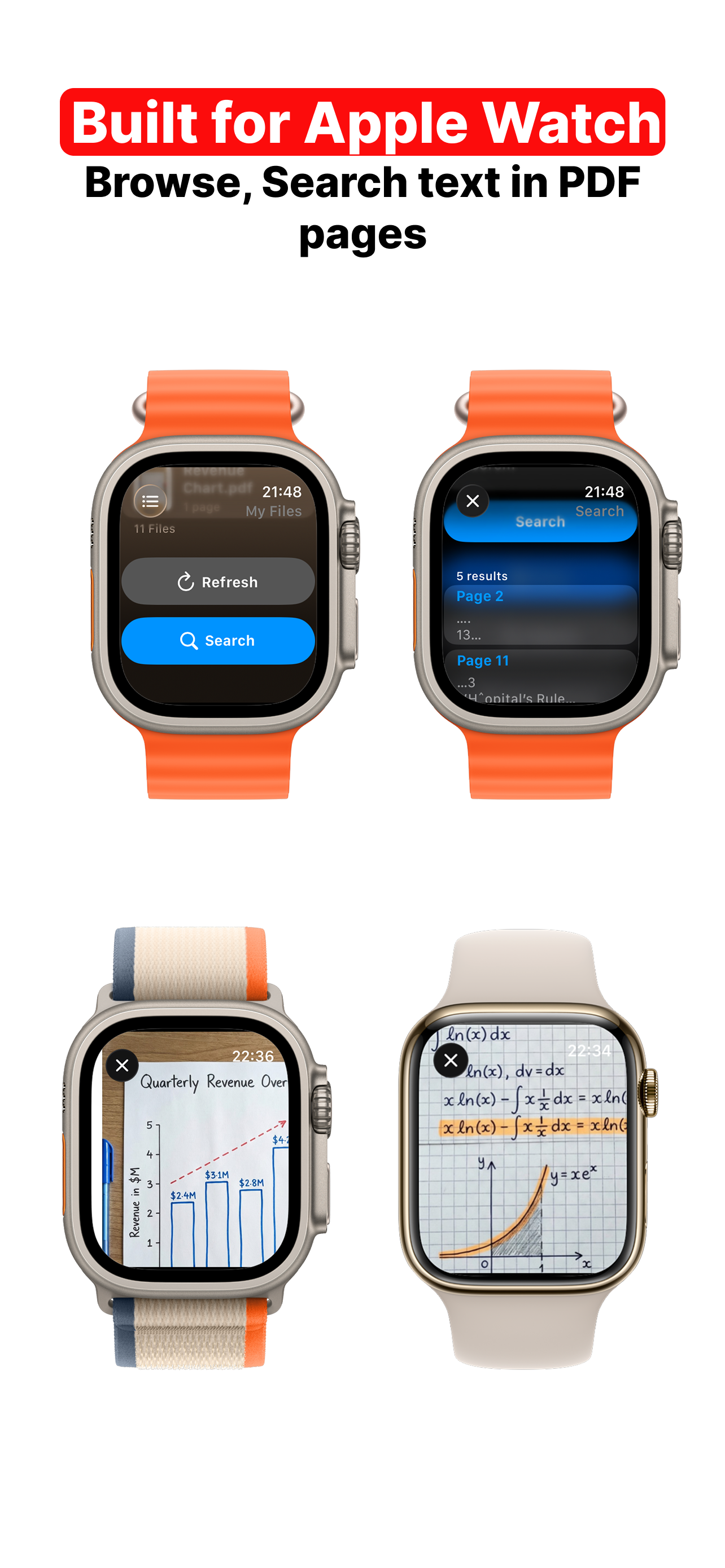
iWatch PDF — PDF Viewer for Apple Watch Your PDFs, everywhere. On iPhone, iPad, and Apple Watch. Create & Import PDFs Use the built-in scanner to cr...
| Name | Price | Type |
|---|---|---|
| Premium Access - Weekly | $3.99 | Weekly |
| Premium Access - Weekly | $4.99 | Weekly |
| Premium Access - Monthly | $7.99 | Monthly |
| Premium Access - Monthly | $9.99 | Monthly |
| Premium Access for lifetime | $29.99 | One-time |
| Premium Access (Annual) | $34.99 | Yearly |