Bebop: Quick Notes

Jack Cheng LLC · iOS

Bebop: Quick Notes

Explore the ad evidence, study the storefront, and build your next acquisition hypothesis.

Paid-ad activity not yet verified
Compare appsMy watchlist

01 / Creative research

Turn the unknowns into a research plan.

01

Check the acquisition promise

Read the store headline, screenshots and description. What problem is the app promising to solve?

Study the storefront ↗
02

Look for ad evidence

Explore apps with direct store-link matches. Compare their hooks and formats without assuming the same approach works here.

Browse observed advertisers ↗
03

Separate demand from paid growth

Store rankings and revenue estimates describe market context. They do not establish ad spend, conversions or ROAS.

Review the market context ↗

02 / Storefront & product

Where the click lands.

Study the product story and store experience behind the acquisition funnel.

Screenshots

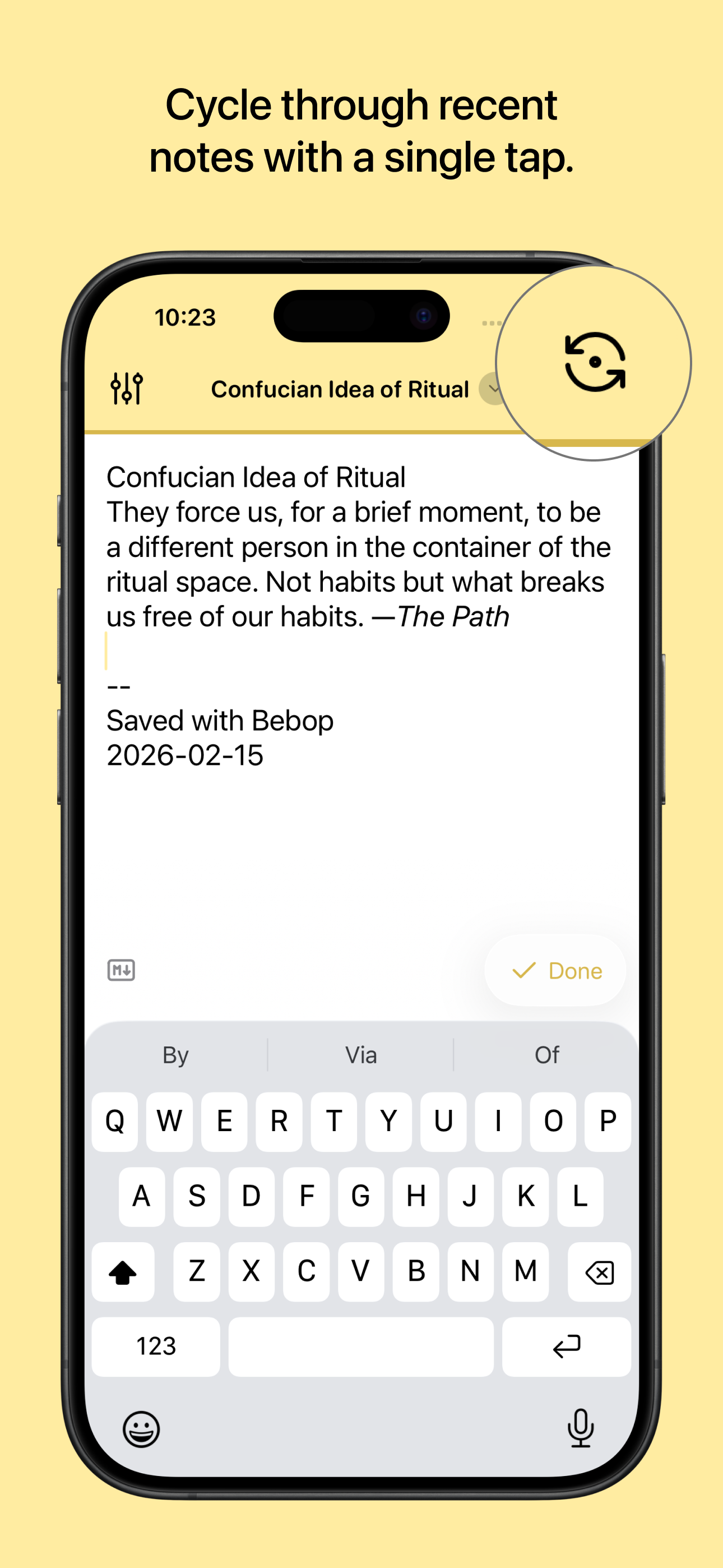
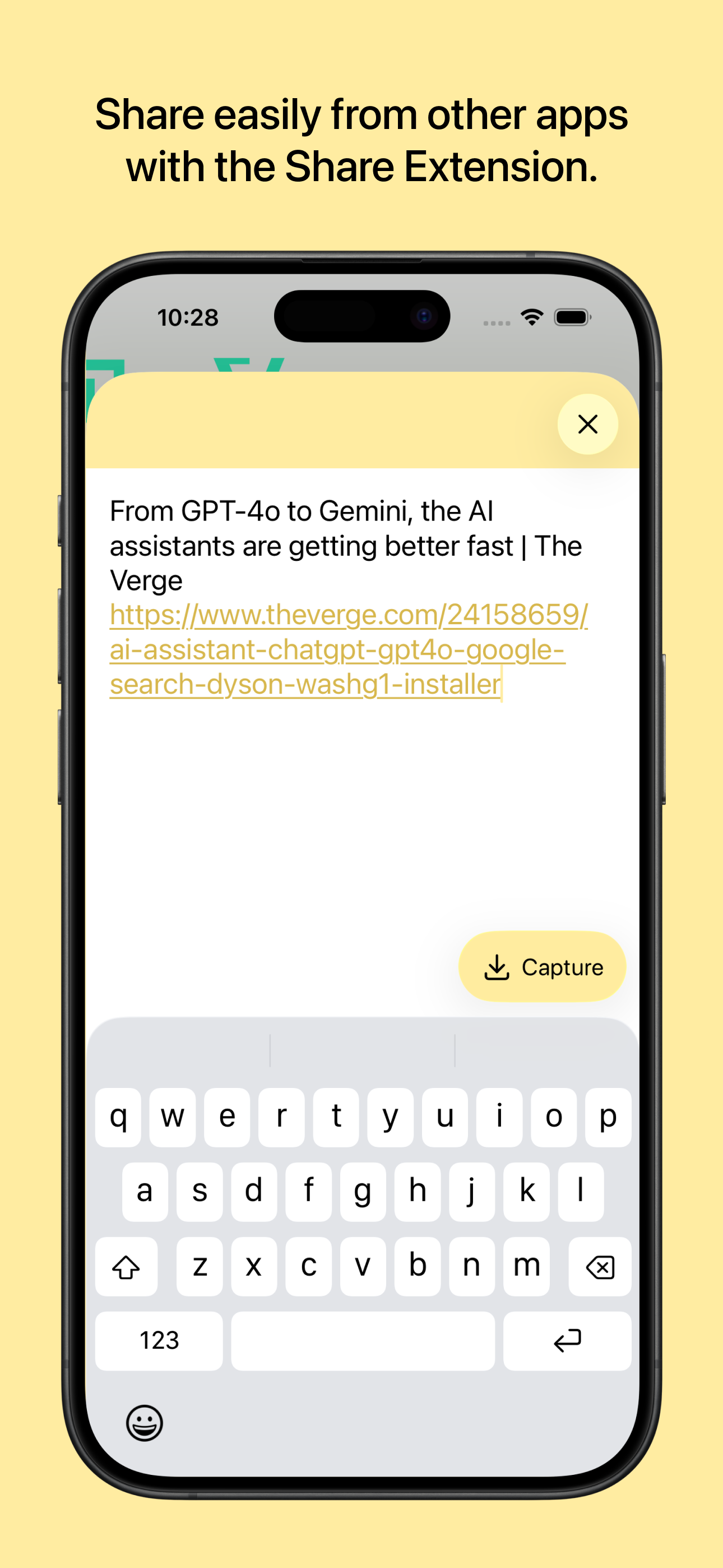
Bebop: Quick Notes screenshot 1Bebop: Quick Notes screenshot 2Bebop: Quick Notes screenshot 3Bebop: Quick Notes screenshot 4Bebop: Quick Notes screenshot 5

03 / Market context

The business behind the app.

Keep revenue, downloads and store rankings separate from advertising performance.

How Much Does Bebop: Quick Notes Make?

Monthly Revenue
$1.0K
Annualized estimate
$12.0K
Per Download
$1.00

Platform Performance

🍎iOS
Revenue
$1.0K
Downloads
1.0K
Rating
4.9 ★(43)

Rating Distribution

4.9
★★★★★
43 reviews
5
0%
4
0%
3
2%
2
2%
1
95%

Top Countries

🇺🇸 US🇩🇪 DE🇬🇧 GB
Reviews (3)▼
★★★★★MaxCReview5/7/2026
It's does exactly what it aims to perfectly

Simple and elegant. Just enough flexibility to fit around what your use case and simple enough where it just does what it needs to. The control panel/Lock Screen button is game changing. Bought the upgrade to support a dev who makes some quality software. Big thank you!

★★★★★schneid33062/15/2025
The App I Have Been Searching For

I have been looking for an app with Bebop's functionality for about a decade. All I wanted was a quick capture app that points to a directory of my choice and then I could control the naming of the file and have a template when the new file was created. 11/10, this is AWESOME.

★★★★★RCRCRC137/6/2024
Great for quick notes

I use Obsidian for my notes, but sometimes I just want to quickly create a note without a lot of fuss. Bebop fills that need. I created a folder called Bebop in my Obsidian vault folder and can now create a note without thinking about what to name it or where to save it.

Version History (14)▼
1.3.06/7/2026
1.2.22/24/2026
1.2.12/21/2026
1.2.02/16/2026
1.1.211/25/2024
1.1.110/12/2024
1.1.09/25/2024
1.0.68/18/2024
1.0.57/16/2024
1.0.47/9/2024
Available In (115 Countries)▼
🇺🇸 United States🇦🇺 Australia🇨🇦 Canada🇨🇳 China🇫🇷 France🇩🇪 Germany🇬🇧 United Kingdom🇮🇹 Italy🇯🇵 Japan🇰🇷 South Korea🇷🇺 Russia🇩🇿 DZ🇦🇴 AO🇦🇷 Argentina🇦🇹 Austria🇦🇿 AZ🇧🇭 BH🇧🇧 BB🇧🇾 BY🇧🇪 Belgium🇧🇲 BM🇧🇷 Brazil🇧🇬 Bulgaria🇨🇱 Chile🇨🇴 Colombia🇨🇷 CR🇭🇷 Croatia🇨🇾 CY🇨🇿 Czech Republic🇩🇰 Denmark🇩🇴 DO🇪🇨 EC🇪🇬 Egypt🇸🇻 SV🇫🇮 Finland🇬🇭 GH🇬🇷 Greece🇬🇹 GT🇭🇰 Hong Kong🇭🇺 Hungary🇮🇳 India🇮🇩 Indonesia🇮🇪 Ireland🇮🇱 Israel🇰🇿 KZ🇰🇪 Kenya🇰🇼 KW🇱🇧 LB🇱🇹 Lithuania🇱🇺 LU🇲🇴 MO🇲🇬 MG🇲🇾 Malaysia🇲🇹 MT🇲🇽 Mexico🇳🇱 Netherlands🇳🇿 New Zealand🇳🇬 Nigeria🇳🇴 Norway🇴🇲 OM🇵🇰 Pakistan🇵🇦 PA🇵🇪 Peru🇵🇭 Philippines🇵🇱 Poland🇵🇹 Portugal🇶🇦 QA🇷🇴 Romania🇸🇦 Saudi Arabia🇷🇸 RS🇸🇬 Singapore🇸🇰 Slovakia🇸🇮 Slovenia🇿🇦 South Africa🇪🇸 Spain🇱🇰 LK🇸🇪 Sweden🇨🇭 Switzerland🇹🇼 Taiwan🇹🇭 Thailand🇹🇳 TN🇹🇷 Turkey🇺🇦 Ukraine🇦🇪 UAE🇺🇾 UY🇺🇿 UZ🇻🇪 VE🇻🇳 Vietnam🇧🇴 BO🇰🇭 KH🇪🇪 Estonia🇱🇻 Latvia🇳🇮 NI🇵🇾 PY🇦🇫 AF🇬🇪 GE🇮🇶 IQ🇱🇾 LY🇲🇦 MA🇲🇿 MZ🇲🇲 MM🇾🇪 YE🇧🇯 BJ🇧🇫 BF🇨🇲 CM🇨🇬 CG🇨🇮 CI🇯🇴 JO🇱🇦 LA🇲🇱 ML🇸🇳 SN🇹🇿 TZ🇺🇬 UG🇿🇲 ZM🇿🇼 ZW
Supported Languages (1)▼
English
App Details▼

Bebop helps you get down your ideas, fast. It assumes that review and organization are better done on larger screens—that a mobile text editor should...

iOS App ID
6477824795
Content Rating
4+
Min OS
17.0
Size
25.2 MB
In-App Purchases
Yes
Publisher
Jack Cheng LLC

In-App Purchases (1)

NamePriceType
Pro Upgrade$4.99One-time