Check the acquisition promise
Read the store headline, screenshots and description. What problem is the app promising to solve?
Study the storefront ↗
Renee Borsari · iOS
Explore the ad evidence, study the storefront, and build your next acquisition hypothesis.
01 / Creative research
Read the store headline, screenshots and description. What problem is the app promising to solve?
Study the storefront ↗Explore apps with direct store-link matches. Compare their hooks and formats without assuming the same approach works here.
Browse observed advertisers ↗Store rankings and revenue estimates describe market context. They do not establish ad spend, conversions or ROAS.
Review the market context ↗02 / Storefront & product
Study the product story and store experience behind the acquisition funnel.


03 / Market context
Keep revenue, downloads and store rankings separate from advertising performance.
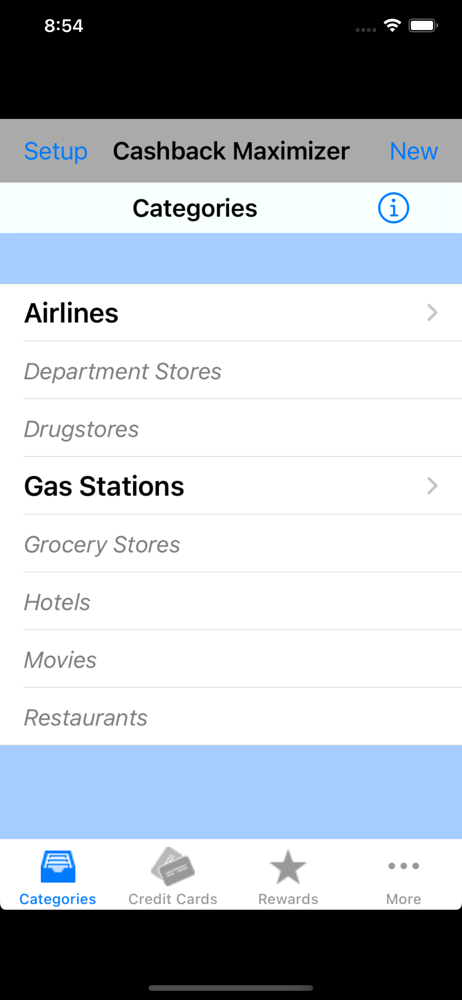
Exactly what I needed. Does a great job in managing cash back. Would be great if I can sync data with other devices.
Overall, does exactly what I hoped it would--helps me manage multiple roasting category cash back programs. There is some room for improvement though. For instance, the app takes into account the cash back base rate for all non-calendar purchases on each card, but it never gives you that information when you select a category. In addition, categories without rewards programs are essentially grayed out. I have a case where my BofA card gives me 2% on groceries, and my Citi card base rate on all purchases is 2%. If I select "groceries" tell me both (since they both the best options), not just the one with a current calendar program. Also, the icon is an eyesore (very blurry on regular iPhone 6). Something cleaner would be much appreciated. 5 stars with these additions
Do you have more than one credit card offering cashback rewards? Do you have a difficult time remembering which card to use under which circumstance?...