App Profile: Lirum Device Info 2

Android / Games / Puzzles
Lirum Device Info 2
Installs:
Rating:
3.98
Total Reviews:
272
Top Countries:
CN, JP, US
< $5k
/mo
< 5k
/mo
Reviews: What People Think About Lirum Device Info 2
Wooiso
Rating: 4/5
This app is great for tech savvy people like me, and tells you all you need to know about the specs of your device. Despite this being the lite version, I haven’t found a need to buy the full version. But if you need to compare devices, the full app works good for that. But I think the full version should be a bit cheaper, maybe around 1 dollar instead of 2 or 3. I also think this app would be better if it had a built in benchmark test even if it was a full version only feature. Over all, this app does what it says. It’s not perfect, but it definitely shows potential I’m glad an app like this exists, because I like to know about the inside of my phone/tablet. Thanks for reading.
ThatsNiceGuy
Rating: 4/5
As the title says, this app is great for checking all the specs of your device and it helped me greatly while testing out how much RAM a beta game was using. Only problem is that this app only works on my iPhone XR but fails to even open on my iPad Pro 11”. The app just crashes when opening it. For now I’ve switched to something else but please fix this.
dalechen2513
Rating: 5/5
I’ve been reading other reviews, saying how u can’t use most of the features, and how there’s not even a task manager. I personally think that the app is amazing as it is, since it provides so much info that stock iOS apps can’t provide. I understand that a task manager can be implemented since this is only an app from the Apple store, but it sure is a step in the right direction(perhaps giving Apple some ideas ;)). If u like monitoring ur phone like me, this is the perfect app. Great job!
About Lirum Device Info 2
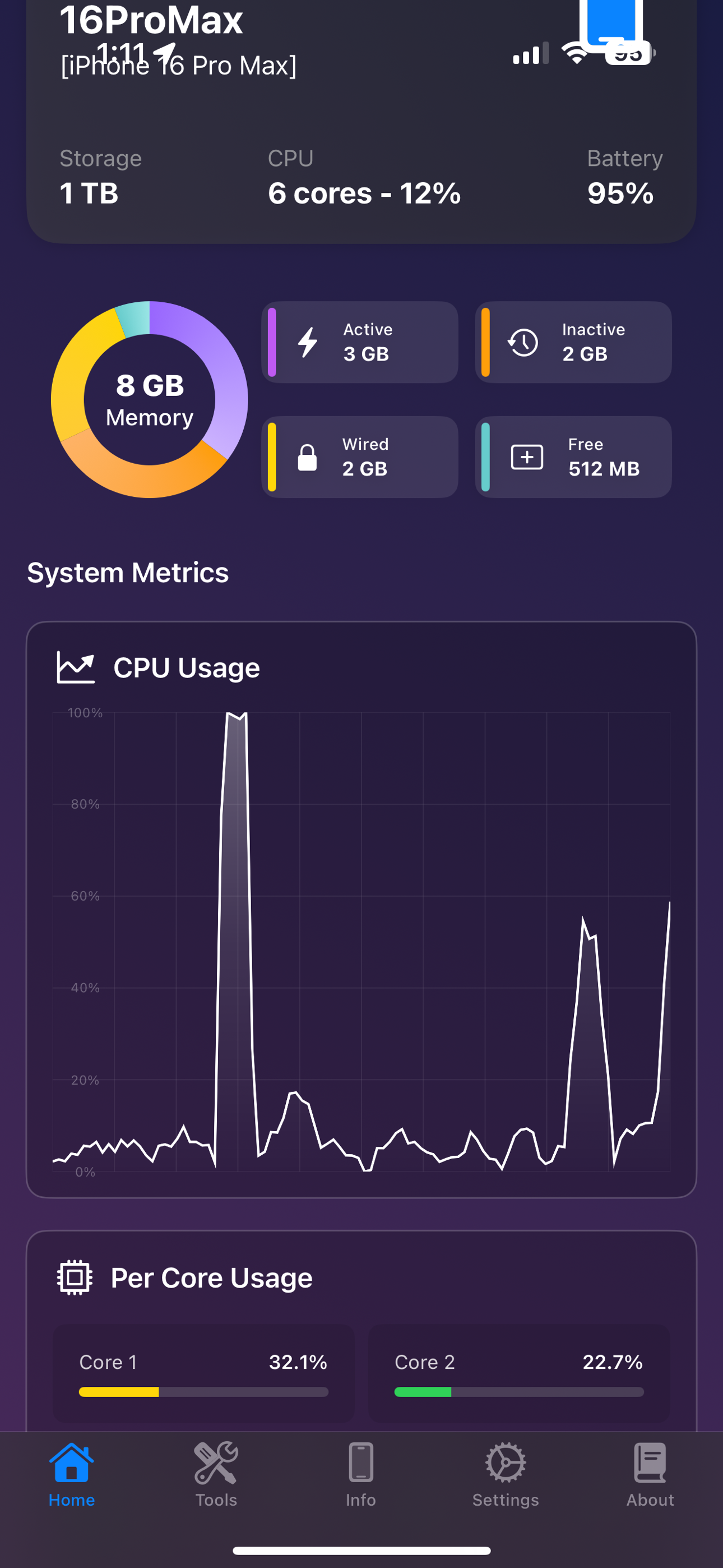
Meet Lirum Info, the ultimate system monitoring and hardware toolkit for your iPhone and iPad. Built for developers, IT professionals, and power users, it’s also friendly for anyone who wants to know their device inside and out. Monitor your device’s performance in real time, get detailed hardware insights, and run practical tests – all in one elegant app. Whether you’re optimizing code, troubleshooting issues, or just curious about your phone, Lirum Info makes it easy to understand with clear visuals and helpful tips.

Feature list:

- CPU Tool
- Memory Tool
- Storage Tool
- Storage Graphs
- Per partition / storage unit details
- Battery Tool
- Thermals Tool
- Thermal pressure alerts
- Bluetooth Tool
- Automatic BLE device discovery
- Device list with signal strength
- Connection Rate Tool
- Network connection monitoring
- Cellular Bands Tool
- Cellular band information
- Network technology details
- Band frequency information
- Accelerometer Tool
- Gyroscope Tool
- Magnetometer Tool
- Barometer Tool
- Proximity Sensor Tool
- Camera Tool
- Touchscreen Tool
- Display Patterns Tool
- Screen testing patterns
- Dead pixel detection
- Color calibration patterns
- Vibration Tool
- Haptic feedback testing
- Different vibration patterns
- Microphone Tool
- Real-time audio input monitoring
- Waveform visualization
- Amplitude indicator
- Speaker Tool
- Speaker testing
- Audio output verification
- Volume level testing
- GPS/Location Tool
- AR (Augmented Reality) Tool
- For both iOS and visionOS
- NFC Read and Write Tools
- NFC tag detection and scanning
- NDEF message parsing and interpretation
- Multiple tag format support (NFC-A, NFC-B, NFC-F, NFC-V)
- Tag type and technology identification
- Record parsing with type detection (Text, URI, Smart Poster, etc.)
- Raw payload inspection and hex dump views
- NDEF record structure visualization
- Saved Tags Management
- Persistent tag storage with metadata
- Biometrics Tool (FaceID, TouchID, OpticID)
- Comparison Tool
- Compare current device with any iOS/visionOS device
- Side-by-side specification comparison
- Device selection from comprehensive database
- Timeline Tool
- Interactive timeline of iOS/visionOS devices
- Device generations
- Metrics Client/Server Tool
- Start/stop a BLE metrics server
- You can watch realtime metrics from another iOS device
- Local AI Model Tool
- Apple Foundation Models (iOS 26+ with Apple Intelligence)
- LLM.swift framework with custom GGUF model support
- Library of local models, measurement of memory, CPU and performance impact;
- Export/Import models to Files, download them from remote URLs;

Device Information
Lirum Info shows several data fields for your device:
General Information
Hardware Specs
Display Information
Camera Specs
Network Information
Location Information

iOS Widgets:
- Home screen widgets with multiple family sizes
- Real-time data updates via App Group shared storage
- Configurable widget display options and preferences
- Intelligent refresh scheduling to balance freshness and battery life
- Comprehensive suite of specialized widgets for system monitoring

- Apple Watch companion app
- Data synchronization with Watch
- Shared metrics
- On-watch app toggles between streaming iPhone telemetry and on-watch sensor mode with dedicated layouts.
- Mode switcher highlights the current data source and guides users to premium diagnostics available remotely.

- visionOS Features
- Spatial Computing
- Immersive space support
- 3D object interaction
- Hand tracking

- AR Tool visionOS Mode
- Full spatial environment
- Immersive AR experiences
- Object manipulation in 3D space
- Add any usdz model from Files to your 3D space
File size: 124536832
Launched countries: USBRITAUCACNFRDEGBJPKRRUDZAOARATAZBBBYBEBMBGCLCOCRHRCZDKDOECEGSVFIGHGRGTHKHUINIDIEILKZKEKWLBLTLUMOMGMYMXNLNZNGNOOMPKPAPEPHPLPTQAROSASGSKSIZAESLKSECHTWTHTNTRUAAEUYUZVEVNBOEELVNIPYKHMZYEBHCYMTBJBFCGJOLAMLSNTZUGZW
Minimum OS version: 17.6
Release Date: 1360137600000
Published by Rogerio Hirooka
Website url: https://lirumlabs.com/
Publisher country: US
Copyright © 2025. Made with ♥ in London by AdScan.ai