Check the acquisition promise
Read the store headline, screenshots and description. What problem is the app promising to solve?
Study the storefront ↗
INNOVENTIONS, Inc. · iOS
Explore the ad evidence, study the storefront, and build your next acquisition hypothesis.
01 / Creative research
Read the store headline, screenshots and description. What problem is the app promising to solve?
Study the storefront ↗Explore apps with direct store-link matches. Compare their hooks and formats without assuming the same approach works here.
Browse observed advertisers ↗Store rankings and revenue estimates describe market context. They do not establish ad spend, conversions or ROAS.
Review the market context ↗02 / Storefront & product
Study the product story and store experience behind the acquisition funnel.


03 / Market context
Keep revenue, downloads and store rankings separate from advertising performance.
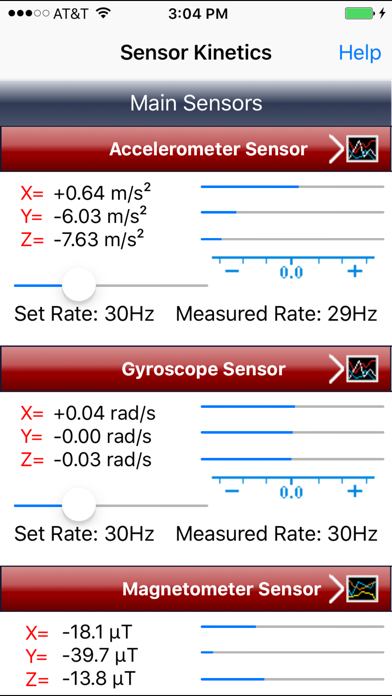
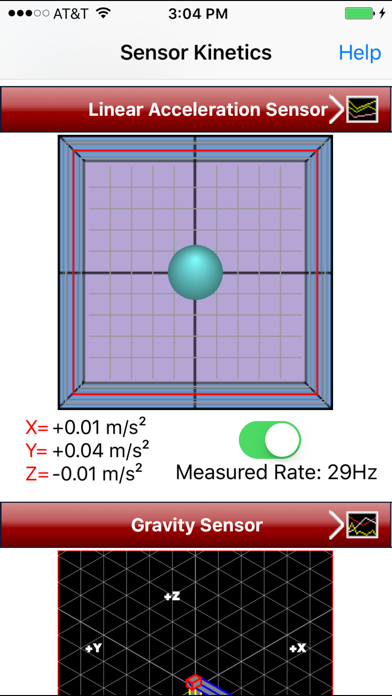
A few months ago my college math class had us use this app for an experiment. Everyone thought it was a cool and useful free app to see the phone sensor readings but many iPhone users had problems with features not working (that was the majority of the 90-person class). Specifically, I have an iPhone X with the newest iOS version and these features don’t work for me: - the graph visualizations - they are glitchy and appear to be stuck above the top of the screen (off screen and not visible, showing only the x-axis labels), in either orientation, portrait or landscape - the back button doesn’t respond to being pressed, turns grey but no action happens - the clear graph button crashes the app Its still a good app which I will continue to keep on my phone and use occasionally, but I wish that these features would get fixed.
On my Xs, the graphs are off screen no matter the orientation. Hasn’t been updated in a couple years. Too bad because otherwise it’s a great app and I haven’t found a good replacement.
I don’t know if I should buy this. All I want to do is view a longer-term live updating graph output, not just a few seconds worth, which scrolls away, and I can’t see the history while still recording data.
See your iPhone in motion! Watch your iPhone's gyroscope and accelerometer sensors in action and discover how they work. Measure the effect of gravity...