Check the acquisition promise
Read the store headline, screenshots and description. What problem is the app promising to solve?
Study the storefront ↗
iLanga, Inc. · iOS
Explore the ad evidence, study the storefront, and build your next acquisition hypothesis.
01 / Creative research
Read the store headline, screenshots and description. What problem is the app promising to solve?
Study the storefront ↗Explore apps with direct store-link matches. Compare their hooks and formats without assuming the same approach works here.
Browse observed advertisers ↗Store rankings and revenue estimates describe market context. They do not establish ad spend, conversions or ROAS.
Review the market context ↗02 / Storefront & product
Study the product story and store experience behind the acquisition funnel.




03 / Market context
Keep revenue, downloads and store rankings separate from advertising performance.
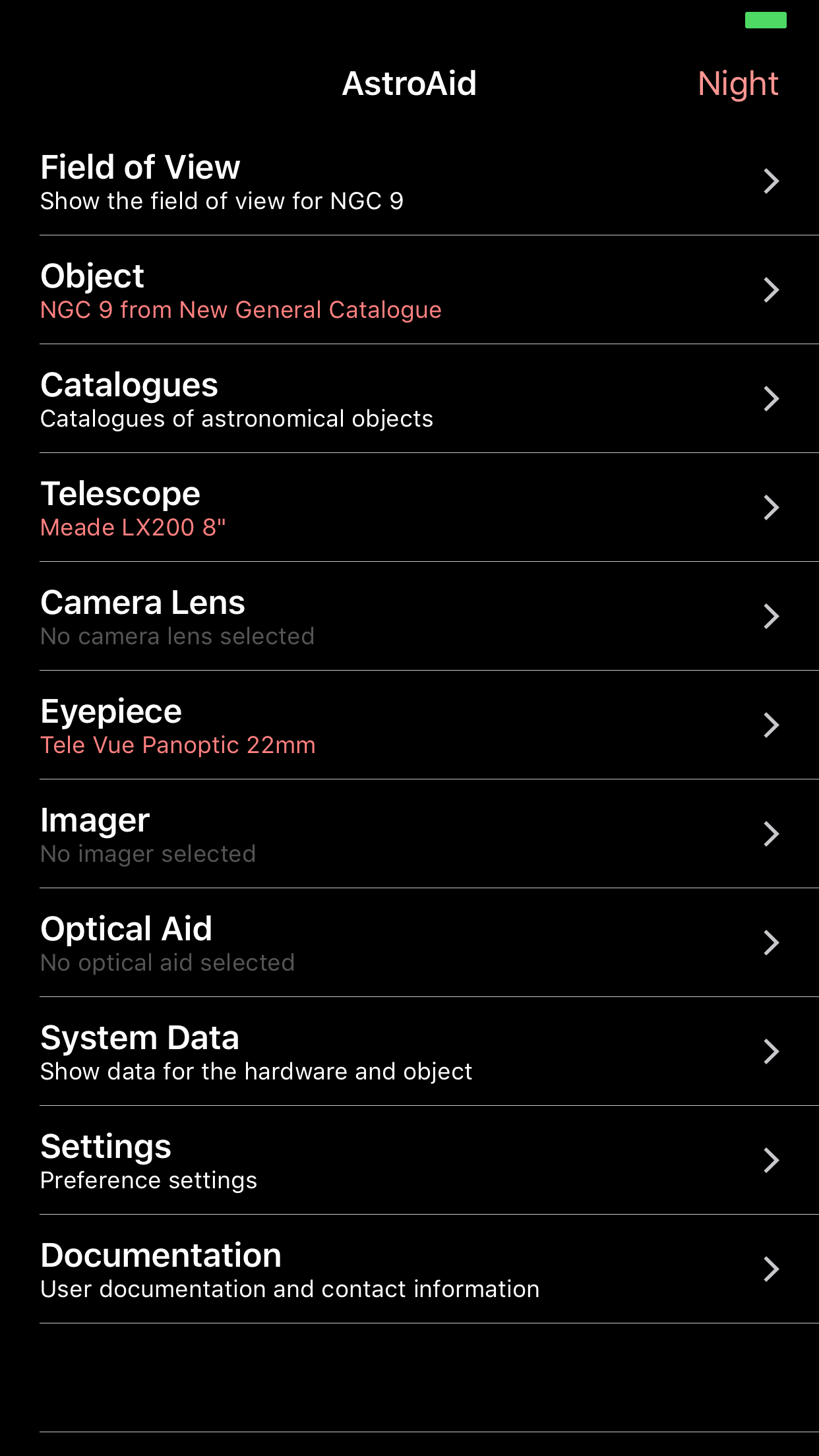
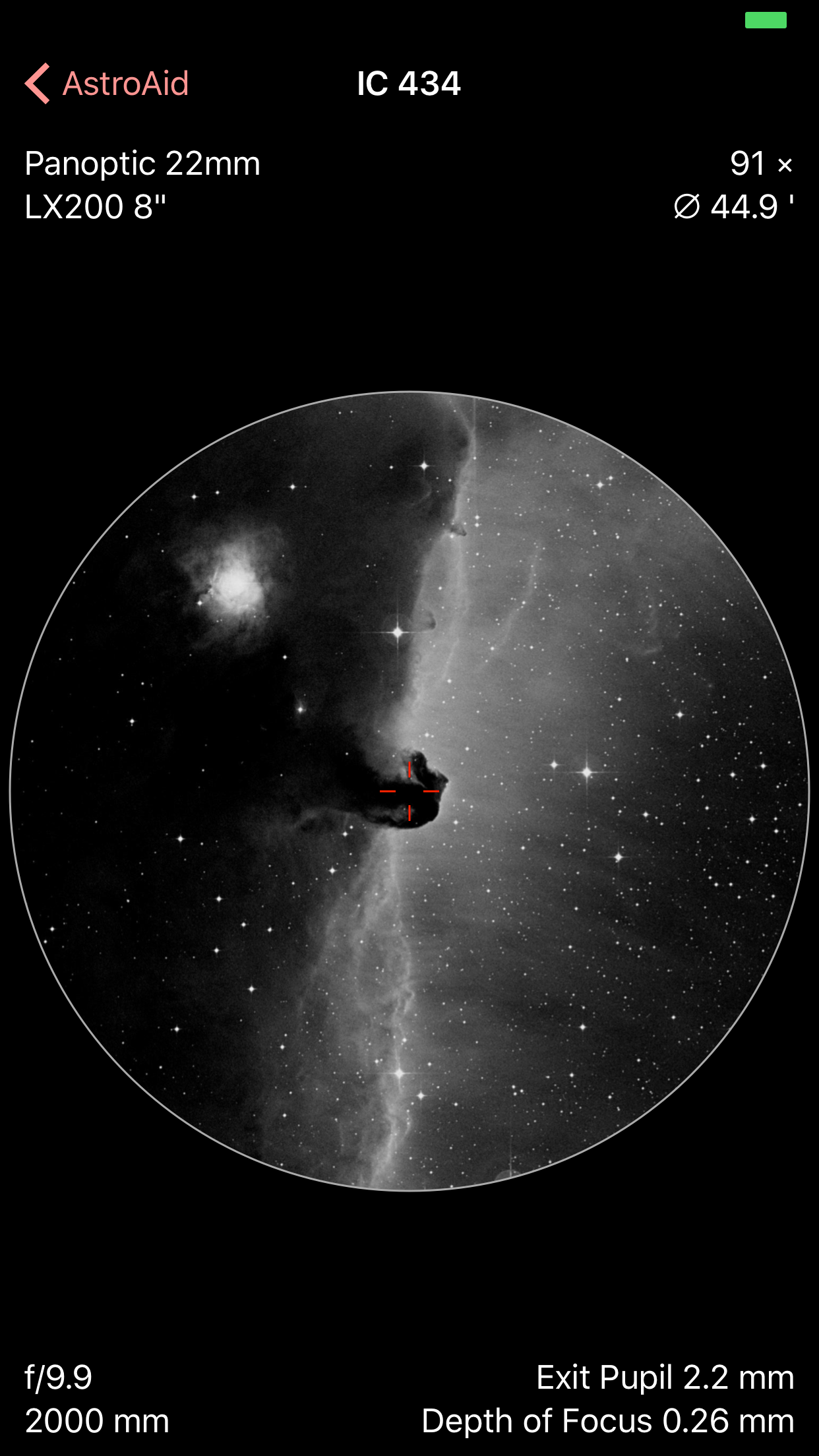
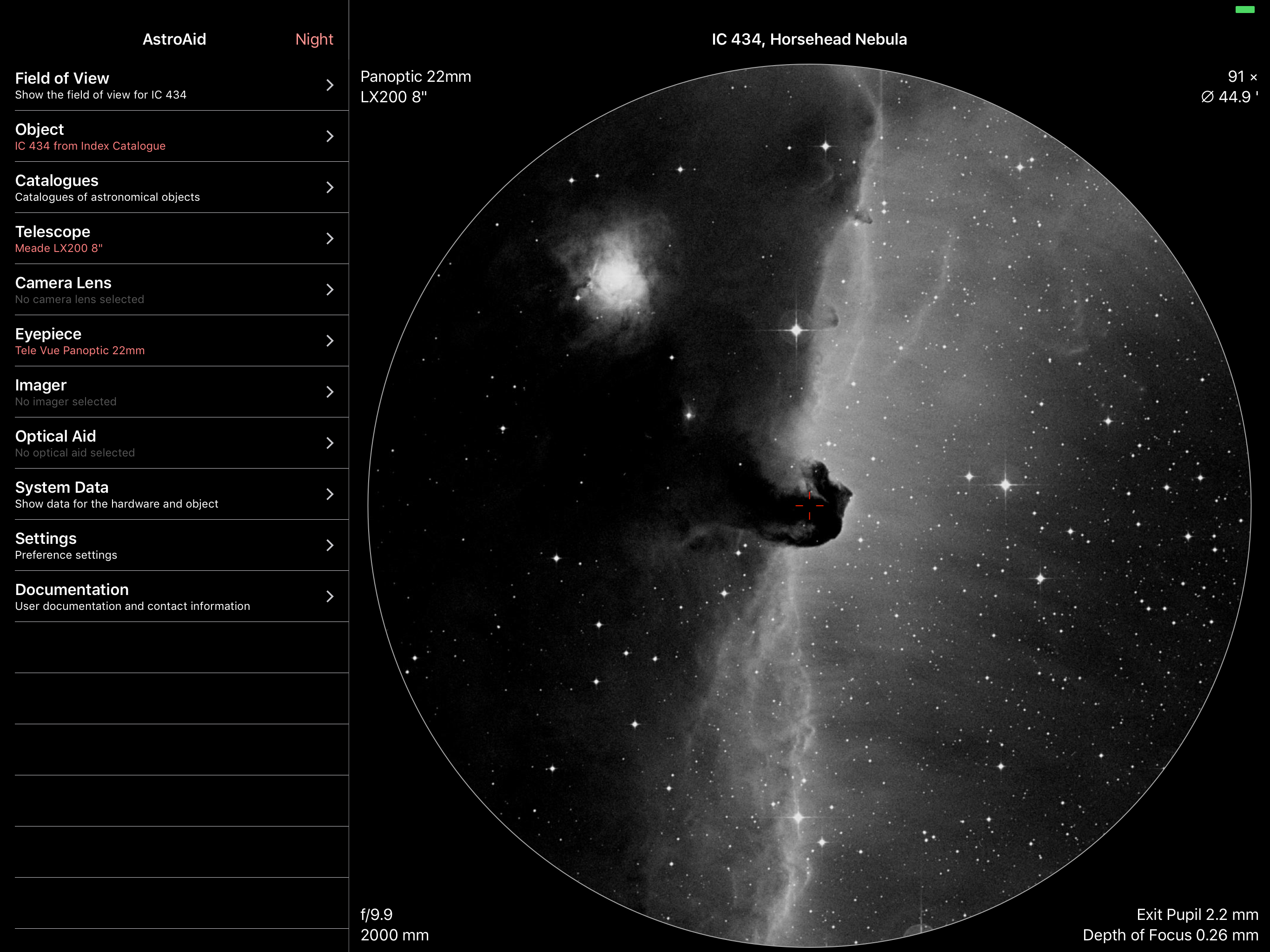
While there are some things I would like to see added that previous reviewers have already mentioned, I give this app 5 stars because there is no other app available that does exactly what this one does. It is very useful to select the best eyepiece or imaging device to be used for your telescope to view any object you would like to see. Also, it allows you to determine what objects are in position to view at the time and at your location, by just scrolling through the list. There are seven catalogs of objects that you can search through to do this. It brings up a picture of each of these objects so that you can see what it looks like in the field of view of your telescope/eyepiece/optical aid/ or imager. Also, it gives you a report of the system data with all the optical information for the selected equipment you are using.
You start by selecting all the gear you own - eyepieces, cameras, telescopes, optical aids (Barlow or focal reducers), etc. (Tip: swipe left on an item in the list to reveal the "Owned" option). Then you can select individual items for your current setup and see what a particular target will look like in your visual field of view, or on your camera's sensor. It also displays a lot of useful information in the corners of the image such as field of view values, or arc-seconds per pixel for imagers. In the System Data section, it provide you a much richer list of information for how the specific set of gear you've selected will perform as a system. I've been using this since version 1. When I first got it, I thought it was interesting, but not sure how often I'd use it. I was surprised to find how frequently I refer to it. In fact, it is my most used app after SkySafari. If I could only have 2 astronomy apps, it would by SkySafari and AstroAid. I often look at it to see what effect a Barlow or focal reducer will have on the field of view for imaging. And when I'm planning an imaging session, I have several scopes to choose from and use AstroAid to determine which will best frame the image and what the pixel scale will be. I use it for similar purposes when doing visual observing, to plan which scope and eyepieces to use for the night. An excellent app that everyone should have in their toolbox!
This is a good application for framing objects in both visual and photographic observations. While this is very helpful, there are three problems that keep it from getting five stars (no pun intended). First, the night mode is bad. It eliminates contrast in the FoV and menus, keeping you from seeing anything. Second, it is very out of date. It lacks the newer brands such as Explore Scientific and you can use up all of the custom items very quickly. Finally, the worst, almost ALL images are severely cropped, even famous ones like the Double Cluster, Lagoon Nebula, And-dromeda (pun intended) Galaxy. If you use a wide-field telescope and eyepiece or camera, most of the field is black. With the eyepiece, changing the AFoV changes the magnification, too. If the producers update this application, it would be nice to have planets at opposition and a slider for their rotation and an exposure simulator for imaging. The longer the exposure and faster F-Ratio, the brighter the image would be.
AstroAid is an app for amateur astronomers that functions as an aid to visualizing what you will see through your telescope/camera lens when you use a...