Check the acquisition promise
Read the store headline, screenshots and description. What problem is the app promising to solve?
Study the storefront ↗
Augmented Minds · iOS
Explore the ad evidence, study the storefront, and build your next acquisition hypothesis.
01 / Creative research
Read the store headline, screenshots and description. What problem is the app promising to solve?
Study the storefront ↗Explore apps with direct store-link matches. Compare their hooks and formats without assuming the same approach works here.
Browse observed advertisers ↗Store rankings and revenue estimates describe market context. They do not establish ad spend, conversions or ROAS.
Review the market context ↗02 / Storefront & product
Study the product story and store experience behind the acquisition funnel.
03 / Market context
Keep revenue, downloads and store rankings separate from advertising performance.
I really do like this app; just about everything works as it should. The only thing I don't like and the reason I have given it 3 stars instead of 5 is because you cannot stop the app from automatically changing the phones brightness, this should not be IMO. When the alarm goes off it turns the brightness up to maximum and lights up the whole room. Also, after it has done this, you cannot turn the brightness down. So, if you've set multiple alarms or a snooze button hitter you might as well just get up because your room will be lit up like Christmas and there's nothing you can do about it. THIS IS VERY FRUSTRATING. Fix this please, because I like this app, but probably won't be using it till this issue is fixed and since I paid for it that's a little disappointing ☹️
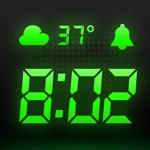
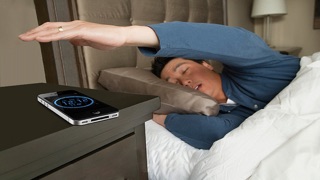
I like the app. Like the display. Clever design to denote the hour and minutes. Upgraded to the paid version so I can do more than one alarm. Like the wave gesture to shut it off though that doesn't seem to always work. But hitting the home button works too. My only wish for the perfect alarm clock app would be (1) allow An option to start the app as soon as you dock it so when you go to bed at night and plug it in or dock it voila your alarm clock is there ready to go. (2) to alleviate the clock app auto starting during the day every time you plug it in, build another option to set a 'night' time period when the auto start will take place upon docking. I had an app that had these features two phones ago and have not found those features since. Cheers
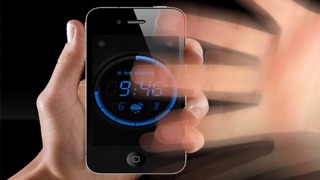
The app works fine. Waving my hand in front of the phone has worked flawlessly each time I've tried it. The only glitch is that it screws with the phones brightness settings. I dim the phone to the lowest level at night. After I disable the alarm when waking up in the morning, the app brightens to the maximum as well as brightens the entire phone's settings to the maximum lighting up my entire bedroom. I don't want that. Additionally, while tinkering with the app (during the day), I'll have the phone's brightness at the maximum. Unlike in the morning, I have to actually brighten the app manually each time because it's dim. SUMMARY: The apps brightness level should be the same as set in the phone's settings unless changed manually by the user.
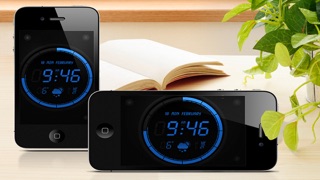
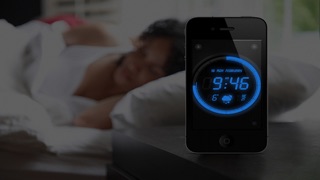
Wave Alarm is not your ordinary alarm clock application. Wave Alarm is something new... Wave Alarm features Motion Control technology, a new way to wa...
| Name | Price | Type |
|---|---|---|
| Wave Alarm - Full version | $1.99 | One-time |