Check the acquisition promise
Read the store headline, screenshots and description. What problem is the app promising to solve?
Study the storefront ↗
Habitual Digital, Ltd. · iOS
Explore the ad evidence, study the storefront, and build your next acquisition hypothesis.
01 / Creative research
Read the store headline, screenshots and description. What problem is the app promising to solve?
Study the storefront ↗Explore apps with direct store-link matches. Compare their hooks and formats without assuming the same approach works here.
Browse observed advertisers ↗Store rankings and revenue estimates describe market context. They do not establish ad spend, conversions or ROAS.
Review the market context ↗02 / Storefront & product
Study the product story and store experience behind the acquisition funnel.

03 / Market context
Keep revenue, downloads and store rankings separate from advertising performance.
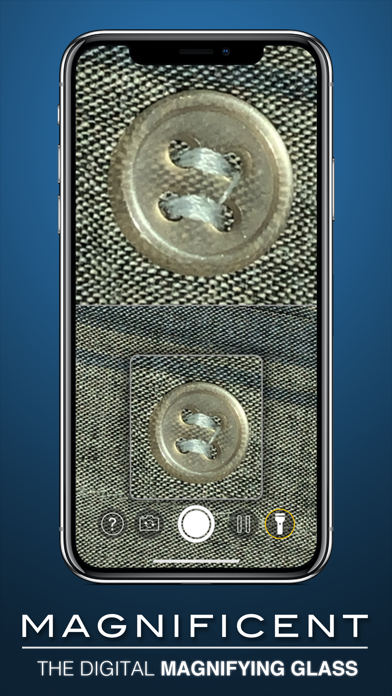
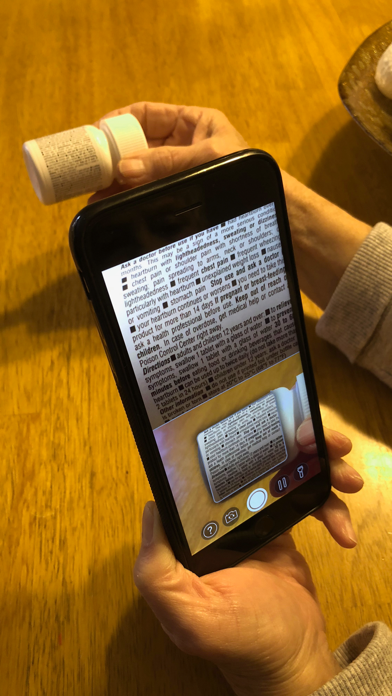
This app enhances the ability to magnify images beyond taking a photo with spread zooming. Nice. But, there are opportunities for the developer to make this app more functional. 1. Allow for adjusting the light level. Right now, the LED lights are either on or off. When the lights are on it is often too much light and the image is washed out. 2. Once the image is in focus allow for "freezing" the image on the screen. Right now, you need to take a screen shot photo to achieve this. Granted, screen shot functionality is built into the app which is nice when you want to save the image. But, often, I just want to stop the image from jumping around and don't want a picture. Tapping an icon to freeze the screen would be a lot easier than going to the photos app and opening your Camera Roll. 3. The image often goes in and out of focus. A lot of magnification apps suffer from this limitation. So, improving the app in this area represents an opportunity for the developer to rise above the pack. 4. Allow for increasing the contrast of the image. I was trying to read the print on Apple's 5Volt, 1Amp charging cube and really had a hard time seeing the low contrast print Apple uses. Shame on Apple for this. But, again, the developer could rise above the pack by offering the functionality of increasing contrast for objects that have little native contrast.
Impressive app! I often work with jewelry and other very detailed items so I'm always on the hunt for good magnification! I had just purchased a LED head magnifier and this appears to work as well on the fine details of jewelry! Best of all, it's always with me which will be very handy if I'm out hunting down vintage jewelry and need to read the markings. There were no current reviews so I read the ones from previous version and it had good reviews. There were some function ability suggestions made and it appears all those suggestions were addressed in the last update. Thank you!
I purchased this to photo surgical tissue specimens that arrive in Pathology. The standard iPhone camera takes very nice photos but I wanted to get macro-like shots of the surfaces and textures of the tissues. Seems to work well except I am unable to go into full screen from the Magnifier view. So frustrating. The pictures turn out nice but holding steady is even more an issue than with the normal camera. Too bad the magnification is not high enough to photo slides without a microscope. That would be useful when on a medical expedition.
Magnificent Magnifier+ is the magnifying glass you will never be without. Perfect for personal or professional use. • Up to 4K camera resolution for...