Check the acquisition promise
Read the store headline, screenshots and description. What problem is the app promising to solve?
Study the storefront ↗
Distimo · iOS
Explore the ad evidence, study the storefront, and build your next acquisition hypothesis.
01 / Creative research
Read the store headline, screenshots and description. What problem is the app promising to solve?
Study the storefront ↗Explore apps with direct store-link matches. Compare their hooks and formats without assuming the same approach works here.
Browse observed advertisers ↗Store rankings and revenue estimates describe market context. They do not establish ad spend, conversions or ROAS.
Review the market context ↗02 / Storefront & product
Study the product story and store experience behind the acquisition funnel.


03 / Market context
Keep revenue, downloads and store rankings separate from advertising performance.
All apps that use cellular data stopped working. Tried resetting network settings, reinstalled all apps, called Verizon, had multiple chat sessions with Verizon, shut phone off numerous times, put it in airplane mode, installed a new system sim card… I couldn’t think of anything else to do - tried everything. Tried to log out of Apple account - it wouldn’t let me. Siri would not work, navigation apps didn’t work - could not connect to internet. I finally took it back to a Verizon store and mentioned that I could not even turn off VPN. That got him thinking that maybe My Data Mgr. could be causing problems. I told him to delete it if he thought it would help. Instead, he found a way to otherwise disable it. I’m not exactly sure what he did but My Data Mgr. is no longer running and that fixed my problem. As soon as he did that I could do everything again. What a relief! He didn’t delete the app but I’m going to, lest I forget and start using it again. I cannot afford to have those problems reappear. Funny, I never realized how much I rely on my phone for things until this fiasco. I’d have said I don’t use it for all that much. I guess I was wrong.
I thought this app was pretty good until I realized that you have to keep the app open in the background for it to work and keep track of your data. But for those of us who like to close our apps occasionally, it’s a pain to have to try to keep track of which apps you close in hopes of not accidentally closing this up in the background because once you do, it stops keeping track of your data. There is a toggle in the settings app to turn on background data for this, but that doesn’t Change whether or not this app actually functions in the background it just allows it to use data in the background. The app itself needs to have a function to where you can make it run without even being open or elect not to if you choose not to. I know this is possible because I have other apps that can do the same thing for other purposes. They allow a toggle button to allow it to run in the background continually if you so choose. This issue needs to be addressed or else the app is pointless.
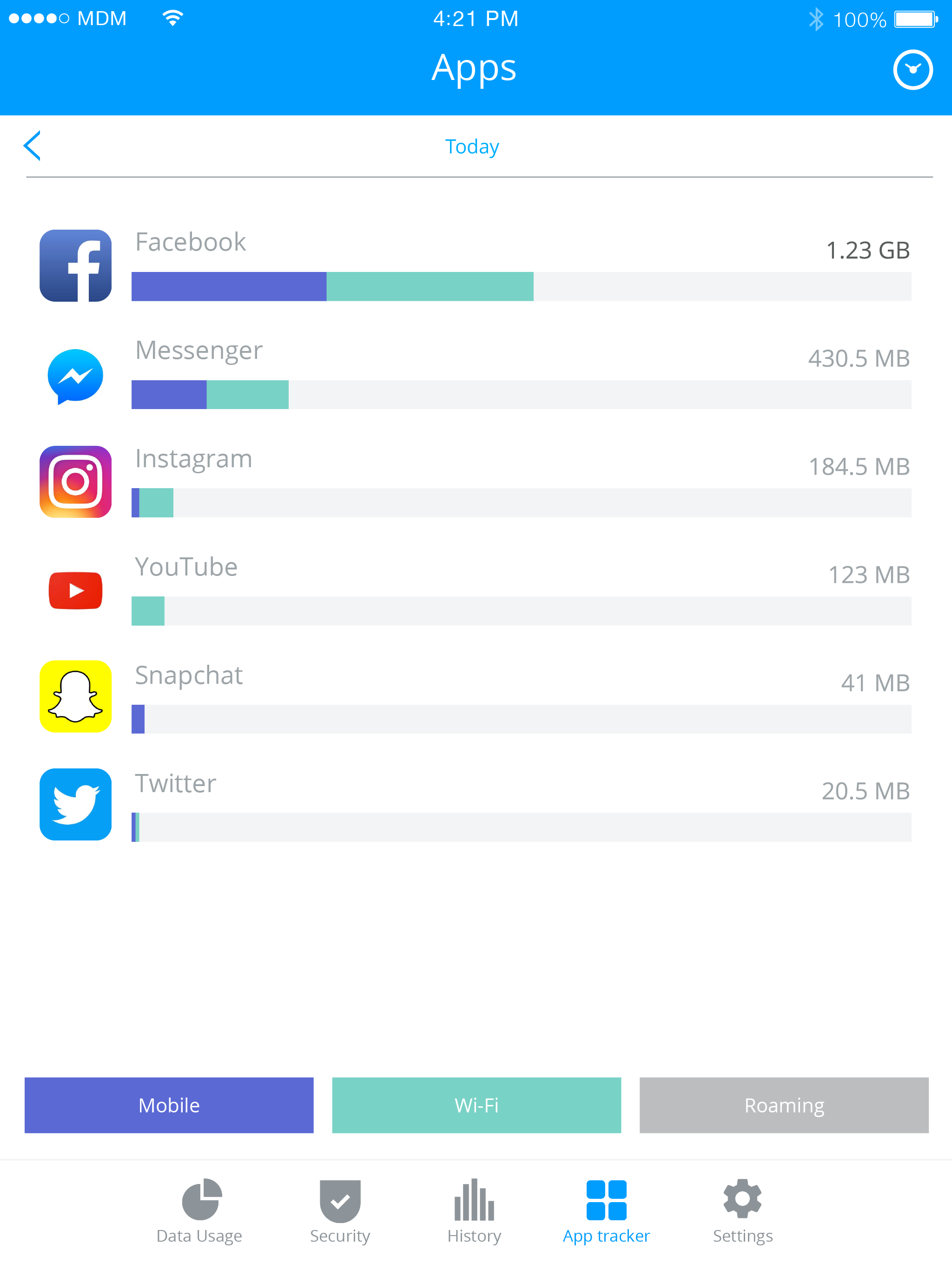
Providing a breakdown of total plan usage between our four devices gives a quick way to locate where a high use probably occurred. An added capability would be a graph showing each day’s total over the period of the plan. Also if the total usage of the last period was still available after the transition to the next plan period could be posted that would be useful as I often forget to check the usage near the end of the last day of my plan period. And even my provider doesn’t show that data for the previous period without more than a few “clicks” on its website. More than just one would also work for some.
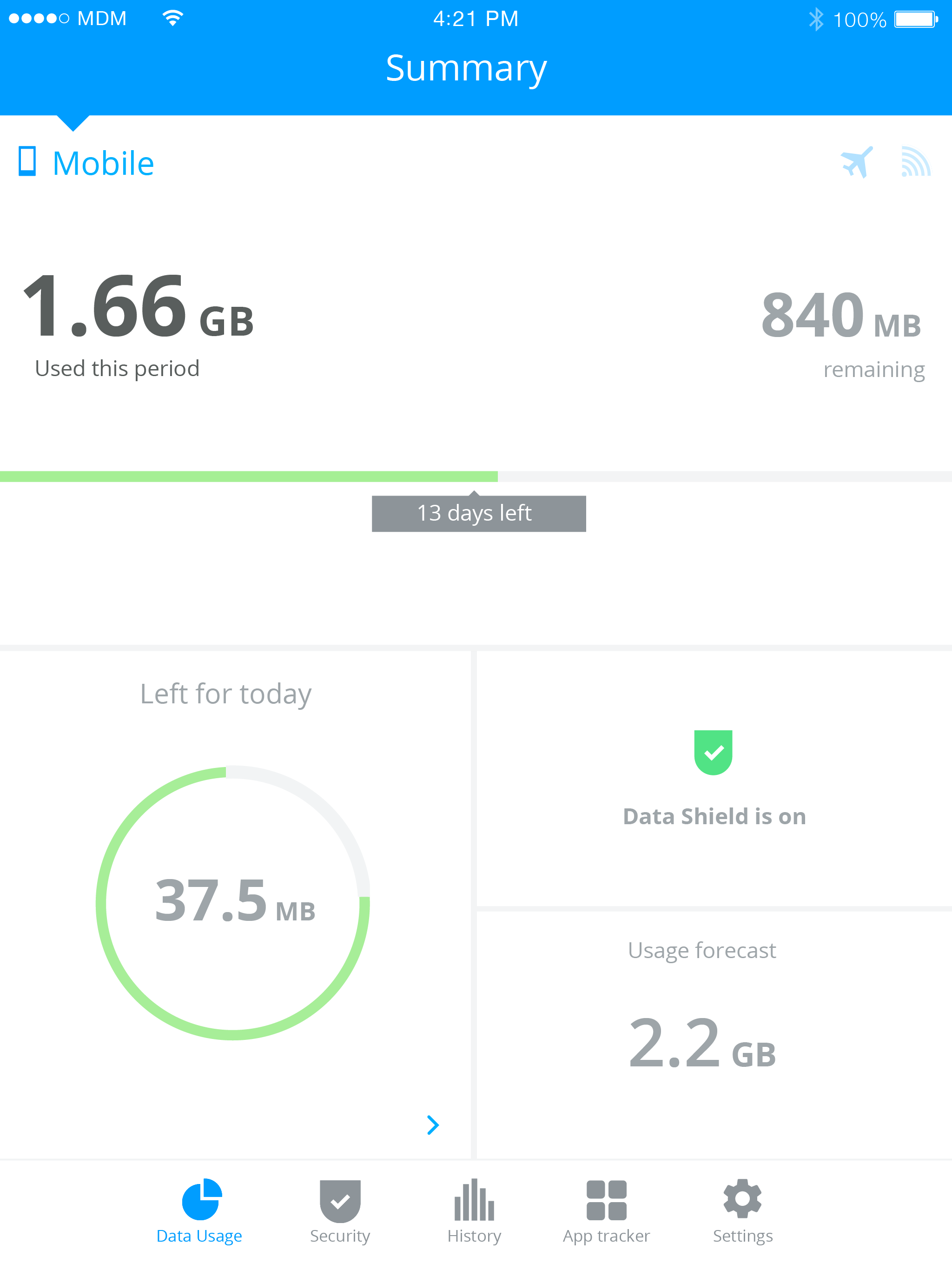
MY DATA MANAGER: Take control of your mobile data plan! My Data Manager is a complete mobile data tracker, monitoring your usage in real-time, so you...