Check the acquisition promise
Read the store headline, screenshots and description. What problem is the app promising to solve?
Study the storefront ↗
Haw-Yuan Yang · iOS
Explore the ad evidence, study the storefront, and build your next acquisition hypothesis.
01 / Creative research
Read the store headline, screenshots and description. What problem is the app promising to solve?
Study the storefront ↗Explore apps with direct store-link matches. Compare their hooks and formats without assuming the same approach works here.
Browse observed advertisers ↗Store rankings and revenue estimates describe market context. They do not establish ad spend, conversions or ROAS.
Review the market context ↗02 / Storefront & product
Study the product story and store experience behind the acquisition funnel.





03 / Market context
Keep revenue, downloads and store rankings separate from advertising performance.
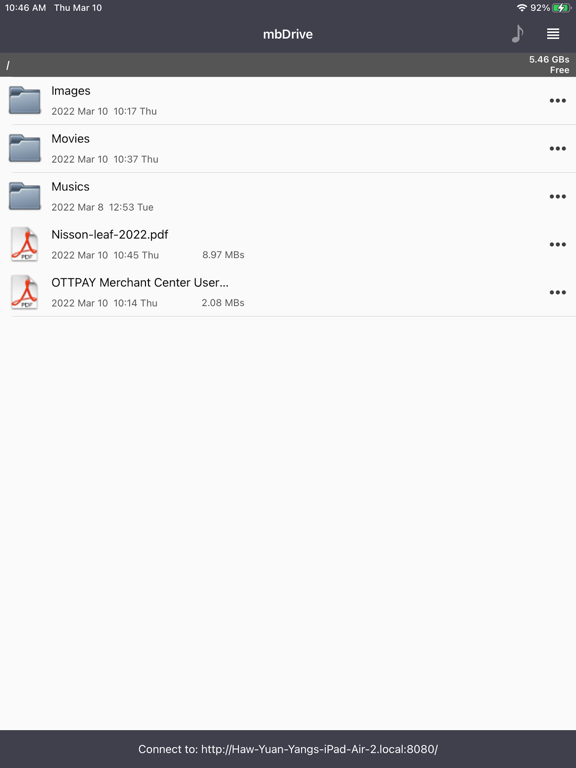
This app seems to be nice in the way it works. I Like that it's Webdav instead of a bad implementation of a mini web server like most apps. I gave an extra star for the Webdav. :D I must point out that it's a little hard to get back to the file list as you have to tap a very small part of the screen to "go back" after viewing things fullscreen (like images). Hopefully iPhone OS 4's new API's will yield saving your images to your photo library on the mobile device or could that be done now? * cough yes, cough* :D
First, if you are looking at this app and see all the 1 star reviews, it is because people did not read the directions. I am so impressed with this application that I fired up iTunes to rate it 5 stars and write my first review in iTunes. I have been switching out thumb drives and formatting them to work on mac and windows today as I have been setting up my windows 7 machine. I wanted to transfer files EASILY from the mac to the windows machine and vise versa. I would never have guessed my little iPod would do it beyond my expectations. Follow the "help" instructions in the app, it takes seconds to configure for mac or windows. If you do this, it is not confusing. I set my iPod up on my mac and windows machine in a couple of minutes. Now my iPod shows up as a network drive on my comnputers! I can drag files from the mac onto my iPod, preview them from the iPod, and my windows machine can access the files, and vice versa. It makes the iPod or iPhone a super fast, portable server. If you like thumb drives, and it would help to not have to plug it in to one computer and switch to another, get this app-- you can wirelessly connect several computers to the iPhone at once and swapping files is several times quicker than using a thumb drive. --Sean (btw check out my song, "U4ia")
Free, and works quickly and easily. Only problem (and the reason I gave it 4 stars instead of 5) is that the port number to connect to didn't show up on the bottom of the screen because of not enough room or something. Found the port number under the settings page, connected, and it worked great.
mbDrive lite is the free version of mbDrive. mbDrive - Turn your iPhone and iPod touch into wireless flash disk. With mbDrive, transferring files to...