Check the acquisition promise
Read the store headline, screenshots and description. What problem is the app promising to solve?
Study the storefront ↗
LoftLab · iOS
Explore the ad evidence, study the storefront, and build your next acquisition hypothesis.
01 / Creative research
Read the store headline, screenshots and description. What problem is the app promising to solve?
Study the storefront ↗Explore apps with direct store-link matches. Compare their hooks and formats without assuming the same approach works here.
Browse observed advertisers ↗Store rankings and revenue estimates describe market context. They do not establish ad spend, conversions or ROAS.
Review the market context ↗02 / Storefront & product
Study the product story and store experience behind the acquisition funnel.

03 / Market context
Keep revenue, downloads and store rankings separate from advertising performance.
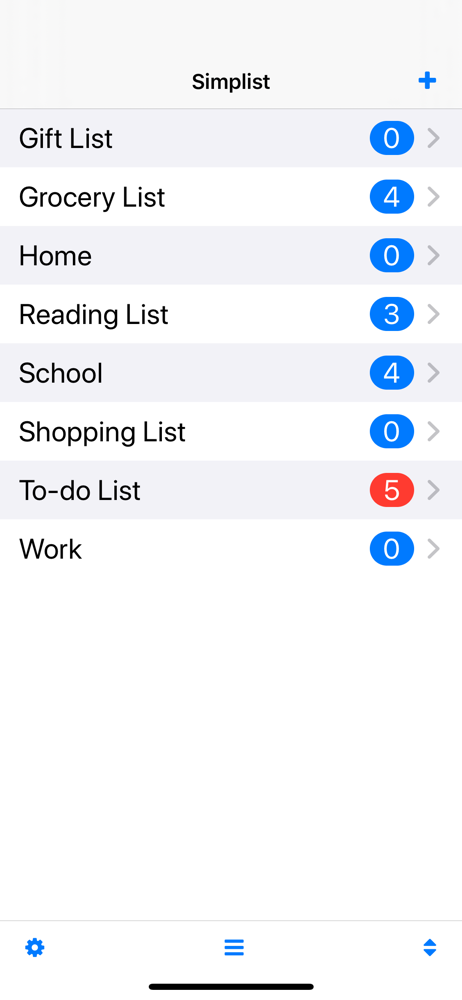
An excellent and very useful app as it allows categorisation of the job lists which the iOS reminder does not. Would ne even better if alarms could be set
Finally a checklist app that does exactly what it says on the tin!! And does it so simple and easy to understand without all the over complicated flarey stuff As for the idiots that complain about the TINY ads at the bottom..... It's free!! So grow up!! Some people are so ungratefull they're disgusting! Also this is one of the EASIEST apps I've used so people who moan and say confusing dear lord, go find some windows to lick lol seriously... Well done with making this it's helping us organize our camping trip really well exactly what we need!! :oD 10/10
This is a great app for keeping checklists for multiple purposes - I have so far used it for packing lists for a couple of upcoming trips, and to do lists for things coming up at home and at work. I can't see how anyone could find it confusing! Unless you are expecting just one checklist... but that is not the purpose. It really is wonderfully simple to use. You simply create a new list (e.g. "Packing for trip", "to do monday") and add items to the list, using as many of the optional functions as you require for the particular task (e.g. I set priorities, due dates, etc for work to-do lists) or not using them if they're irrelevant to that list (e.g. don't bother with due dates for a packing list!). Then check things off as they get done, or packed, or whatever. Having multiple lists allows you to split up your to-dos by project, or home vs work, or whatever. It really is amazingly flexible and simple, assuming you are looking for anything more than a simple, single checklist app.
"Finally, an app easy enough for me!" - Mom Simplist is the list management app designed to be beautifully simple. Its clean minimalist interface mak...