App Profile: Parental Control App: Mobicip
Android / Games / Puzzles
Parental Control App: Mobicip
Installs:
Rating:
3.33
Total Reviews:
1.9k
Top Countries:
US, GB, CA
< $5k
/mo
< 5k
/mo
Reviews: What People Think About Parental Control App: Mobicip
dissapointed-customer.
Rating: 2/5
This app is terrible. I am a child that is forced to use Mobicip, and let me tell you, this thing glitches. Me and my dad have this thing called restricted mode and free time. Between 9:30 and 4:00 I have restricted mode on my phone which does not let me go on social media, safari, etc.
I am not mad because of this, I have learnt to deal with that. It is free time I am targeting. Mobicip's free time lets you go on any app you have downloaded, with no restrictions unless you go on a website or app that is innapropriate. Almost daily, after either sleep mode or restricted mode, my free time apps will not come back. This really bothers me because I am clearly in my free time, but I do not have my apps. And guess what, Mobicip does not hesitate to count down my minutes for overall screen time to make my phone completely shut off. Great. I do not want to have a screen time app that tics down my time but does not let me use my apps I would like. I would like this app much much much more if it would not do this, so maybe, just maybe, someone could try to fix this.
plantman234
Rating: 5/5
This is not the first parental control software I had installed. The others have been uninstalled and refunded. I had trouble accessing a commercial website due to having a proxy server ( I think that was the issue), I reported it to Mobicip and they were very responsive. They kept me up to date on their progress and have fixed the issue. I would not recommend any other. UPDATE September 7, 2022 i had an issue logging into the AARP website and reported it to Mobicip. Within 24 hours they emailed me back with some suggestions to see if it could be simply resolved, it persisted. I reported back and they sent it to their development department. The issue has been fixed better than i could have asked. I STILL recommend Mobicip for all your VPN needs. UPDATE November 8,2022 I purchased a new laptop and was getting an intermittent “authentication error” message. I sent it to Mobicip and had a response and repair (partly my fault) within a few days. I now have no issues with “authentication error” and am totally satisfied with the quick response. I STILL recommend Mobicip for all VPN needs.
taylormarcum25
Rating: 5/5
Hello I’m a teenager and I love this app it isn’t being used on my phone but on my iPad my siblings like to use my iPad and i say yes but to be able to stock them and spy on them features i love i really like that i get notified when they install new apps i love that i can pause it so lets say there being annoying i can pause my ipad one time i played a prank on my sister and brother with another app i used and they got really mad i also have family sharing connected to both my iPad iCloud account were i enabled screentime i can prevent deleting apps installing apps making in app purchases set downtime and app limits restrict and lock privacy settings prevent passcode changes i also use a app called kids security my sister use to use my iPad and take it to her friends with find my friends and kids security and Mobicip i can track there every move it is indeed sneaky so if your installing this app on your child’s device be honest
About Parental Control App: Mobicip
Winner of the 2025 Family Choice Award and trusted by 3+ million parents, Mobicip is the parental control app with screen time limits, app blocker, web filter, and family locator helping families stay safe online for over 15 years.
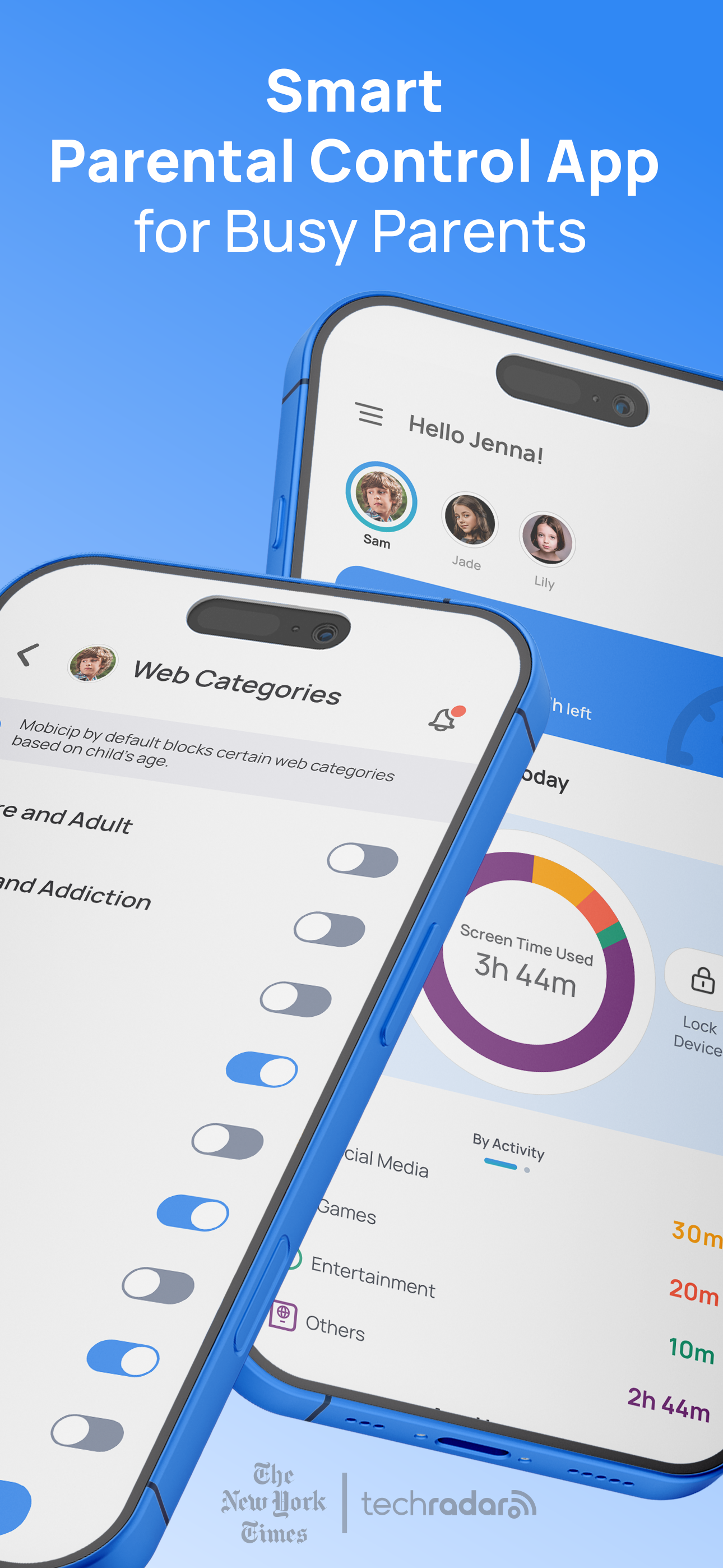
Mobicip helps you set screen time limits, block apps like YouTube & TikTok, filter websites, and track kids’ location, all from one easy dashboard.
Recognized by Forbes Vetted as one of the most affordable and effective parental control apps of 2025.
Mobicip is a trusted parental control and screen time app for iPhone, iPad, and Mac. With Mobicip, parents can:
• Promote healthy screen habits
• Block porn sites, adult content, and unsafe websites
• Manage apps and social media use (YouTube, TikTok, Instagram, Facebook)
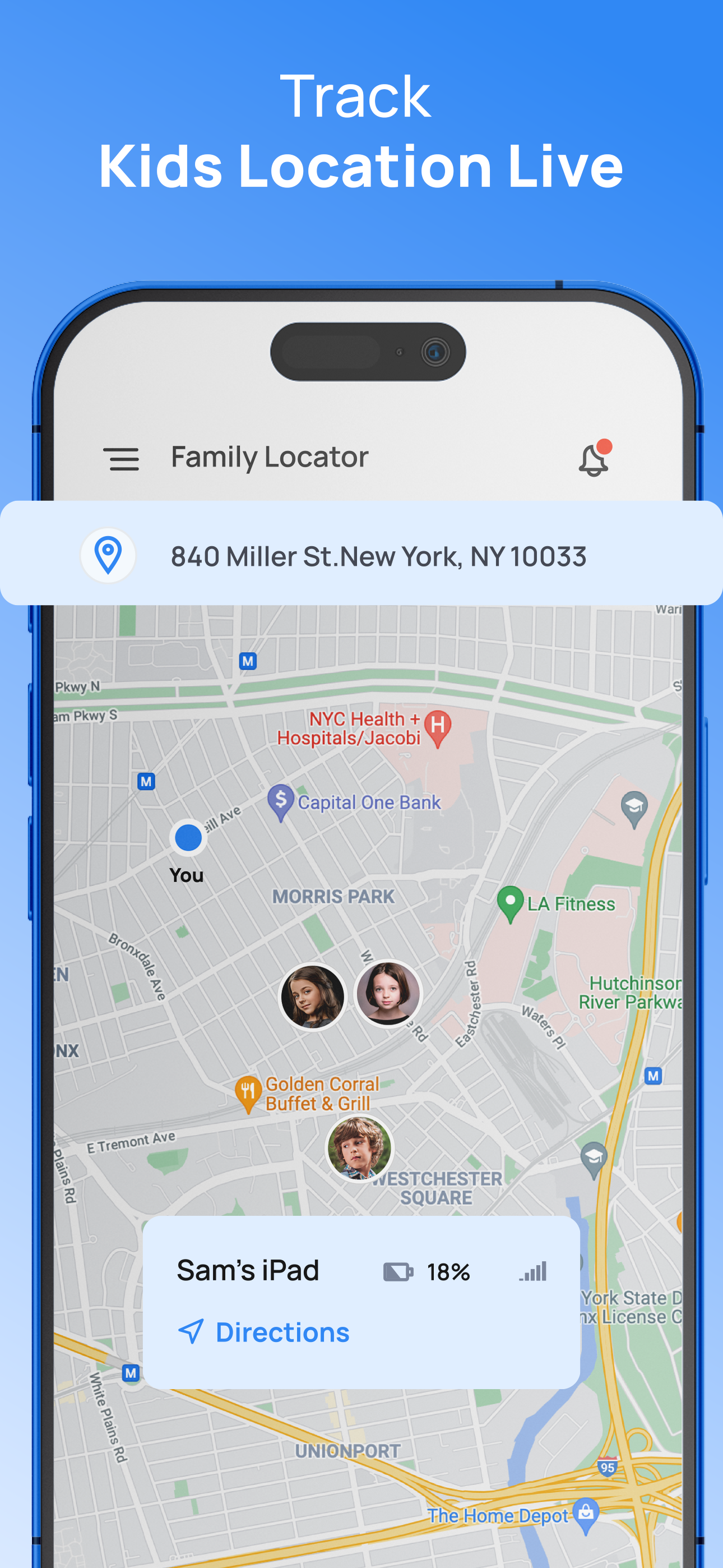
• Track a child’s phone location in real time with GPS and geofencing
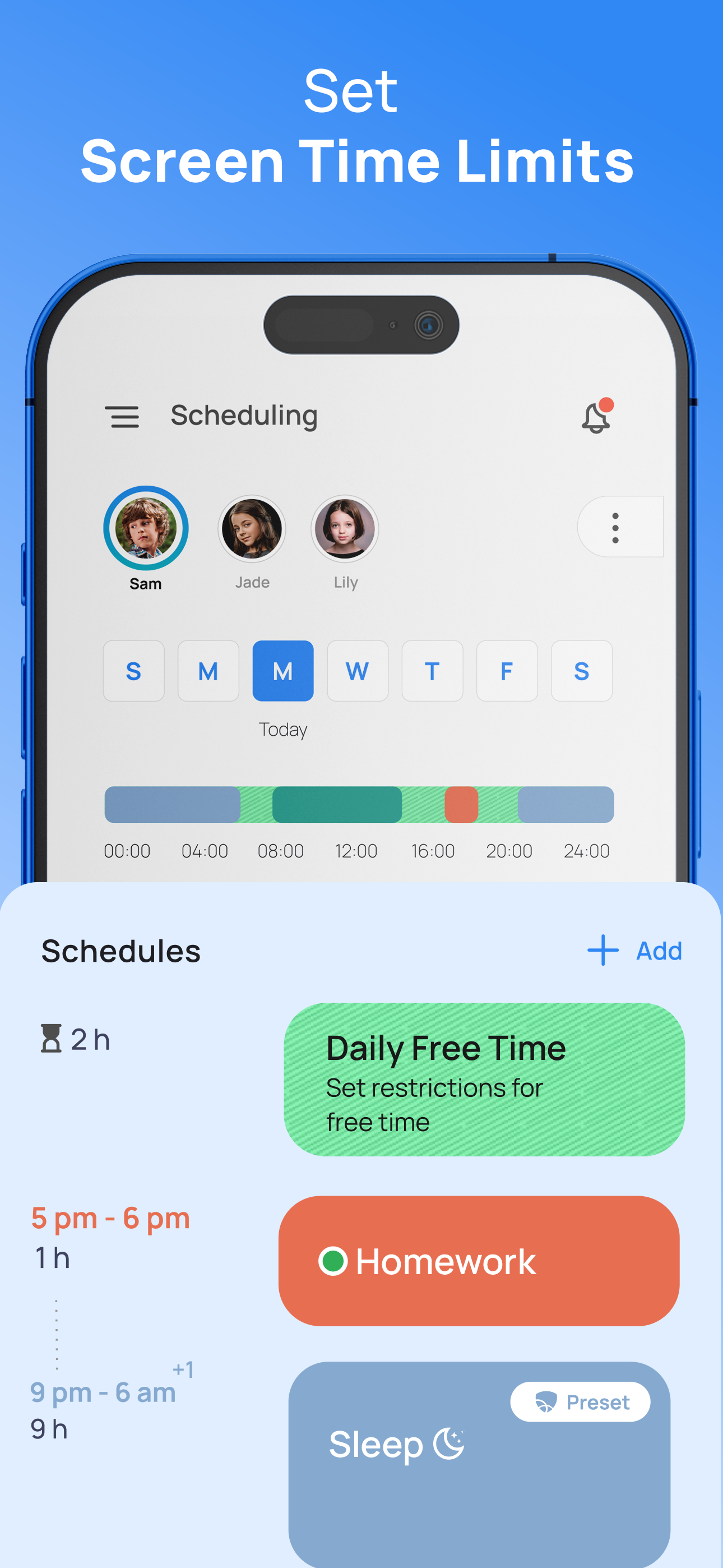
• Create screen-free time for homework, sleep, and family moments
Mobicip’s iPhone and iPad parental control tools integrate seamlessly with Apple’s Family Sharing. Set it up once and manage all your family’s devices from one dashboard.
Key Features
• Screen Time Limits
Set daily screen time limits and limit screen time on iPhone or iPad with schedules for homework, bedtime, and play.
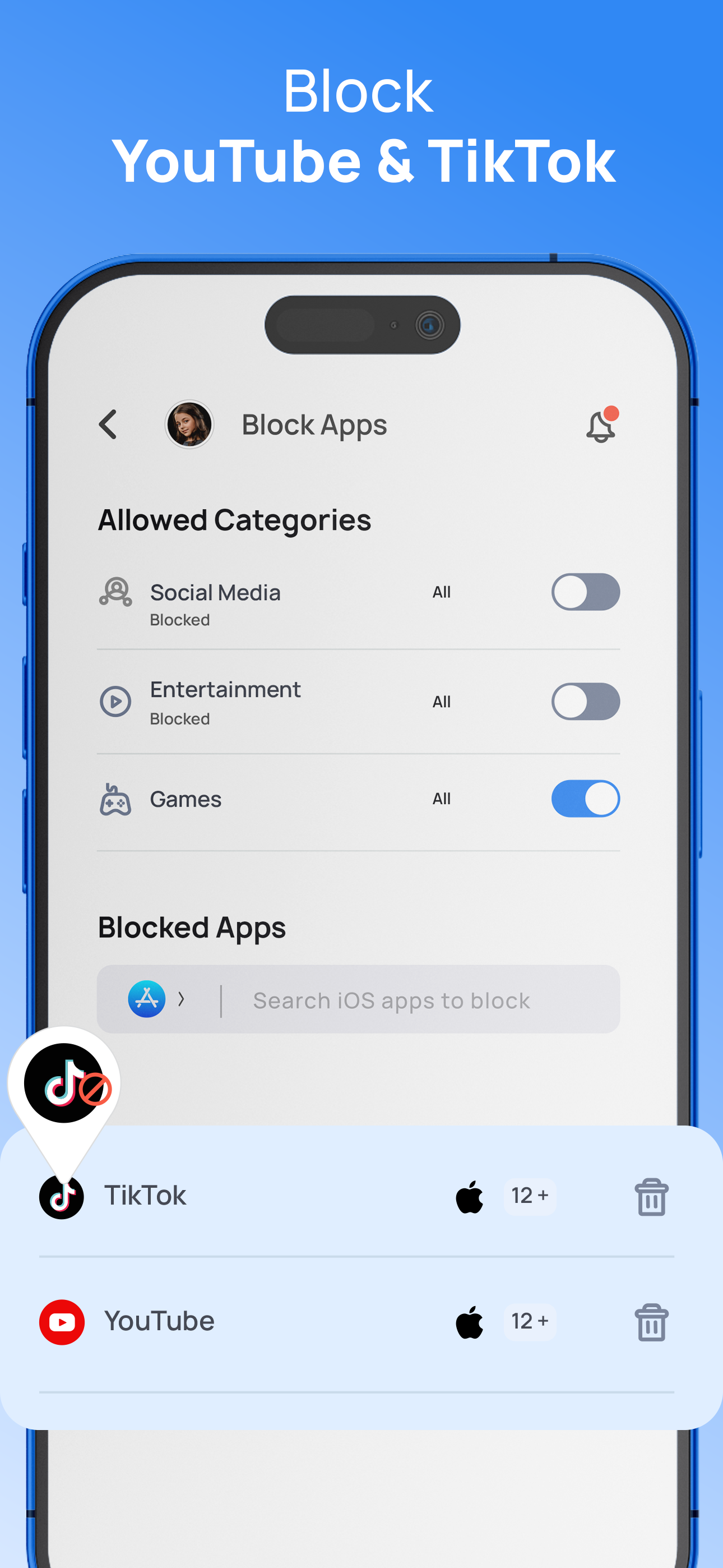
• App Blocker & Social Media Control
Block or limit apps like YouTube, TikTok, Instagram, and games during homework or bedtime with flexible parental controls.
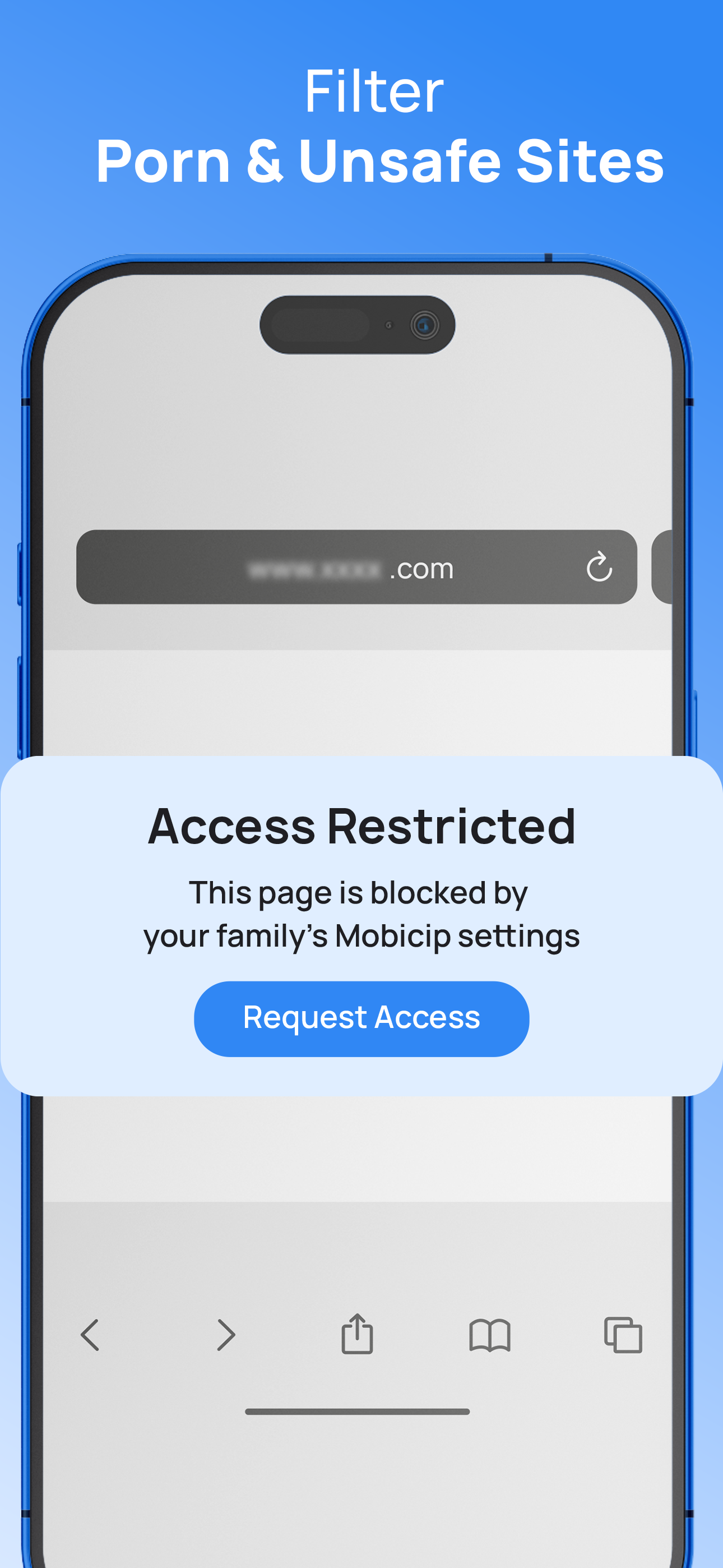
• Website & Porn Blocker
Block porn sites, adult content, and unsafe websites with Mobicip’s built-in porn blocker and web filter. Limit screen time on iPhone and ensure safe browsing with Mobicip’s porn blocker.
• Messaging Control
Disable texting, chat, and messaging apps during study hours, bedtime, or device-free family time.
• Social Media Monitor
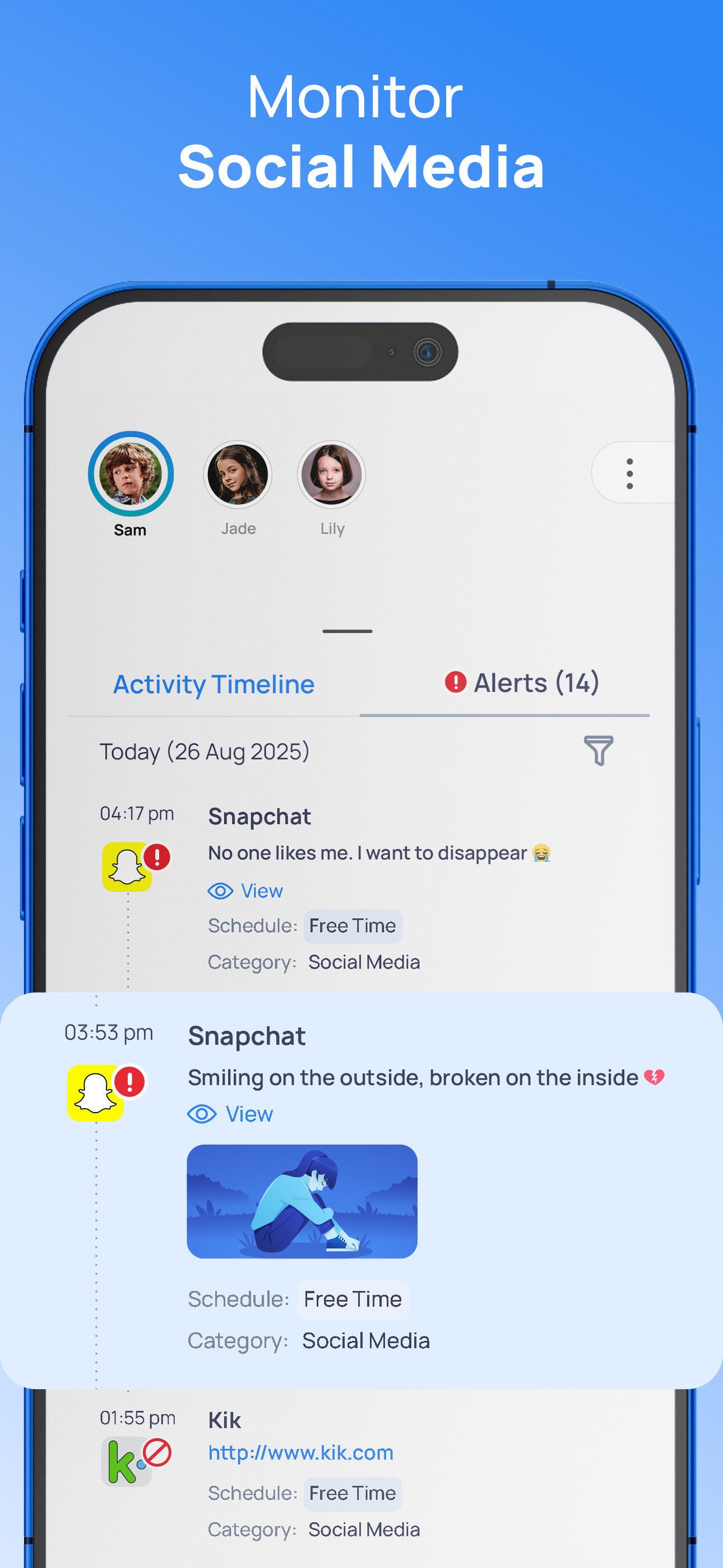
Receive alerts about risky conversations on Facebook and Instagram to help prevent cyberbullying and online threats.
• App Install Alerts
Get notified instantly when your child installs new apps.
• Family Time Lock
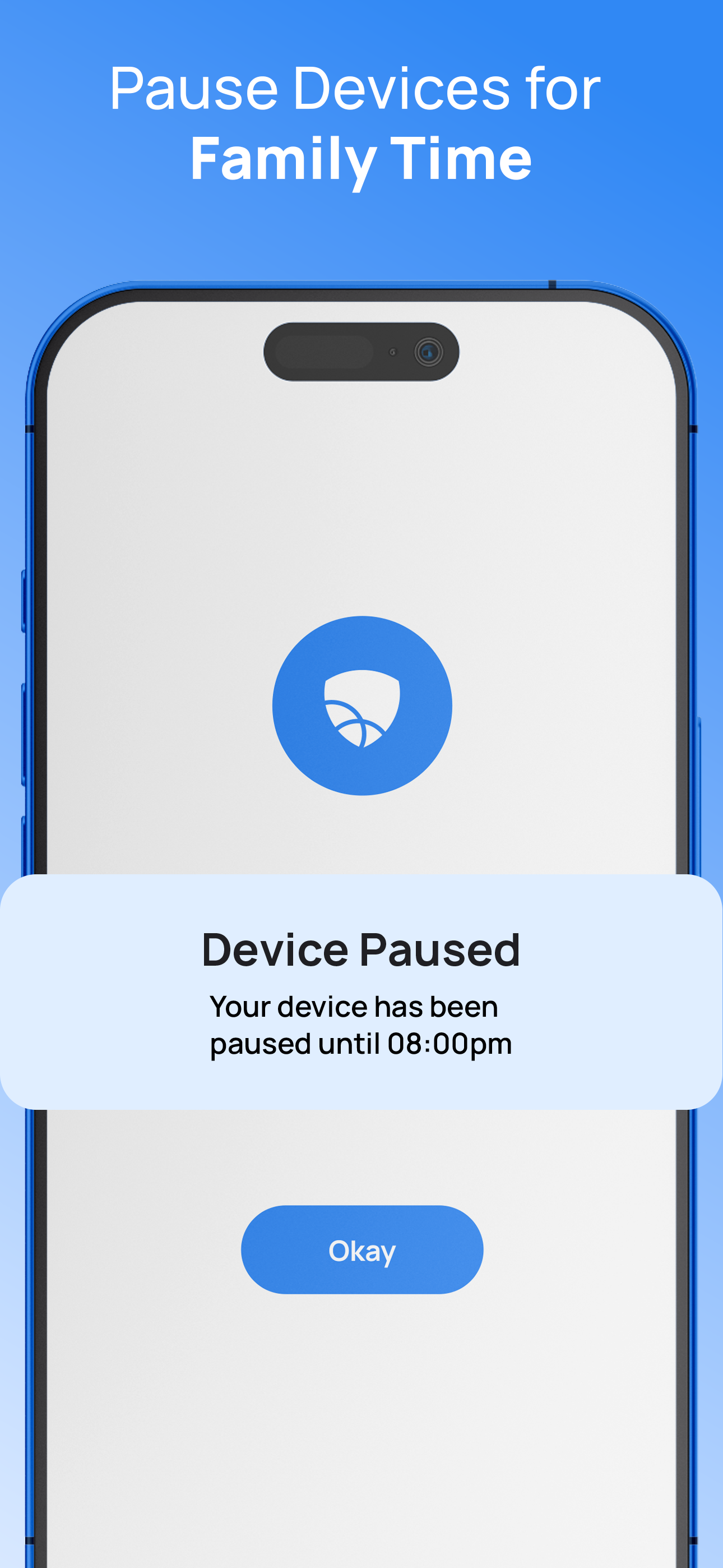
Pause devices instantly to create screen-free moments for family bonding.
• Uninstall Protection
Prevent kids from deleting Mobicip or tampering with parental control settings.
• GPS Location Tracking & Geofencing
Track kids’ phone location in real time and get alerts when they arrive at or leave places like school or home.
• Family Locator App
See your child’s current location and 7-day location history of all connected devices.
• Activity Reports
Get detailed 30-day reports on your child’s online activity, screen time, and app usage.
• Expert Safety Tips
Access expert advice on trending apps, digital risks, and online safety best practices.
Why Parents Trust Mobicip
For more than 15 years, Mobicip has empowered families to build healthy screen habits and protect kids online. Trusted by 3+ million parents worldwide and honored as a 2025 Family Choice Award Winner, Mobicip adapts to families of all sizes, whether you manage one device or a household of 20.
Plans & Features
Mobicip Basic – Free (1 Device)
• Website blocker
• Instant pause for family time
Mobicip Standard – Up to 10 Devices
• All Basic features
• App blocker
• Screen time limits
• Schedules
• Family locator
Mobicip Premium – Up to 20 Devices
• All Standard features
• Social media monitoring
• App usage limits
• Expert advice
• Premium support
Start Your Free Trial. Cancel Anytime.
Privacy & Data Protection
Mobicip never sells or shares your family’s data. Only you can access your child’s usage history. All data is protected by strict privacy and security practices.
Compatibility
Mobicip works on:
• iPhone
• iPad
• Mac (macOS)
Subscription
Payment will be charged to your iTunes account after your free trial. Subscriptions auto-renew unless canceled 24 hours before renewal. Manage subscriptions in your iPhone or iPad settings.
Note: Continued GPS use in the background may reduce battery life.
Terms: mobicip.com/terms
Privacy: mobicip.com/privacy
Support: [email protected]
Mobicip helps you set screen time limits, block apps like YouTube & TikTok, filter websites, and track kids’ location, all from one easy dashboard.
Recognized by Forbes Vetted as one of the most affordable and effective parental control apps of 2025.
Mobicip is a trusted parental control and screen time app for iPhone, iPad, and Mac. With Mobicip, parents can:
• Promote healthy screen habits
• Block porn sites, adult content, and unsafe websites
• Manage apps and social media use (YouTube, TikTok, Instagram, Facebook)
• Track a child’s phone location in real time with GPS and geofencing
• Create screen-free time for homework, sleep, and family moments
Mobicip’s iPhone and iPad parental control tools integrate seamlessly with Apple’s Family Sharing. Set it up once and manage all your family’s devices from one dashboard.
Key Features
• Screen Time Limits
Set daily screen time limits and limit screen time on iPhone or iPad with schedules for homework, bedtime, and play.
• App Blocker & Social Media Control
Block or limit apps like YouTube, TikTok, Instagram, and games during homework or bedtime with flexible parental controls.
• Website & Porn Blocker
Block porn sites, adult content, and unsafe websites with Mobicip’s built-in porn blocker and web filter. Limit screen time on iPhone and ensure safe browsing with Mobicip’s porn blocker.
• Messaging Control
Disable texting, chat, and messaging apps during study hours, bedtime, or device-free family time.
• Social Media Monitor
Receive alerts about risky conversations on Facebook and Instagram to help prevent cyberbullying and online threats.
• App Install Alerts
Get notified instantly when your child installs new apps.
• Family Time Lock
Pause devices instantly to create screen-free moments for family bonding.
• Uninstall Protection
Prevent kids from deleting Mobicip or tampering with parental control settings.
• GPS Location Tracking & Geofencing
Track kids’ phone location in real time and get alerts when they arrive at or leave places like school or home.
• Family Locator App
See your child’s current location and 7-day location history of all connected devices.
• Activity Reports
Get detailed 30-day reports on your child’s online activity, screen time, and app usage.
• Expert Safety Tips
Access expert advice on trending apps, digital risks, and online safety best practices.
Why Parents Trust Mobicip
For more than 15 years, Mobicip has empowered families to build healthy screen habits and protect kids online. Trusted by 3+ million parents worldwide and honored as a 2025 Family Choice Award Winner, Mobicip adapts to families of all sizes, whether you manage one device or a household of 20.
Plans & Features
Mobicip Basic – Free (1 Device)
• Website blocker
• Instant pause for family time
Mobicip Standard – Up to 10 Devices
• All Basic features
• App blocker
• Screen time limits
• Schedules
• Family locator
Mobicip Premium – Up to 20 Devices
• All Standard features
• Social media monitoring
• App usage limits
• Expert advice
• Premium support
Start Your Free Trial. Cancel Anytime.
Privacy & Data Protection
Mobicip never sells or shares your family’s data. Only you can access your child’s usage history. All data is protected by strict privacy and security practices.
Compatibility
Mobicip works on:
• iPhone
• iPad
• Mac (macOS)
Subscription
Payment will be charged to your iTunes account after your free trial. Subscriptions auto-renew unless canceled 24 hours before renewal. Manage subscriptions in your iPhone or iPad settings.
Note: Continued GPS use in the background may reduce battery life.
Terms: mobicip.com/terms
Privacy: mobicip.com/privacy
Support: [email protected]
File size: 278970368
Launched countries: USAUCACNFRDEGBITJPKRRUARATBEBRCLCOCRHRCZDKSVFIGRGTHKHUINIDIEILKWLBLUMYMXNLNZNOPKPAPEPHPLPTQAROSASGSKSIZAESLKSECHTWTHTRAEVEVN
Minimum OS version: 12.1
Release Date: 1233878401000
Published by Mobicip.com
Website url: https://www.mobicip.com
Publisher country: US