
Check the acquisition promise
Read the store headline, screenshots and description. What problem is the app promising to solve?
Study the storefront ↗
SHENZHEN STARFIRE Technology Company CO., LTD · iOS
Explore the ad evidence, study the storefront, and build your next acquisition hypothesis.
01 / Creative research
Read the store headline, screenshots and description. What problem is the app promising to solve?
Study the storefront ↗Explore apps with direct store-link matches. Compare their hooks and formats without assuming the same approach works here.
Browse observed advertisers ↗Store rankings and revenue estimates describe market context. They do not establish ad spend, conversions or ROAS.
Review the market context ↗02 / Storefront & product
Study the product story and store experience behind the acquisition funnel.

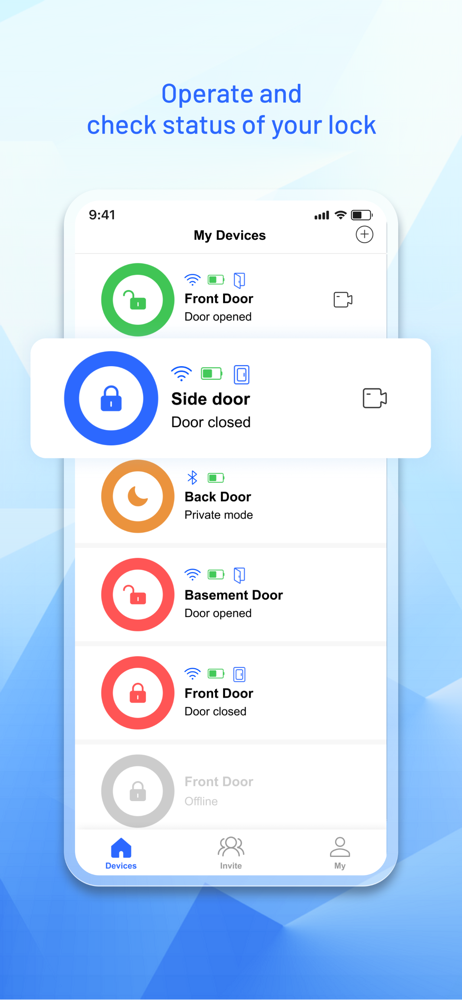


03 / Market context
Keep revenue, downloads and store rankings separate from advertising performance.
So far this lock and app are working great. We installed the lock and started setting up users. We noticed when a user users their pin the app didn’t tell us which user unlocked the door. Just door unlocked by user. I reached out to support and they were quick to respond. Said they would add the feature to the next update. Now we can see in the logs who unlocked the door. Lock is working great and superb customer support. Thank you. Keep us the great work.
Easy to install and looks nice but will not connect to my WiFi. It wants my wifi name but won’t acknowledge the password but rather insists on using the password I setup for the app and gives voice feedback but fails every time bc the app password is not my wifi password. Tried firing me to connect to some random Chinese WiFi or something which seems a bit shady. 2 stars for easy install and holds you hostage at the WiFi setup bc the video and everything else require WiFi or it will not operate beyond the locking function. I do not recommend this product.
I just completed my installation of this lock and I have to say that this is the worst UI I’ve had to deal with in a long time. I have an iPhone Xs and trying to ‘go back’ in this app is impossible! I have to close the app and start over EVERY SINGLE TIME! The back buttons conflict with the time at the top of my screen and, when I turned that off, are simply non responsive. Hey developers, update the UI!
Revolo APP lets you easily and securely control and monitor all your accessories from your devices. You can use the Revolo app to control connected sm...


