Check the acquisition promise
Read the store headline, screenshots and description. What problem is the app promising to solve?
Study the storefront ↗
YONGXING JIN · iOS
Explore the ad evidence, study the storefront, and build your next acquisition hypothesis.
01 / Creative research
Read the store headline, screenshots and description. What problem is the app promising to solve?
Study the storefront ↗Explore apps with direct store-link matches. Compare their hooks and formats without assuming the same approach works here.
Browse observed advertisers ↗Store rankings and revenue estimates describe market context. They do not establish ad spend, conversions or ROAS.
Review the market context ↗02 / Storefront & product
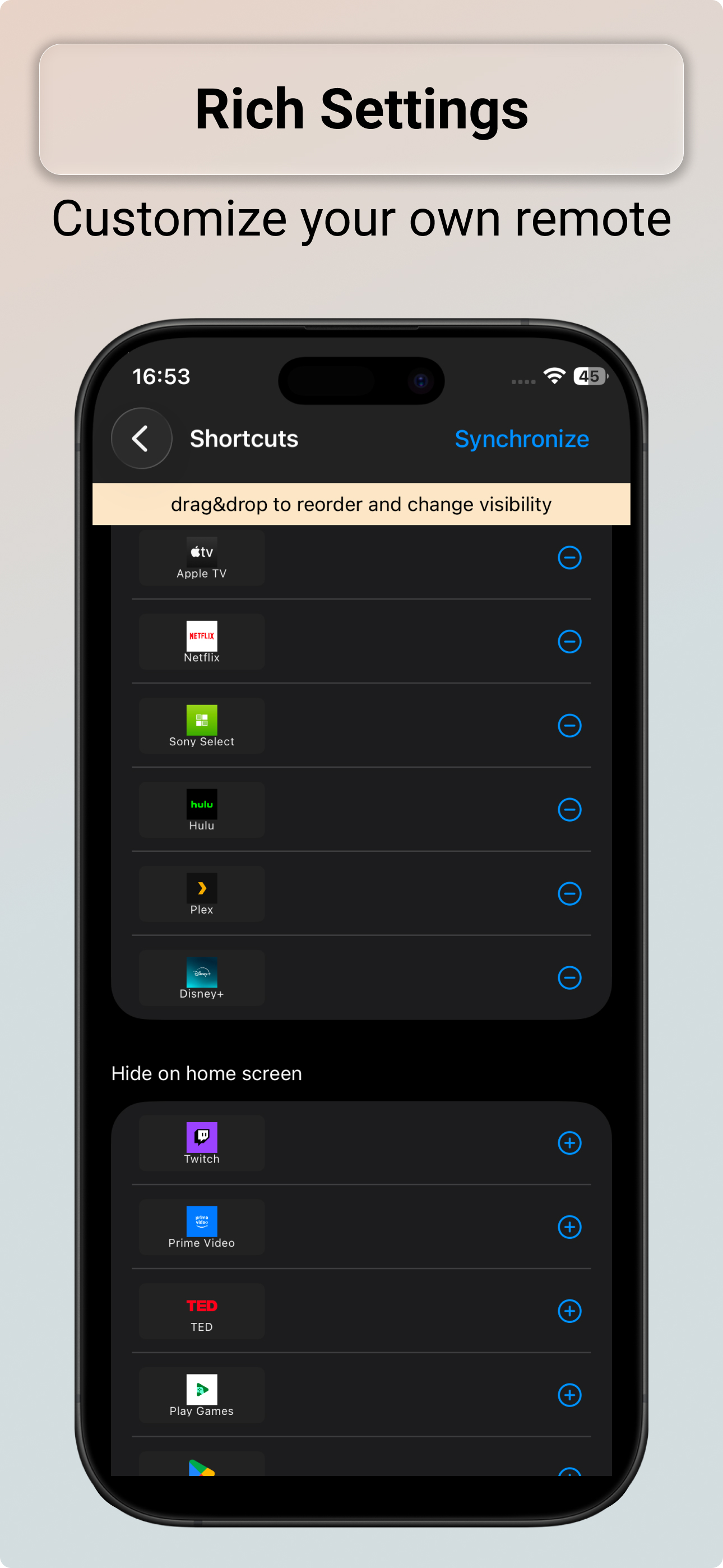
Study the product story and store experience behind the acquisition funnel.



03 / Market context
Keep revenue, downloads and store rankings separate from advertising performance.
The Bravia Controller app works exactly how you’d want a TV remote app to work. It connects quickly to my Sony Bravia TV and responds fast with no lag. All the essential buttons are there—power, volume, channels, input selection, and the touchpad—so it really feels like using the original remote. I like that it’s simple and not overloaded with ads or gimmicks. The layout is clean, easy to understand, and reliable when I actually need it, especially when the physical remote isn’t around. It’s been stable and hasn’t randomly disconnected like some other remote apps I’ve tried. Overall, this is one of the better TV remote apps out there. If you have a Sony Bravia and want a solid, no-nonsense controller that actually works, this app is definitely worth using.
Let’s get it out of the way, you will want to pay to get rid of ads. I know there are other reviews complaining about ads or having to pay. Ignore them, pay the few dollars that supports the developer for their hard work. Would you work for free? With that out of the way. I like the app and works good overall. I like that you have keyboard input unlike some other apps I tried. I also like the clean design. The tv connection could be a little easier like other apps that finds TVs connected to WiFi instead of having to enter IP address. Not a deal breaker though. Developer if you are reading this, I wish it was easier to connect to multiple TVs. It would help if I was able to name each TV. Remembering each TVs IP address is not realistic. We also need to be able to select which TV to control from the home screen. Going through multiple pages of settings is not great.
This app is great at being a virtual remote and does an excellent job as a replacement or backup for your current remote. (Or when your TV remote goes missing again, … and you just want to watch some TV, … there’s an a… Nah Nah almost had Yah ;) but good app.) The app has the look and layout of the actual remote and you can customize the color buttons. *BONUS* now you can use your phone for keyboard entry! Fresh icing on the cake! Connectivity is stable. My phone goes to sleep many times while I use the app and it reconnects within a few seconds after I wake the phone. If there are changes to your network or devices its connected to, the app recognizes the change and prompts to reconnect notifying you of whatever delta triggered the alert, sharp for a sub $5 app considering I performed no alert configuration or setup. On the downside the app has a somewhat unpolished look to it. Like your looking at the app in VR or on Roblox. Also it has hung or crashed on me a few times when I was initially setting it up or using it. It is more stable now and if it hangs, a quick swipe and restart of the app fixings things. I Compared to the other apps out there (I tried several) they barely hold a second to the stability and replication of the true remote functions. Overall I have come to appreciate this app and what it can do. I recommend.
No more lost remotes. No more dead batteries. Bravia Controller turns your iPhone into a powerful remote control for Sony BRAVIA Smart TVs. Connect i...
| Name | Price | Type |
|---|---|---|
| Monthly | $1.99 | Monthly |
| Unlock Pro Features | $2.99 | One-time |
| Unlock Pro Features | $3.99 | One-time |
| Remove Ads | $3.99 | One-time |
| Remove Ads | $4.99 | One-time |
| Remove Ads & Unlock Features | $4.99 | One-time |
| Remove Ads & Unlock Features | $5.99 | One-time |
| Annually | $9.99 | Yearly |
| Lifetime Premium | $12.99 | One-time |