Check the acquisition promise
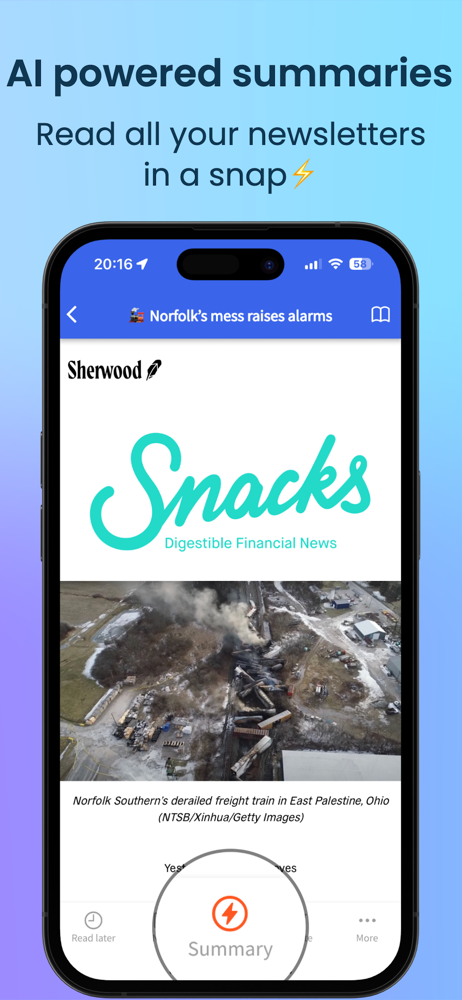
Read the store headline, screenshots and description. What problem is the app promising to solve?
Study the storefront ↗
Newsletterss, LLC · iOS
Explore the ad evidence, study the storefront, and build your next acquisition hypothesis.
01 / Creative research
Read the store headline, screenshots and description. What problem is the app promising to solve?
Study the storefront ↗Explore apps with direct store-link matches. Compare their hooks and formats without assuming the same approach works here.
Browse observed advertisers ↗Store rankings and revenue estimates describe market context. They do not establish ad spend, conversions or ROAS.
Review the market context ↗02 / Storefront & product
Study the product story and store experience behind the acquisition funnel.


03 / Market context
Keep revenue, downloads and store rankings separate from advertising performance.
I’ve been using this app for several months. It amounts to a dedicated inbox for email subscriptions, which I had previously set up in my Apple Mail app by establishing a separate email address for such things. This is one of those apps that you would like to be able to give 4.5 stars. It’s very useful, but could use a couple of improvements, which I’ll mention later. But if it never gets them, it’s still a good app to have, so five stars it is. The big advantage Newsletterss has over my previous practice is that I don’t have to go to my Mail app & find the appropriate inbox. The app sits right there on my iPad & iPhone home page, and is grouped with other related apps I read in, such as Feedly, Pocket and Instapaper. Or I can go to the internet browser site, but I don’t tend to read on my computer (I use Instapaper/Pocket or sometimes PushToKindle for reading I discover on the net.) Recently, the developer has added a couple of functionalities to the iOS apps that previously only existed on the web browser site - or at least I just noticed them. The app will retain deleted newsletters for up to 10 days, and it allows you to view either only your unread newsletters, or all newsletters which haven’t been deleted. So what else would I like to see? Well, the subscription list in the app only lists the subscriptions for which there is a current undeleted newsletter in the All/Unread category. So if you have a newsletter from a source where you have deleted all the newsletters, it’s not in the subscription list. The deleted list which retains newsletters for 10 days would be more useful if it retained them longer. You can’t restore deleted newsletters to the All/Unread categories, although they are available for the 10 days so that’s something. There is also no way to save specific newsletters aside from not deleting them. (Some of these things strike me as resource intensive on the developer’s side, though, so I don’t really expect to see those…) But these are mere quibbles. This is an app which I am happy to pay for.
I especially like how it eliminates all the header information of email newsletters when reading the message itself. Next would be to eliminate the footer stuff, too. Lots of potential here, and the feedback form already shows a very responsive developer. I recommend getting on board with this useful tool. It makes it easier and a joy to be subscribed to more email newsletter content than I can generally tolerate in my email.
This is the exact app I’ve been looking for to manage newsletter subscriptions. The app is clean and does what it says: keeps newsletters out of your email inbox. I appreciate that it has a web viewer for desktop. I have it 4 stars because I think the app needs two things: 1) the option to turn on a badge for unread count, and 2) some bug fixes on feed refresh - I seem to have to manually pull to refresh the inbox even after opening from a notification about a new item. I think if these two items were implemented I’d become a paid user. UPDATE: Wow - the developer quickly implemented the unread badge, and I happily subscribed to the annual Premium tier! I think the app could still auto-refresh the Inbox when it enters the foreground, but otherwise this app is great!
The perfect app for reading newsletters and taming the information overload! With Newsletterss App, you're not limited to just Substacks - you can re...
| Name | Price | Type |
|---|---|---|
| Newsletterss Premium (Monthly) | $1.99 | Monthly |
| Newsletterss Premium (Monthly) | $2.99 | Monthly |
| Newsletterss Premium (Monthly) | $2.99 | Monthly |
| Newsletterss Premium (Annual) | $9.99 | Yearly |
| Newsletterss Premium (Annual) | $12.99 | Yearly |