Check the acquisition promise
Read the store headline, screenshots and description. What problem is the app promising to solve?
Study the storefront ↗
Xesto · iOS
Explore the ad evidence, study the storefront, and build your next acquisition hypothesis.
01 / Creative research
Read the store headline, screenshots and description. What problem is the app promising to solve?
Study the storefront ↗Explore apps with direct store-link matches. Compare their hooks and formats without assuming the same approach works here.
Browse observed advertisers ↗Store rankings and revenue estimates describe market context. They do not establish ad spend, conversions or ROAS.
Review the market context ↗02 / Storefront & product
Study the product story and store experience behind the acquisition funnel.




03 / Market context
Keep revenue, downloads and store rankings separate from advertising performance.
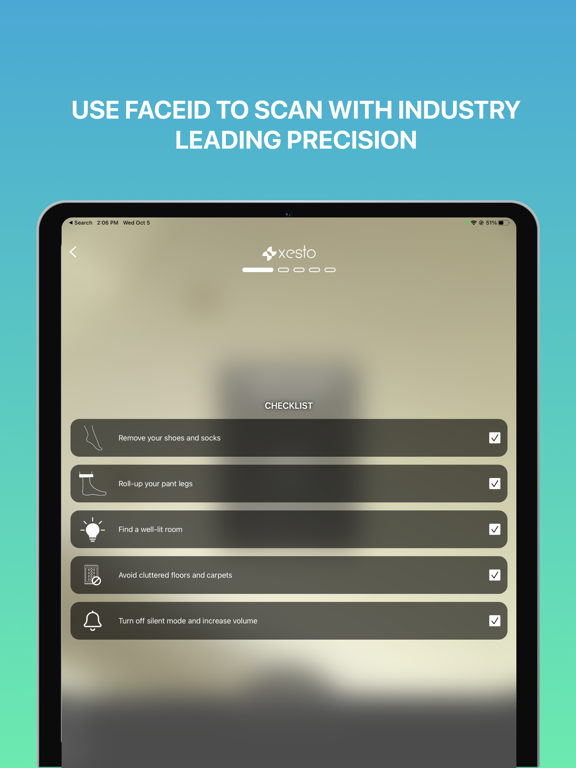
You have to practically contort your entire body to get the different angles the voice asks you for, but even then - once you finally think it’s “scanning” successfully - it just keeps asking you to rotate your phone around your foot. I did this non-stop for 5 minutes and nothing updated with the scan. There are certainly much easier & correct ways to measure a foot - I’m moving on from this to find a method that’s not a complete joke. Don’t bother.
If you follow the directions the app works as advertised. A little difficult to do by yourself but still manageable. I needed this to find my sons shoe size. Tested it on my foot and it was pretty spot on with it’s recommended sizes for brands of shoes I already have.
I don’t get it. I finally figured how to get some of the photos. But especially at the back of my foot it says too close, I move the camera then it says too far. And the notifications for too far and too close cover the screen so you can’t tell where the foot is. Is there something I am supposed to be doing to acknowledge the too far/close alert? And the notifications stay up on the screen even though you moved the camera? Maybe the notifications could be in a corner so it doesn’t prevent you from seeing what the camera is seeing. And reduce the lag time until it checks distance. And maybe some feedback about the angle the camera needs. I was literally bouncing between too far and too close repeatedly for a while while moving the phone less than 1/2 inch! I will look through comments for hints. I really want this to work.
As seen in TechCrunch, Who What Wear, Sneaker Freaker and CTV News! The free Xesto Fit iOS app allows iPhones X, 11 and 12 users to quickly scan the...