Check the acquisition promise
Read the store headline, screenshots and description. What problem is the app promising to solve?
Study the storefront ↗
Luis Romero · iOS
Explore the ad evidence, study the storefront, and build your next acquisition hypothesis.
01 / Creative research
Read the store headline, screenshots and description. What problem is the app promising to solve?
Study the storefront ↗Explore apps with direct store-link matches. Compare their hooks and formats without assuming the same approach works here.
Browse observed advertisers ↗Store rankings and revenue estimates describe market context. They do not establish ad spend, conversions or ROAS.
Review the market context ↗02 / Storefront & product
Study the product story and store experience behind the acquisition funnel.


03 / Market context
Keep revenue, downloads and store rankings separate from advertising performance.
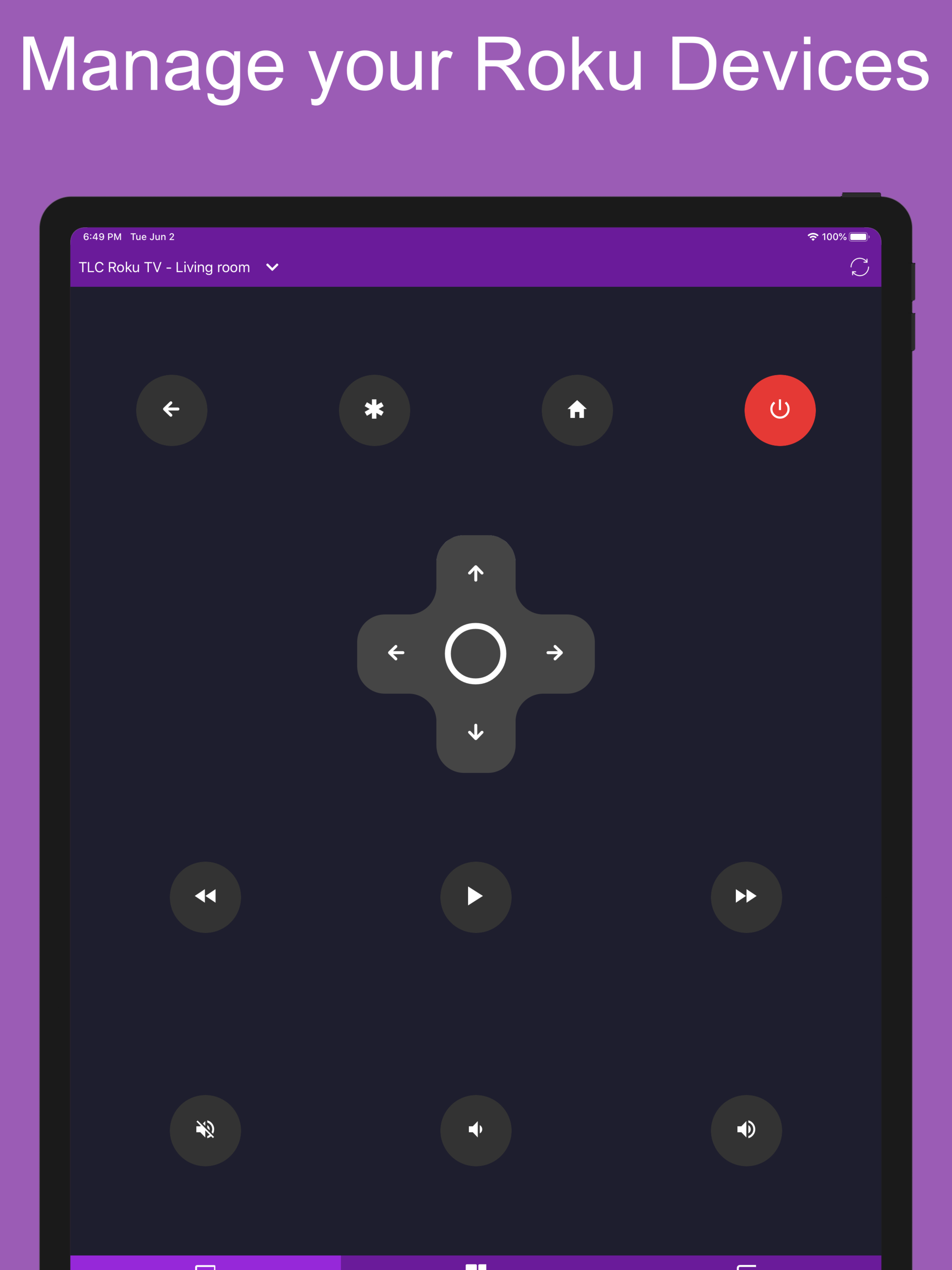
The primary functionality of navigating the Roku DOES work and this appears to be a well-designed program, but unfortunately the volume control buttons do nothing (are totally unresponsive) and the support site is in a language I cannot read and appears to lack language options. Note that the volume buttons on my physical Roku remote control my TV volume directly (I assume over the HDMI cable) so I am not sure why this app wouldn’t do exactly the same (unless the unlikely case that the physical remote is sending a direct wireless signal to the TV, in which case having volume controls in this app wouldn’t make sense in the first place). I went to the developer support site and when I saw it was in a language I could not read looked for the typical English option that appear on many sites but there was none. So I tried to view the desktop version of the page in case the mobile page was limited in terms of language features, but received a security warning for some reason so that didn’t appear to be the solution to the language issue. A positive is that this app does not try to force use of newer OS versions (thank you). I need a Roku remote app that supports the volume controls so it would be great if that feature were fixed - thank you
Recently, I have been looking for tv remote apps for free to use for my Roku tv because I had recently damaged my remote by trying to fix it and only made it worse (trying to solder a piece back in place) so I wasn’t going to buy another remote even tho their cheap junk, but luckily I found this lucky gem on the App Store. So many of them you have to pay a subscription but this one is completely free, no funny business. This app even ASKS you if you want to watch an add to support them and doesn’t invade your phone with a bunch of ads like so many apps do. The fact that it asks me if I want to watch ad to support them is awesome so I was more inclined to do so. This app is better than my tv remote as well, so I’m glad that piece of junk is broken, I had to point that thing to my tv in a specific way just too control it, but luckily I don’t have to do that now, thank you for this app, it was a blessing for me.
I have an plain-Jane insignia TV (no apps and not a smart tv) with a Roku 3 attached via HDMI. Out of all of the apps I tested, this is the only one other than the actual app from Roku that will turn the TV on and off using the button. Most apps tested turn it off but not on. To turn the TV on and off using the actual app from Roku is only done via voice command. There is no button. This one has a button so no need to talk. The only thing that this app doesn’t work is the volume controls. I’m not sure of that is even possible to control the volume via the HDMI connection but if so it would make this complete. Only question is I have not seen the usual ‘ad pop ups’ other apps have. Is this just free?
Control all your Roku devices with this app. Main Features: - Control your Roku device as another remote - No Setup, just download and play, scan you...