
Check the acquisition promise
Read the store headline, screenshots and description. What problem is the app promising to solve?
Study the storefront ↗
Nicky Studios · iOS
Explore the ad evidence, study the storefront, and build your next acquisition hypothesis.
01 / Creative research
Read the store headline, screenshots and description. What problem is the app promising to solve?
Study the storefront ↗Explore apps with direct store-link matches. Compare their hooks and formats without assuming the same approach works here.
Browse observed advertisers ↗Store rankings and revenue estimates describe market context. They do not establish ad spend, conversions or ROAS.
Review the market context ↗02 / Storefront & product
Study the product story and store experience behind the acquisition funnel.

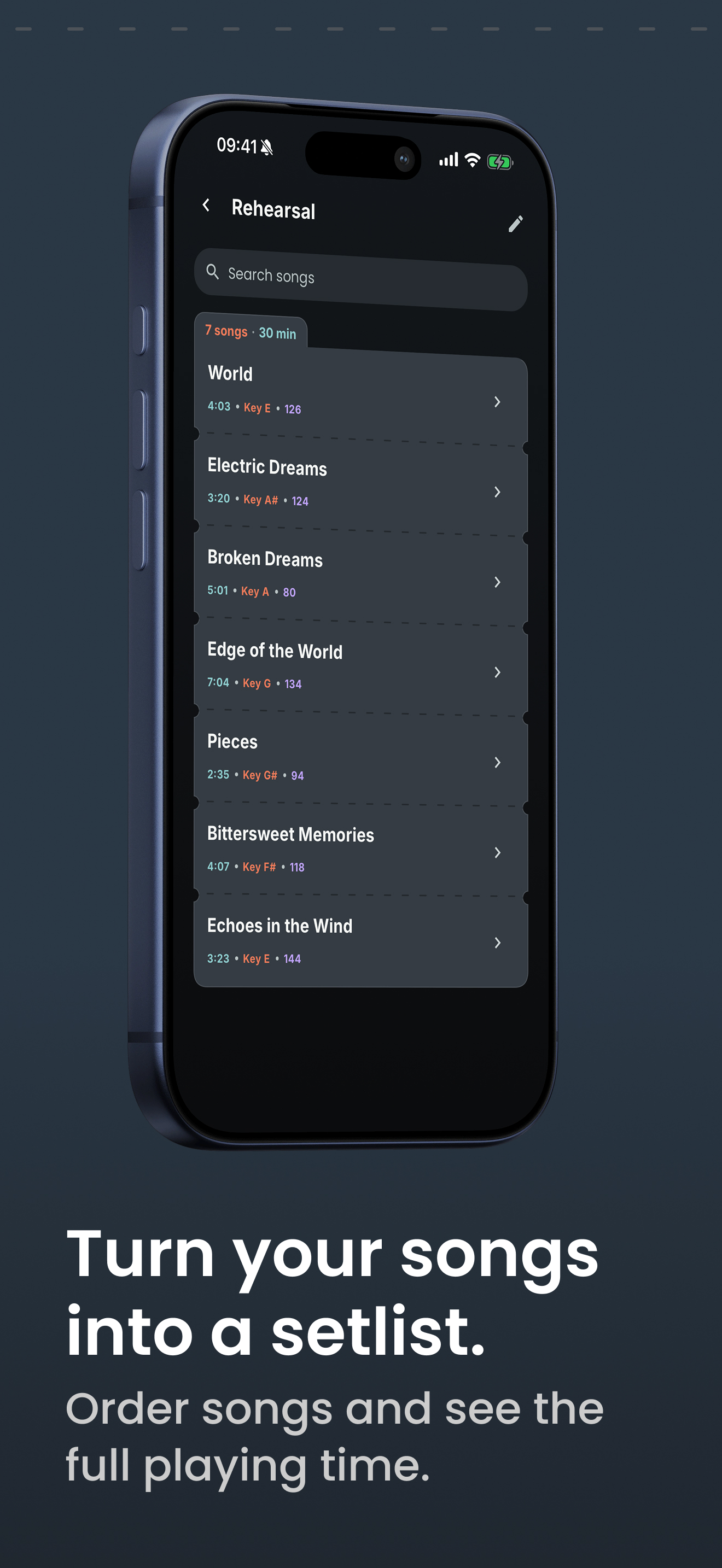


03 / Market context
Keep revenue, downloads and store rankings separate from advertising performance.
The interface is buggy. The process to create set lists is overly complicated. But the main problem is this thing will just arbitrarily remove songs from not only the set list, but the library. You haven’t lived until you’ve done a gig where you have to take long breaks between every other song while you google search and copy/paste lyrics that you have to re-add to your library (so that you can then add to your setlist). It’s a really simple task (putting lyrics up on your iPad) that should be really easy to achieve. But this app manages to fail. It’s happened to me at almost every gig. Songs disappear from all lists. And sometimes lyrics will be replicated out of nowhere. I thought maybe it had something to do with the internet reception. But it happens with any Wi-Fi reception scenario. Also, why does it have to connect to the internet at all? I’ve copied lyrics from the internet to my iPad. I should be able to look at stuff that’s saved on my iPad without an internet connection.
I love this app. It’s a life saver. Is there a way I can move songs lyrics from one set list to another without having to retype or copy and paste them? Like having a master list you can drag and drop into a new set list when needed? Also, can key entry either lost all keys (flats) or the ability to manually add it?
I have to say that so far using this app I have enjoyed the capabilities of the app but have been disappointed with the functionality. Where I rehearse with my band I don’t have internet access which means I have to have the app pulled up and ready on my iPad before I can go over there. It also means that if the app closes for any reason I have nothing and it has forced me to compile 3 sets and more than 3 hours of music into 1 massive list (making the 35 song limit a little problematic). The second major issue I have is trying to rearrange my set order. It has been an absolute nightmare trying to change the order because once you try to drag a song into position you have absolutely no idea where it is going to end up. I can try to slide it up and it may end up going all the way to the bottom. It is literally 3 steps forward and 2 steps back to arrange your songs. If the developer is able to give some sort of offline access for when internet connection is not an option and fix the glitches of song arrangement I am very likely to give this app a 4-5 star rating instead.
Band Companion gives bands and solo performers one clear place to organize songs, build setlists, plan events and keep important details ready. No m...
| Name | Price | Type |
|---|---|---|
| Buy us a coffee! | $1.99 | One-time |
| 1 Month Premium Access | $2.49 | Monthly |
| Get 3 Months Premium Access | $6.49 | Quarterly |
| Get 1 Year Premium Access | $19.99 | Yearly |
| Get Lifetime Premium Access | $31.99 | One-time |


