
Check the acquisition promise
Read the store headline, screenshots and description. What problem is the app promising to solve?
Study the storefront ↗
Thomas Vos · iOS
Explore the ad evidence, study the storefront, and build your next acquisition hypothesis.
01 / Creative research
Read the store headline, screenshots and description. What problem is the app promising to solve?
Study the storefront ↗Explore apps with direct store-link matches. Compare their hooks and formats without assuming the same approach works here.
Browse observed advertisers ↗Store rankings and revenue estimates describe market context. They do not establish ad spend, conversions or ROAS.
Review the market context ↗02 / Storefront & product
Study the product story and store experience behind the acquisition funnel.




03 / Market context
Keep revenue, downloads and store rankings separate from advertising performance.
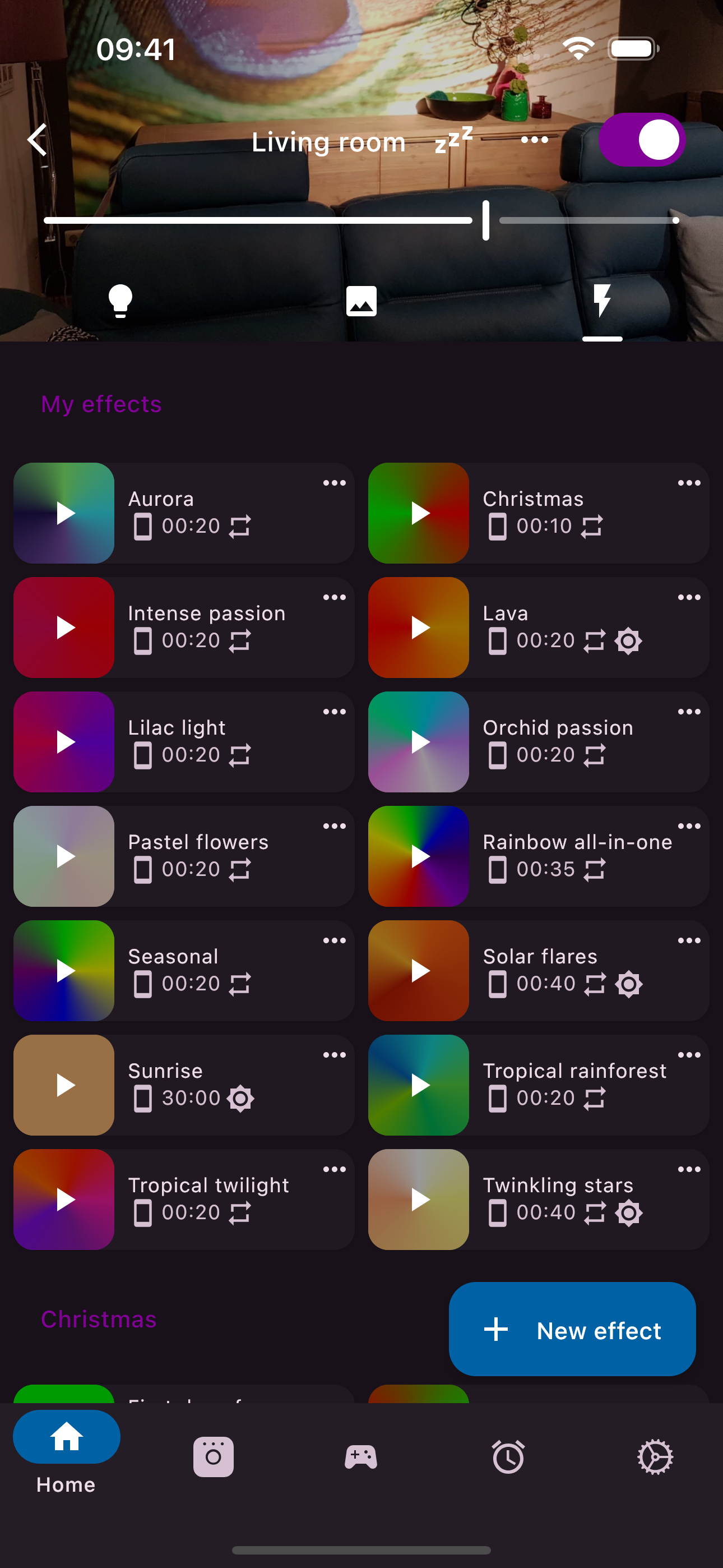
This app is great but I would rather pay for a fully featured pro version than for micro-transactions for each feature, that being said they do work as promised. I needed this app because my original hue system was in a box for 7 years and I had no way to connect my v 1.0!bridge to the current app it so I could transfer my setup to their new hub. Phillips stopped supporting hue bridge 1.0 a few years ago in the official app. This app allowed me to connect my old bulbs, strips, remote and bridge to my new hue hub v 2 bridge and transfer them over. If you don’t feel like getting the new hub then this can mostly replace the official hue app. Most importantly for old hue bulb users it also has the Touchlink feature that is key to getting the original bulbs to work with the new hub 2. I wish hue still kept this feature in ther current app but hey don’t. These two apps are linked so once I got everything transferred the hue app works great alongside this one and I have full animated effects thanks to the new hub 2.
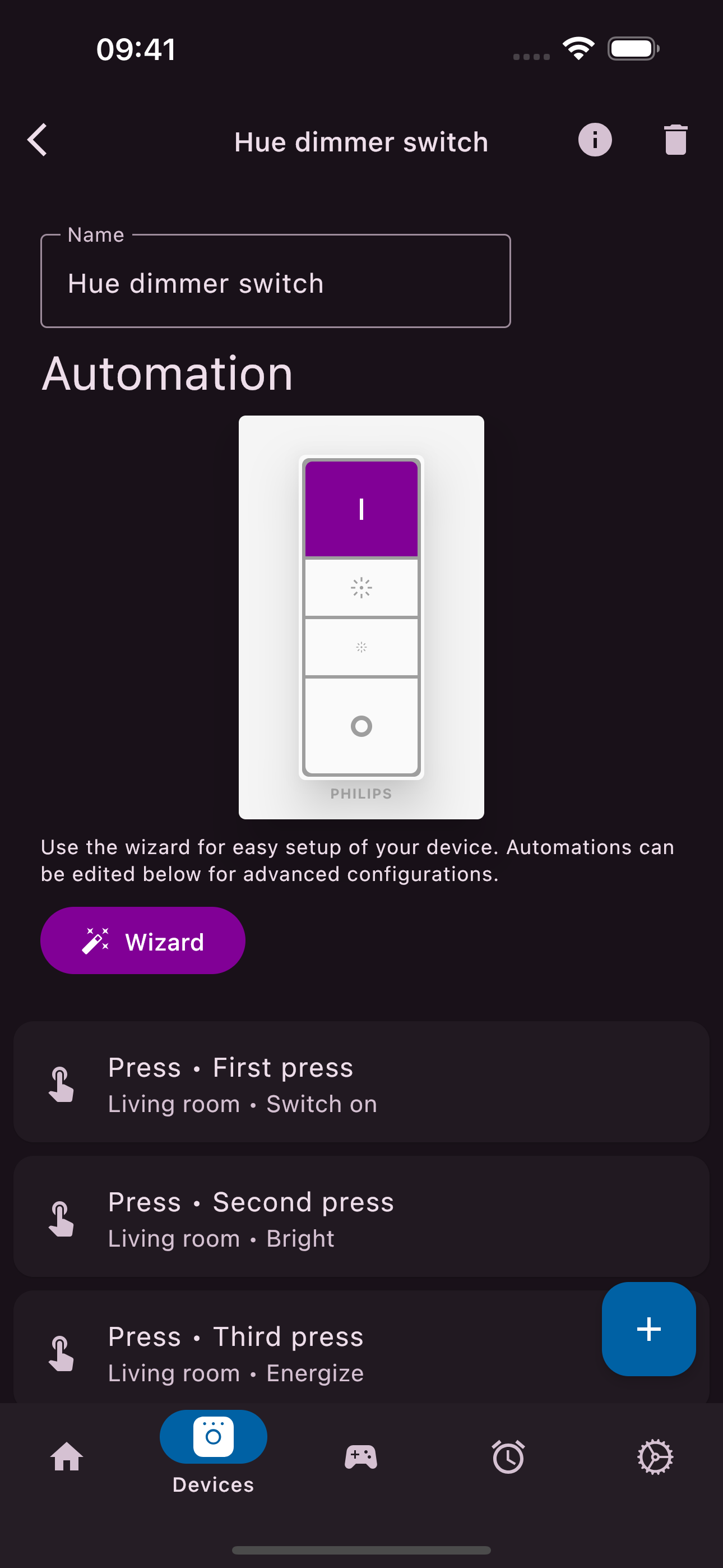
Wow. I discovered today when I needed to change which lights my switches controlled that the official Philips Hue Bridge v1 app (which I still have on my phone for compatibility with my circular v1 bridge) could no longer configure the accessories (it would freeze then crash when trying to select them in settings). Since that app is no longer supported, and my switches would not control the right lights without me being able to configure them… I was just about resigned to having to buy a new v2 bridge. Besides the cost and waste of plastic, this felt sad because I don’t need the newer bridge’s features and *all my Hue hardware including the v1 bridge is working just fine*! The only issue is that the software used to change their settings broke—had I not needed to add a few new bulbs and configure the switches to control them, I could’ve kept using the same setup for a long time! I was about to give up and buy a new bridge for $60 when I came across this app, tried it out, and… wow. No issues pairing with my v1 bridge, and could easily make the changes I needed to make to my switches. (In fact it offers customizations that the official Hue app never did for these switches, like setting up to *10* different things a single button can do when pressed repeatedly.) Leaps and bounds better than official Hue apps ever have been. Thanks so much for building this. 🙏
First, ignore anyone whining about needing to pay for this app to use your Hue bulbs. That’s not true and this app isn’t from Philips. Complain about shortcomings of the official app on the official app. That said, I’m a Hue user going back five years and two houses. When I moved I absolutely did not want to deal with the limitations of the official Hue app any longer, and tried several third-party apps. This was the best one of the bunch. Every bulb in my house is Hue, with a mix of bulb types (white, color, Edison) and though I did the setup in the Hue app, I use this one for everything that isn’t scheduled or on a Hue switch. When I went in to override my front porch light for Halloween, I noticed that the color adjustment is easier to get to, which I’m thrilled about.
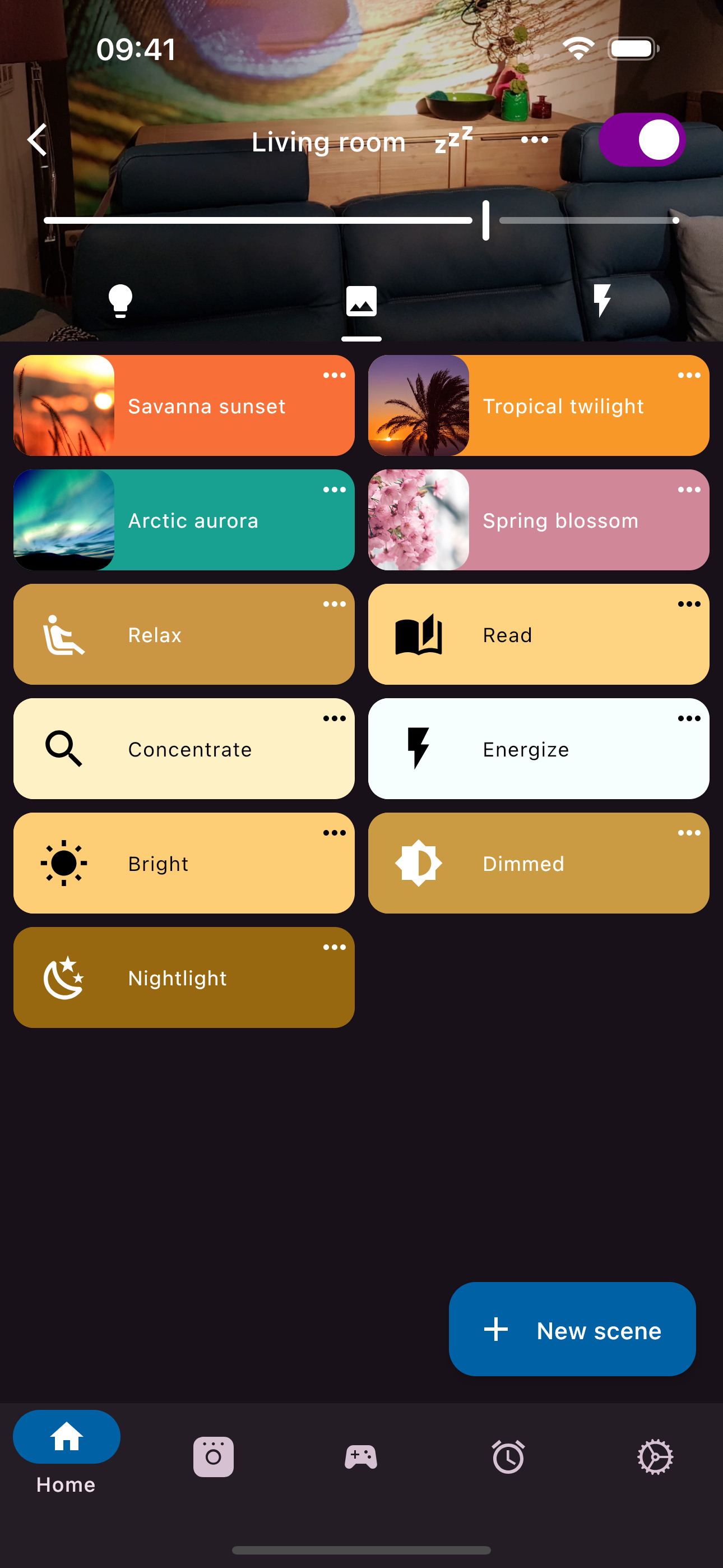
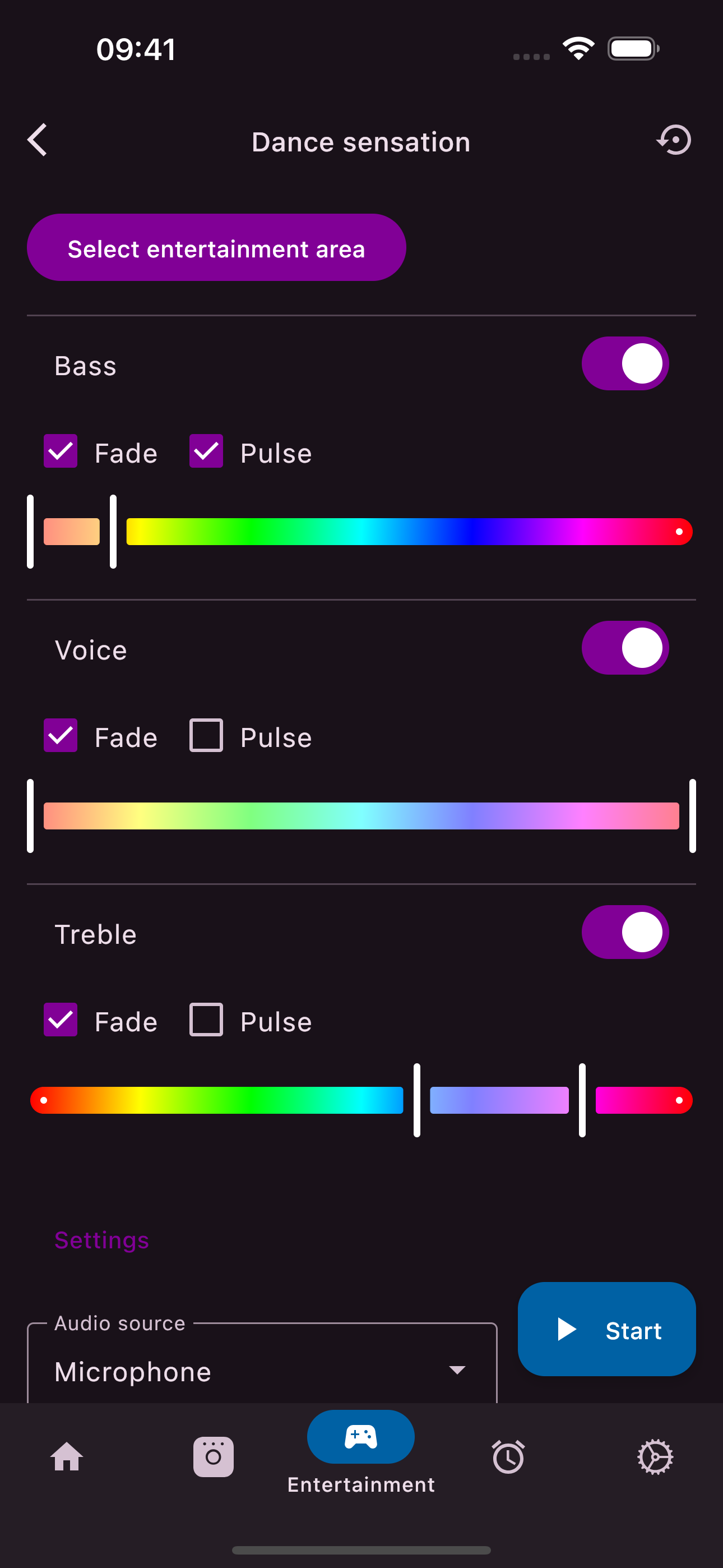
Imagine unlimited possibilities in your smart home. Set scenes and fast effects to your mood. Experience Dance Sensation in your entertainment area w...
| Name | Price | Type |
|---|---|---|
| Effects: Floral fantasy | $0.99 | One-time |
| Effects: Universe | $0.99 | One-time |
| Effects: Spooky | $0.99 | One-time |
| Effects: Christmas | $0.99 | One-time |
| Effects: Wonders of nature | $0.99 | One-time |
| Effects: Romantic | $0.99 | One-time |
| Multiple bridges | $4.99 | One-time |
| Premium | $7.99 | One-time |


