
Check the acquisition promise
Read the store headline, screenshots and description. What problem is the app promising to solve?
Study the storefront ↗
Zachary Lawson · iOS
Explore the ad evidence, study the storefront, and build your next acquisition hypothesis.
01 / Creative research
Read the store headline, screenshots and description. What problem is the app promising to solve?
Study the storefront ↗Explore apps with direct store-link matches. Compare their hooks and formats without assuming the same approach works here.
Browse observed advertisers ↗Store rankings and revenue estimates describe market context. They do not establish ad spend, conversions or ROAS.
Review the market context ↗02 / Storefront & product
Study the product story and store experience behind the acquisition funnel.




03 / Market context
Keep revenue, downloads and store rankings separate from advertising performance.
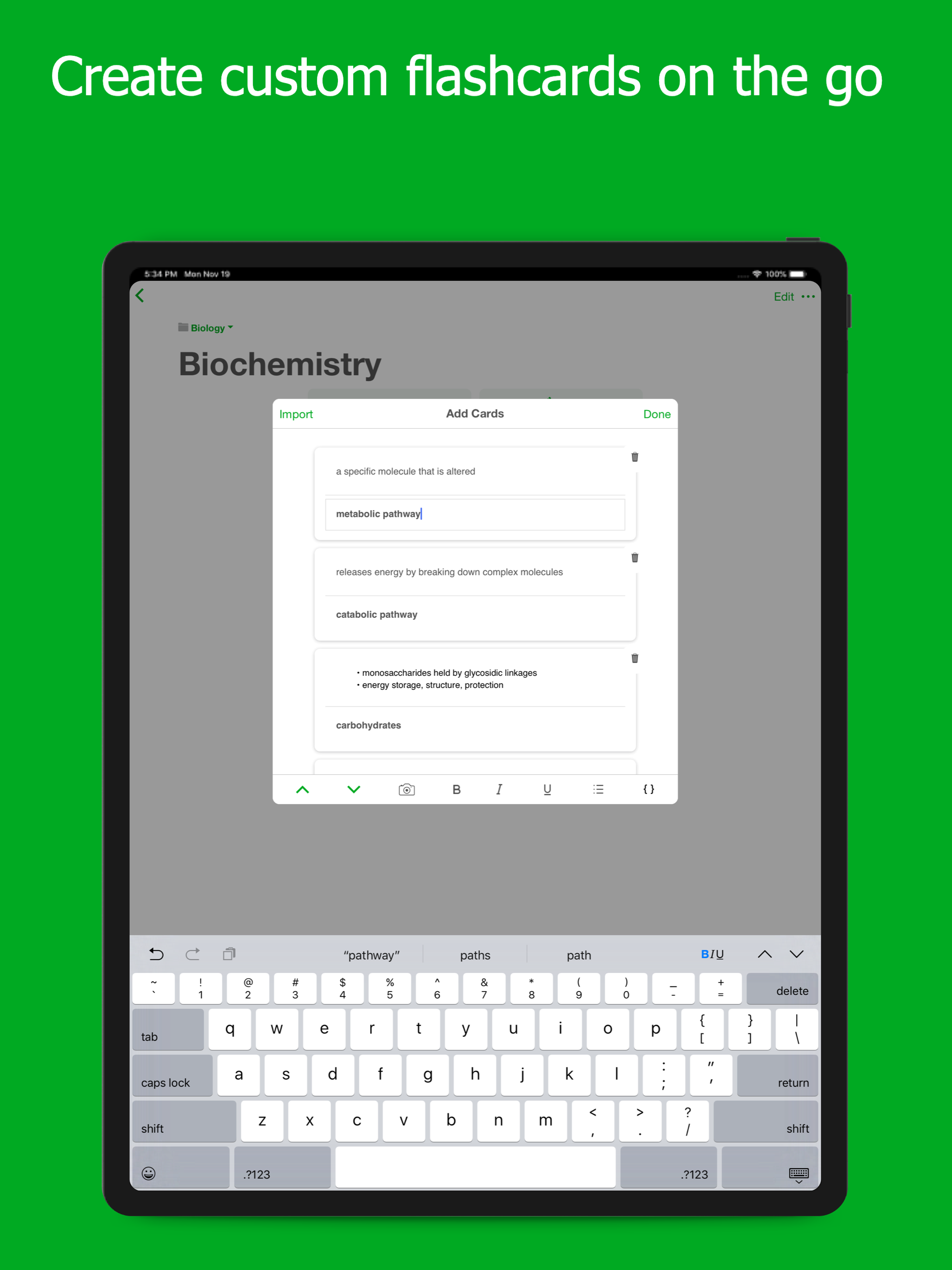
I’m soo happy a found a pretty good flashcard app that’s completely free. Honestly, bless the person who made this app haha. But in all seriousness, It’s really useful, you can add pictures, bold/italicize/underline words, and it also has dark mode (which I love, because I only use dark mode). You can also shuffle the cards, have them in order, and chose whether the term or definition comes first. Pretty much all you need for a flashcard app. So I was really happy with this and would definitely recommend if you don’t wanna spend like 3 dollars a month for quizlet.
This has been the best free flashcards app I’ve found so far. I have not tried paid versions, so I can’t attest to those.PROS:- flashcards can be as long as you need them to be- plenty of room to write when you have long definitions or bullet points- love the dark mode option. I’m on the computer a lot, and it eases the eye strain.- Easily sort decks into folders- love this!!- pre-made decks to choose from in addition to making your own. *I haven’t used this feature yet, but I may in the future. I like that there is the option for it.- keeps track of which answers you get right and which you get wrong, and provides the option to go back and study the wrong ones.CONS:- If you use bullet points, the text turns dark. When in the light mode, this is not a problem, but when in dark mode (which I use all the time) the text becomes illegible because it’s black on black.- if you stop in the middle of the deck, your progress can not be saved. This has been a little annoying as sometimes I have to stop in the middle of a deck due to time constraints without the option to go back and pick up where I left off.- Sometimes, I’ll click on a card to edit it, and the app will glitch and exit me out of the deck before I’m done studying, forcing me to start over. This is why I’m giving 4 stars instead of 5.Overall, I still love this app and use it for all of my classes. Hopefully the company will consider making changes with the cons list- I would love to come back and give this app a higher rating!
I had too many non-user-friendly instances the first time I tried to get used to this app. First, the “tutorial” deck is incorrect in its instructions. It said “swipe down to see the next flash card” and when I did it moved but slid back to that same card as if there were no next card. You actually had to swipe up, not down, to get to the next card. The next one says to tap the correct icon (which it shows to be a square, green icon with a white check mark) down below to sort the ones you’ve potentially learned. There was a circular, white icon with a black check mark that I touched which didn’t turn green, just moved the next slide. This made me wonder whether I would see that card again or I would have to uncheck it to get it back in rotation. Nothing instructed towards this. The final card said to swipe down again to finish the deck. Of course, it was up, not down, again. There was a percent correct at the end that said I got 33% when the only way to get to the end is to get them right. I disregarded all of this and started to make decks only to find that it automatically put me in an Untitled Folder which I couldn’t find a way to change its title OR move the decks to a correctly titled folder. I couldn’t find a way to delete the folders. And somehow, in looking, it started another Untitled Folder. Now, there are 2 that I don’t need and can’t seem to delete. Even this I was willing to let go and move forward from. I titled a new folder and just made new decks in it and it glitches and froze. So I had enough. Not worth my time.
Flashcards.io is the easiest way to memorize and master whatever you’re learning. Create, collaborate, and study unlimited flash cards offline and on-...
| Name | Price | Type |
|---|---|---|
| Flashcards.io Pro (Monthly) | $7.99 | Monthly |
| Flashcards.io Pro (1 Year) | $34.99 | Yearly |


