Check the acquisition promise
Read the store headline, screenshots and description. What problem is the app promising to solve?
Study the storefront ↗
Hangzhou PlusMinus Ai Technology Co., Ltd. · iOS
Explore the ad evidence, study the storefront, and build your next acquisition hypothesis.
01 / Creative research
Read the store headline, screenshots and description. What problem is the app promising to solve?
Study the storefront ↗Explore apps with direct store-link matches. Compare their hooks and formats without assuming the same approach works here.
Browse observed advertisers ↗Store rankings and revenue estimates describe market context. They do not establish ad spend, conversions or ROAS.
Review the market context ↗02 / Storefront & product
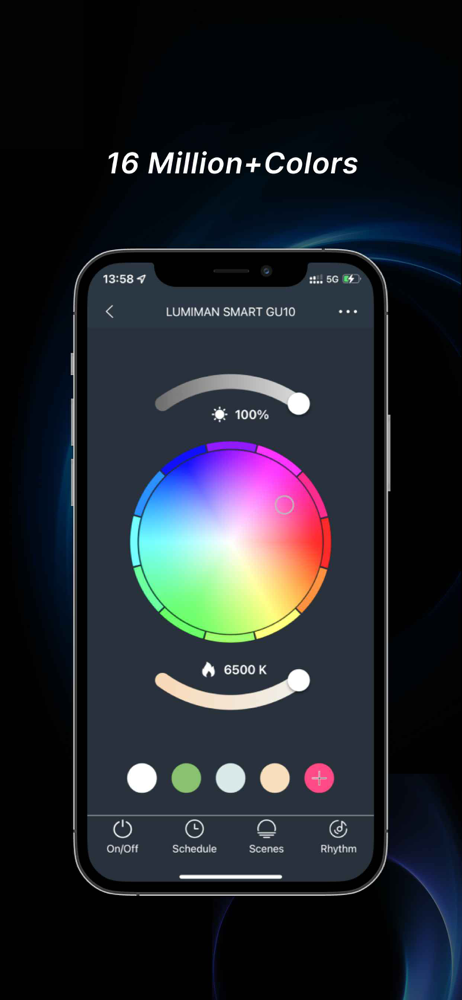
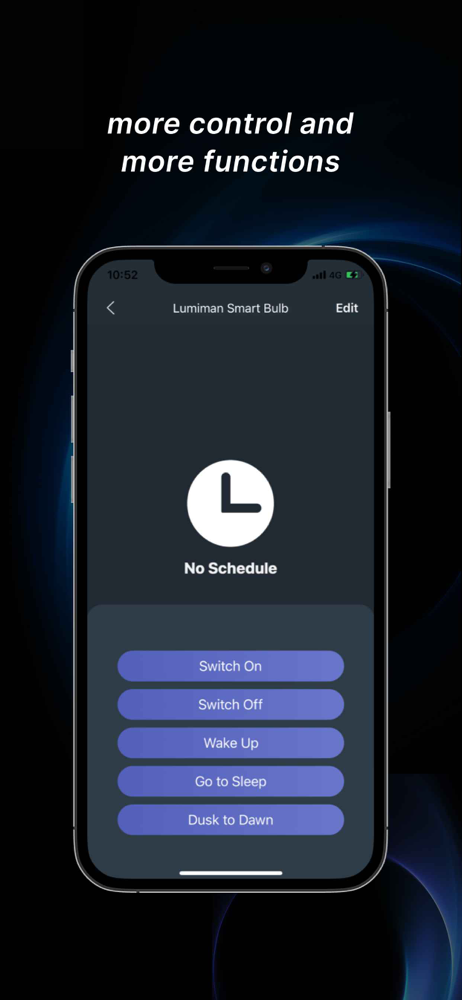
Study the product story and store experience behind the acquisition funnel.





03 / Market context
Keep revenue, downloads and store rankings separate from advertising performance.
So this app can be frustrating, but it’s actually very simple. It tells you everything on how to set it up quite clearly. Most of the people complaining that it won’t connect are probably overlooking something while setting up. For example I was getting upset because it wouldn’t connect. I was sure I did everything right. Except I wasn’t. The password for the wifi I was using was missing a character. Once I fixed that it connected no problem. People please make sure your passwords are correct, and that the router you are using is capable of 2.4hz, because if it’s not 2.4hz it’s never going to work. Some routers will even show it on the router itself. Or you can search up the router on the web and log into to see if it’s 2.4hz or if you have to enable it. I had to enable it on mine. So that could also be your issue.
I’ve had issues off and on with my two smart bulbs over the last few years. Now, one of them absolutely will not connect. I’ve tried EZ mode and AP mode. Nothing. In AP mode I’m asked to connect to a certain network that never even shows up as an available network. It’s a headache that I don’t have the time to deal with anymore. I have spent far too much time over the last 2 weeks trying to get this bulb to reconnect. I’m just going to pray that the other one stays connected for now. If and when that one has the same problem as this one, they’re both being tossed and I’m going with a different company. Oh and another big complaint: the saved schedules never work! They might work for a week or so and then the next thing I know, my porch light is on at 2 in the afternoon when I have continuously (no exaggeration) gone in and removed and recreated the schedules to be sure it would only be on from night until about sunrise. Annoying.
I have been using IOT control apps for years. Most commenters complain about the difficulty of restoring functionality when there is a power outage or router issue. That happens with all apps. I use an expensive mesh router with 5 bases. It is as automated as it currently gets, I still have to spend an hour updating connections in this app and the others when there is a power or router issue (even with a built in zigbee hub). This app has one feature the others do not. You can target a devices power state as a trigger, use a time delay, then cycle that same device to another power state. For instance I run a botany home lab space and I use this app only (because no other app allows this). I have numerous fans, Intake/exhaust, lights, humidifiers and dehumidifiers, heaters and lights / controllers. Everything is completely automated through this app, things turn on, wait a certain amount of time and turn off, then cycle again after a predetermined state, endlessly. Temperature affects humidity devices and vice versa. For power outage and router redundancy, I have certain devices turn on to trigger the cycle for everything once a day for a hard reset of the system. It would be nice to have a power / router subroutine to allow for natural cycling of devices to the previous state after a communication failure. Very happy this app is free and highly configurable!
A professional app to manage all your smart home devices. • Add new devices with a few easy steps • Control smart home devices wherever you are • Moni...