Check the acquisition promise
Read the store headline, screenshots and description. What problem is the app promising to solve?
Study the storefront ↗
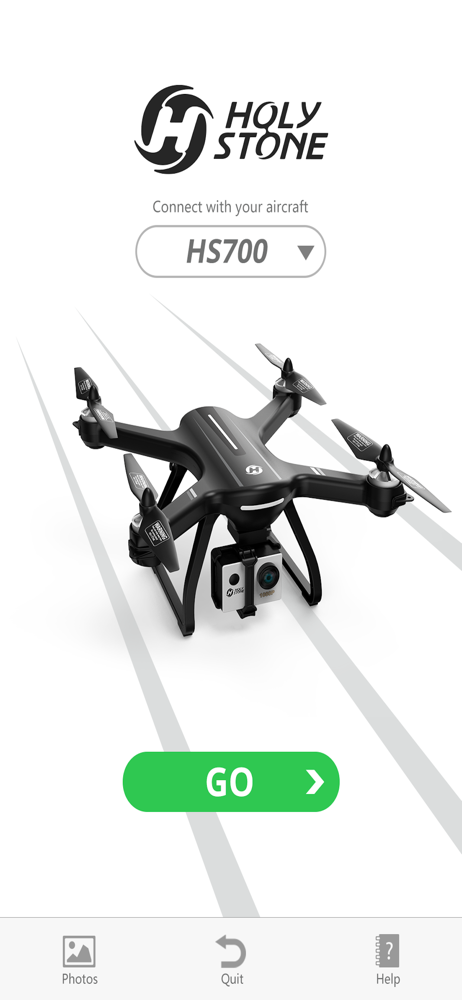
HOLY STONE TECHNOLOGY Co.,Ltd. · iOS
Explore the ad evidence, study the storefront, and build your next acquisition hypothesis.
01 / Creative research
Read the store headline, screenshots and description. What problem is the app promising to solve?
Study the storefront ↗Explore apps with direct store-link matches. Compare their hooks and formats without assuming the same approach works here.
Browse observed advertisers ↗Store rankings and revenue estimates describe market context. They do not establish ad spend, conversions or ROAS.
Review the market context ↗02 / Storefront & product
Study the product story and store experience behind the acquisition funnel.

03 / Market context
Keep revenue, downloads and store rankings separate from advertising performance.
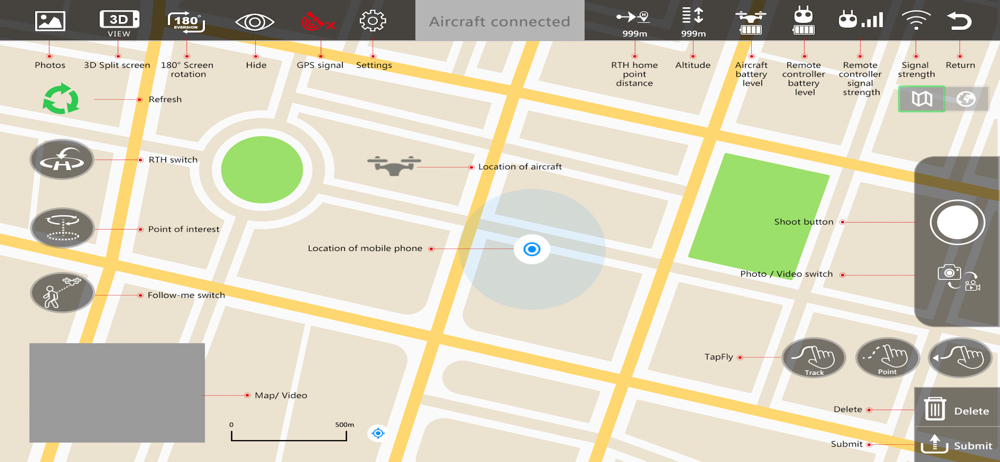
I can connect the app to the drone and it will work for a couple minutes and then the app will suddenly crash. Once you open the app back up it shows not connected. I quickly press the return home on the remote controller as I get scared I will lose the drone. It has done this the past few times I have taken it out. There is no way to reconnect it except by turning the remote and the drone off and start over including the calibration exercise. I am constantly out there spinning and getting dizzy in my driveway to recalibrate because of how often this app crashes. I don’t think it used to do this when I first for the drone so maybe just a recent update. Please fix your buggy app. Thank goodness for the return to home function.
I have been using the Ophelia App for 6 weeks for a total of over 60 flights with my Holy Stone HS 100 drone. It has always paired quickly to my iPhone 8S and I have never lost a signal while in flight. The feature I like best is the ability to set up a “geo-fence” that limits the radius and height in meters that I can fly. When the drone reaches the limit of its invisible leash it will stop and hover until I “call it back” with my controller. This has saved me from many fly aways and lost drones. It appears that many users do not understand that photos and videos are saved onto the micro-SD card when the card is in the HS 700 camera. The micro-SD card can then be removed from the camera, inserted into a micro-SD card reader, inserted into the PC Card slot and downloaded onto your PC. Now, if you do not insert the micro-SD card into the camera, pair your iPhone with the drone and take a video or photo the data will transmit from drone to camera and be saved into your iPhone’s memory in the iPhone photos app. The advantage of leaving the memory card IN the camera is that the photos and videos are saved at twice the resolution. If you operate your camera with the card OUT the photos and videos are saved directly to your iPhone but at a much lower resolution. I prefer to leave the card in camera and download much higher (clearer/less grainy) resolution files. EXCELLENT APP!!
It is kind of a pain and I found I have to use my iPad Pro. In order to save a file first in Ophelia gps select the file and hit the share button. Select, “Save to file” in “action”. Now open “files” app. In files hit select, photo/video and share again. Select “save image”. It will now appear in photos. Easy right. Lol. Developers add a photo action! Please.
A toy quadrocopter control by wifi with video transfer real time