Check the acquisition promise
Read the store headline, screenshots and description. What problem is the app promising to solve?
Study the storefront ↗
Code Organa · iOS
Explore the ad evidence, study the storefront, and build your next acquisition hypothesis.
01 / Creative research
Read the store headline, screenshots and description. What problem is the app promising to solve?
Study the storefront ↗Explore apps with direct store-link matches. Compare their hooks and formats without assuming the same approach works here.
Browse observed advertisers ↗Store rankings and revenue estimates describe market context. They do not establish ad spend, conversions or ROAS.
Review the market context ↗02 / Storefront & product
Study the product story and store experience behind the acquisition funnel.





03 / Market context
Keep revenue, downloads and store rankings separate from advertising performance.
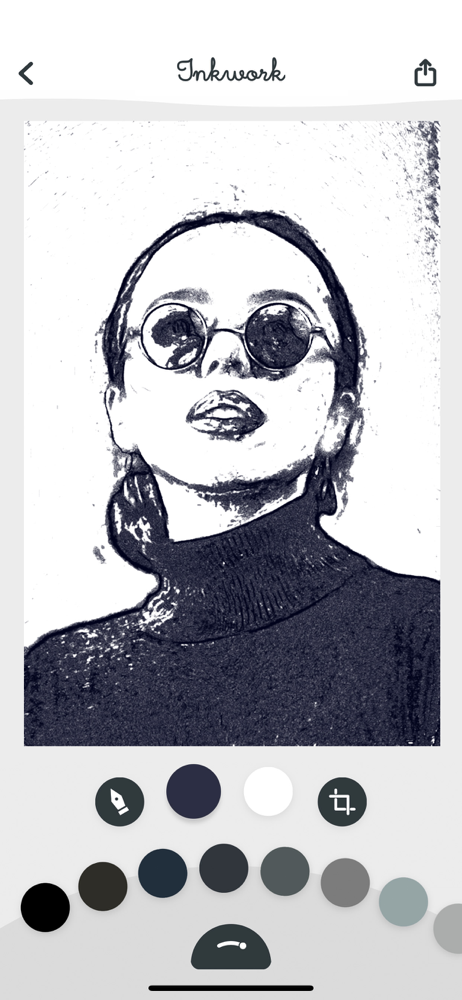
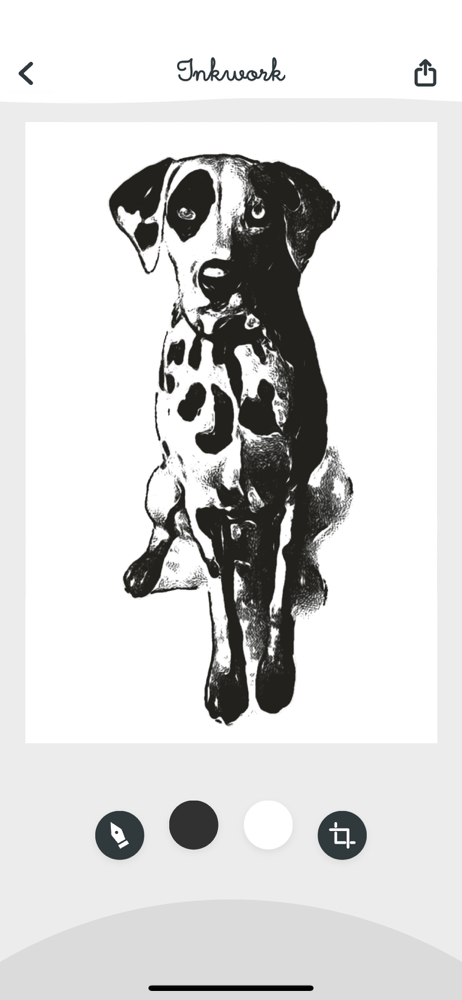
The algorithms that create the inks are great—many have said otherwise in reviews, but if you choose the right type of photo and experiment a bit, you can get some really stellar results. HOWEVER, many such results have such a low definition that they are unusable beyond Instagram. What gives? With such defined lines in almost every ink, I don’t think it would be that hard to significantly bump the definition...in fact it’d probably be a lot easier than it was to create such great algorithms. I’d love to change my review if the resolution of the output increases.
I can’t rave enough about this app. I have been struggling with an art project for a while using the image trace feature in Adobe Illustrator and coming up with poor results. Inkwork gave me not only exactly what I was after, but tons of new options I couldn’t have otherwise come up with. This app has a fantastic variety of options, a smooth and well-thought-out interface, and high-res export. I can’t believe they’re not charging several bucks for it. Thank you, Inkwork!
This app is very good at converting images to line drawings. There are lots of options for drawing type, and the ability to modify the lines within each type. I only gave it four stars because I find myself wanting an Opacity control so I can let some color from the underlying image show through. I would rather not need to take the Inkwork drawing into another app to achieve that affect.
Discover your photo's inner art with Inkwork. Inkwork instantly transforms your photos into unique and expressive ink drawings. Choose from over 90 s...
| Name | Price | Type |
|---|---|---|
| Inkwork (Weekly) | $4.99 | Weekly |
| Inkwork (Weekly) | $4.99 | Weekly |
| Inkwork (Monthly) | $9.99 | Monthly |
| Inkwork (Monthly) | $9.99 | Monthly |
| Inkwork (Annual) | $29.99 | Yearly |
| Inkwork (Annual) | $29.99 | Yearly |
| Inkwork (Annual) | $59.99 | Yearly |
| Inkwork (Annual) | $59.99 | Yearly |
| Inkwork | $79.99 | One-time |
| Inkwork | $79.99 | One-time |