
Check the acquisition promise
Read the store headline, screenshots and description. What problem is the app promising to solve?
Study the storefront ↗
Ooma Inc. · iOS
Explore the ad evidence, study the storefront, and build your next acquisition hypothesis.
01 / Creative research
Read the store headline, screenshots and description. What problem is the app promising to solve?
Study the storefront ↗Explore apps with direct store-link matches. Compare their hooks and formats without assuming the same approach works here.
Browse observed advertisers ↗Store rankings and revenue estimates describe market context. They do not establish ad spend, conversions or ROAS.
Review the market context ↗02 / Storefront & product
Study the product story and store experience behind the acquisition funnel.


03 / Market context
Keep revenue, downloads and store rankings separate from advertising performance.
I had quite a bit of issues with setup and I think process could be improved with more clear instructions and more troubleshooting options. No complaints so far on the device. Also, I’m required to put in my address, but there was no option in the state dropdown for DC so I had to choose Maryland. I mean, I know DC is not a state and doesn’t have any Congress members but… et tu Ooma? #taxationwithoutrepresentation. For troubleshooting: I was not able to connect Telo Air 2 to bluetooth (tried 2 mobile devices and confirmed all the permissions needed). Troubleshooting link had an image that described an alternate wired setup involving a computer, when most laptops do not have ethernet jacks and I feel like a lot of people these days do not have desktops. It would be nice to add another option: just connect the device into the back of your router or an Ethernet jack in your home if ethernet is setup. When I did that, it worked like magic. I waited a few minutes and the light turned blue. It would be nice to (1) have the alternate explanation on that screen and (2) explain what to do after. If you have the same problem Claude or Chatgpt walks you through all kinds of options. (I tried to use human help first don’t @ me!)
I had Telo couple years ago and then I cancelled because either I didn’t have patience dealing with troubleshooting my box , but now I’m back and Ooma has improved very very good , it took few days to port my number from Comcast , and even the wireless feature is a plus , I made a good choice switching back to Ooma because comcast it was charging me more every year, my whole bill went out of whack , you won’t regret going with Ooma , no brained…..
The Ooma Telo setup app is intended to only perform very basic setup of the device. Once this setup has been completed, the app doesn’t offer much value. One huge problem with the app is that it does not recognize the replacement LTE Adapter device that Ooma recently sent out (June 2022) to replace the old LTE Adapter, in order to move LTE connectivity from the old Sprint LTE network to the T-Mobile LTE network. While the new LTE Adapter does work, the app indicates that the LTE Adapter is disconnected. So it’s not useful at all now, because the app used to be able to check the LTE signal strength, and could be used to find an optimum location for the LTE Adapter. Please update the app to recognize the new LTE Adapter.
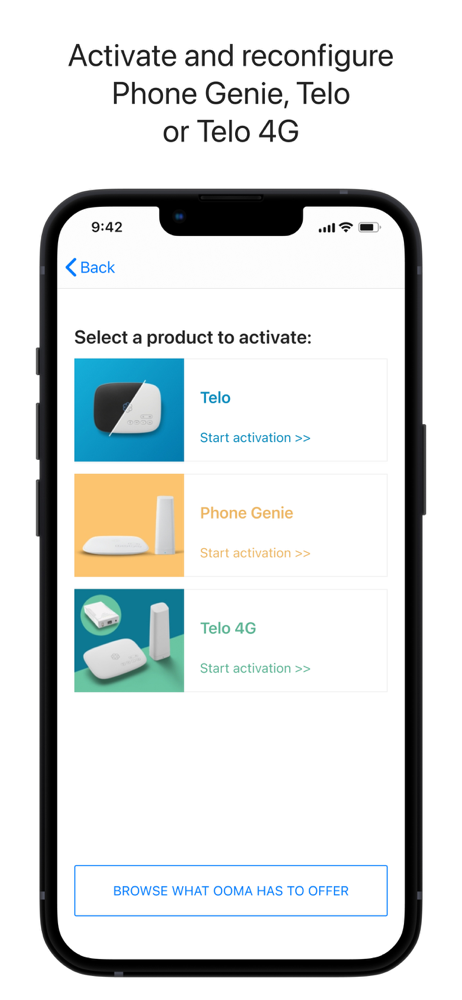
Ooma Setup app allows Ooma customers to quickly: -activate a new Telo -activate MyPhone, Phone Genie or (coming soon) StarDial -reconfigure an exist...


