Check the acquisition promise
Read the store headline, screenshots and description. What problem is the app promising to solve?
Study the storefront ↗
Piet Hein van Cleef · iOS
Explore the ad evidence, study the storefront, and build your next acquisition hypothesis.
01 / Creative research
Read the store headline, screenshots and description. What problem is the app promising to solve?
Study the storefront ↗Explore apps with direct store-link matches. Compare their hooks and formats without assuming the same approach works here.
Browse observed advertisers ↗Store rankings and revenue estimates describe market context. They do not establish ad spend, conversions or ROAS.
Review the market context ↗02 / Storefront & product
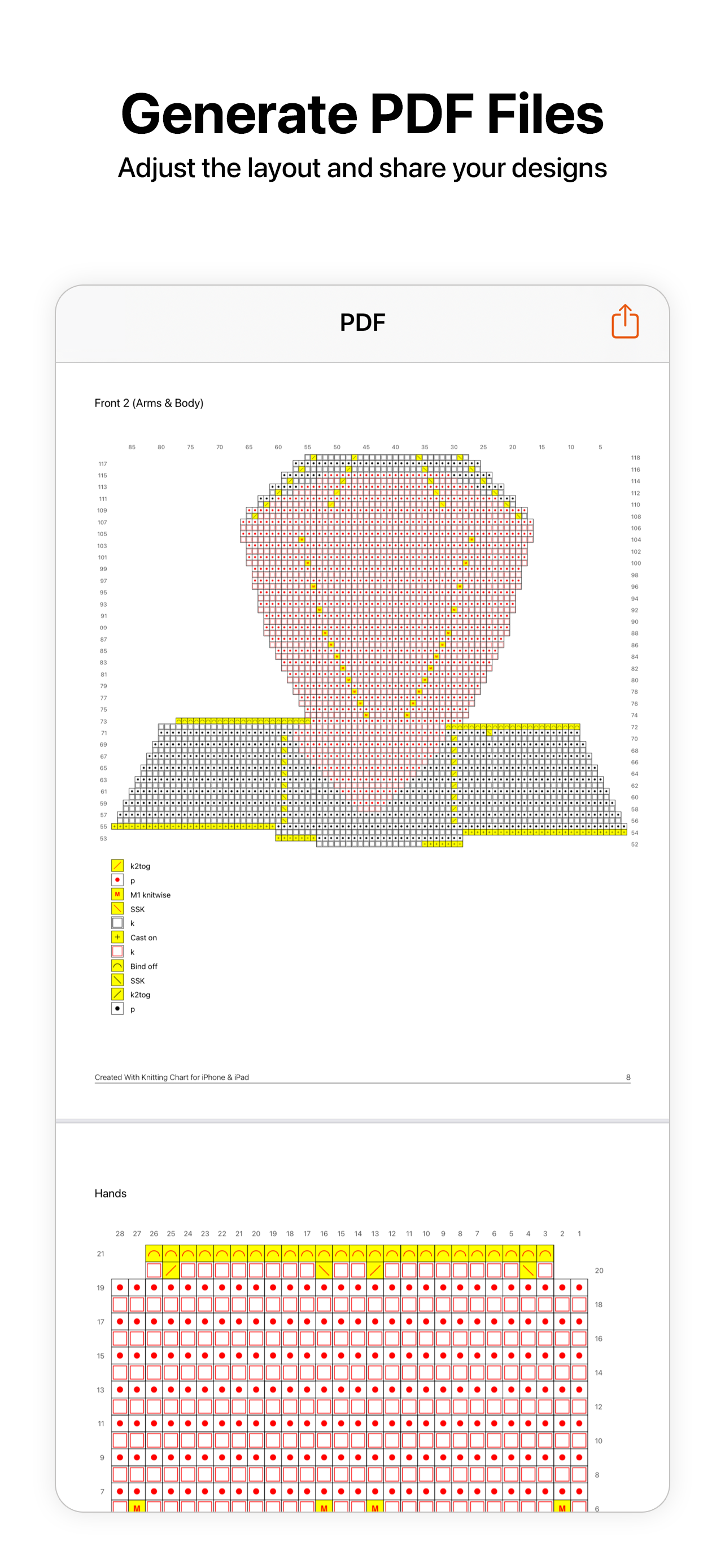
Study the product story and store experience behind the acquisition funnel.


03 / Market context
Keep revenue, downloads and store rankings separate from advertising performance.
Knitting chart is freaking amazing! I bought the full version because it is SO worth the money. I can make my own charts (even for crochet!!), I can import images and turn them into charts, organize my projects, add as many counters as I need for a project…and so much more. I do wish that the notations worked a little better. It’s near impossible to do any kind of writing on PDFs with my Apple Pencil. I really hope that this function gets updated at some point, because then I could really delete every other knitting app on my iPad. Everything else works so well, so it would be nice to get it writing properly as well.
Many years ago a paid a good deal of money for a knitting chart maker that I really liked. Over time they added various complexities which were nice but not all that necessary for me. But then they decided that the price I paid for a lifetime app wasn’t sufficient, which is fair if they are continuing to develop the app, but instead of charging more for add ons they went to a subscription model which I hate because I don’t use the app consistently enough to want to pay for it every month. I found this app and expected it to be pretty bare bones since it was free but found it to actually have quite a few advanced options that make it very nice to use. Thanks to the creator!
If you are tired of using the graph paper settings on your regular note-taking apps, where you are limited to the number of blocks per line and page - this is the knitting app for you. If you want to track your rows completed on a stranded knitting pattern without having to print out or mark up a graph paper pdf - this is the app for you. If you want an easy way to do simple 1-row modifications during knitting an original pattern because your contrast color needs to be used for one more row, or you miscalculated that the carried color would be at the working end but it is still a row away — this is the app for you! I haven’t used most of the features yet because this app is so easy to launch that I just began. I had to redraw my partial test chart only once, and the second test ended up becoming my final stranded knit sleeve in 3 colors, for a project I’m knitting now - this is the app for me! The app crashes quite a bit while it is saving maybe, or maybe it is an iPadOS 13 interaction? But it almost always saves all work and I have not lost work except the last few rows a few times. I also cannot properly move a set of rows up to allow insertion of a new pattern in between, which would be helpful during designing, but that may be my newness with the app. Thank you for this app!!
With Knitting Chart you can draw your own knitting and crochet patterns. Import PDF files from your device or Ravelry and keep track of your progress...
| Name | Price | Type |
|---|---|---|
| Knitting Chart Pro | $19.99 | One-time |