
Check the acquisition promise
Read the store headline, screenshots and description. What problem is the app promising to solve?
Study the storefront ↗
Tom Tennstedt · iOS
Explore the ad evidence, study the storefront, and build your next acquisition hypothesis.
01 / Creative research
Read the store headline, screenshots and description. What problem is the app promising to solve?
Study the storefront ↗Explore apps with direct store-link matches. Compare their hooks and formats without assuming the same approach works here.
Browse observed advertisers ↗Store rankings and revenue estimates describe market context. They do not establish ad spend, conversions or ROAS.
Review the market context ↗02 / Storefront & product
Study the product story and store experience behind the acquisition funnel.


03 / Market context
Keep revenue, downloads and store rankings separate from advertising performance.
The app looks super promising and I want to start using it but the synchronization option seems to be glitchy. It says purchase once to unlock it for all Mac devices on one iCloud account, but I try to use it on my phone and it says to purchase the sync option again. I emailed the developer but haven’t heard back yet. Edited: I got a reply before I even posted this so that is awesome, thank you. He clarified that you do have to purchase it once on each device due to purchase compatibility issues outside of his control. The only suggestion I have to make sure your wording is consistent on your products: in some places it says to “purchase once for all Apple devices” [apparently not true, I now realize] and other places it says to purchase once for all iOS devices. I personally don’t mind buying it twice, but it would have been nice to know that upfront. Thank you for the reply and I look forward to using the app.
I have tried over a dozen different expense apps over the years and this one is the best so far. It does require you to read the documentation to secure the best features- something many people find difficult to do. Be sure to add on some of the additional features that provide auto backup,etc. I do wish the author would have included all of these features into a single app at the stipulated price. You will find the reports breathtaking. Important: when you define a credit card, its due date, and bank source (usually your checking account) the card automatically transfers (pays) the charges from your funding source. This did not seem intuitive to me at first. It is also important to get the reoccurring credit card payment date correctly. If you get it wrong you can change that date by consulting the online documentation.
Like probably many, I have searched for a budget app and have tried allot of them on the iOS store (from YNAB, simplify to copilot) and this is the keeper. I must admit that at first, I was not a fan of this app. Maybe it was the slight learning curve. I did not use it for several months after downloading it and totally forgot about it. I was using copilot but that started having issues with duplicate transactions coming over from one of the banks and unfortunately, their support could not tell me when that was going to get fixed. I decided to give this app another try, I deleted all transactions I had entered but kept the accounts. I am glad that I did. This is AN AWSOME APP, so give it a try. I actually prefer the manual keeping of the transactions as it makes you more aware of where the money is being spent. This app has all you need, budgets, goals, comparison, reports and pie charts and more! Most importantly, it's highly customizable to your liking. The tags/hashtags system it uses is great. The one thing I appreciate is the fact that it's not a subscription. All of the other apps I have tried and listed above always, always had issues connecting to banks, it never failed. Your finding yourself having to reconnect to the bank or the bank you use is not an option to be able to connect to. I went ahead and purchase all in app purchases and wow, that makes this a well rounded app. The iOS 14 widgets are awesome with allot of options should you choose to set those up (and of course I did :) ) The developer seems to be on top of his game and has regularly updated the app. Keep up the great work. I have recommended this app to allot of folks and will continue to do so. Keep up the great work!!
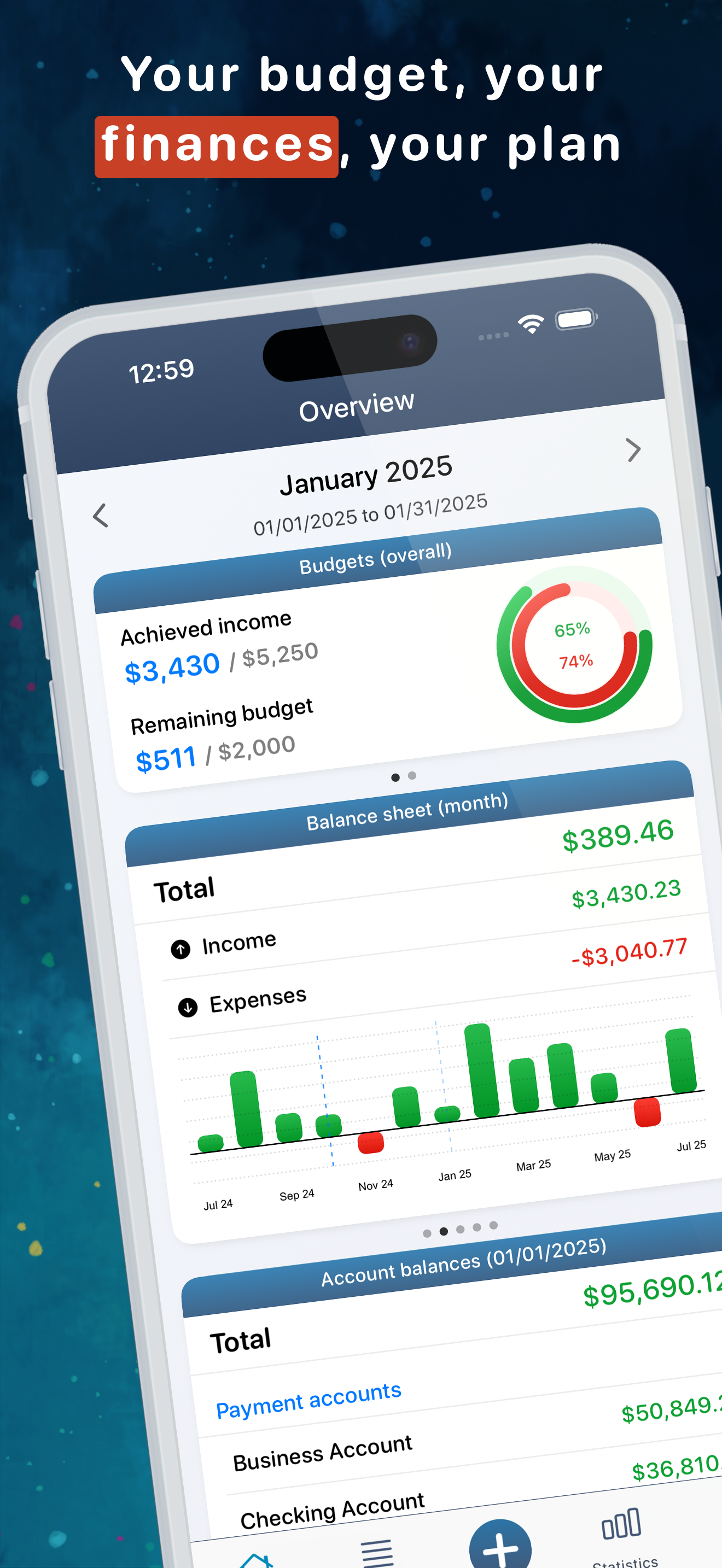
Your budget, your finances, your plan! Control your income and expenses and save cash! With MoneyStats you have full control of your personal finance...
| Name | Price | Type |
|---|---|---|
| MoneyStats Reports | $2.99 | One-time |
| MoneyStats Categories | $2.99 | One-time |
| MoneyStats Data-Sync | $2.99 | One-time |
| Single bank connection (Monthly) | $2.99 | Monthly |
| MoneyStats Exchange Rates | $2.99 | One-time |
| Multi bank connection (Monthly) | $3.99 | Monthly |
| MoneyStats Pro | $4.49 | One-time |
| MoneyStats Special Offer | $5.99 | One-time |
| MoneyStats Complete Packe | $7.99 | One-time |
| Single bank connection (Annual) | $24.99 | Yearly |


