Check the acquisition promise
Read the store headline, screenshots and description. What problem is the app promising to solve?
Study the storefront ↗
AirBeamTV BV · iOS
Explore the ad evidence, study the storefront, and build your next acquisition hypothesis.
01 / Creative research
Read the store headline, screenshots and description. What problem is the app promising to solve?
Study the storefront ↗Explore apps with direct store-link matches. Compare their hooks and formats without assuming the same approach works here.
Browse observed advertisers ↗Store rankings and revenue estimates describe market context. They do not establish ad spend, conversions or ROAS.
Review the market context ↗02 / Storefront & product
Study the product story and store experience behind the acquisition funnel.



03 / Market context
Keep revenue, downloads and store rankings separate from advertising performance.
I’m not asking for much. I just want to display Ultimate Guitar Tabs to have a jam with friends. I have started the mirroring about 8 or 10 times since installing the free version about 20 minutes ago. Each time I am prompted to upgrade. Who would want to pay for an upgrade with the performance I have experienced? On a few occasions, the mirroring didn’t start at all. On the occasions when my iPad did successfully cast to the TV (LG 55UH7650), the connection remained for only a brief time. The longest was less than three minutes. Most were less than a minute and some were as short as a few seconds before the app terminated the connection. In some cases, I got a popup message that says something like “You are watching in HD. This resolution will stop soon.” I didn’t capture the exact wording, but the TV soon displayed just a plain green screen for a few seconds. Then I got a popup message that said, “Screen Broadcasting - Live Broadcast to Mirror LG TV has stopped due to: Attempted to Start an invalid broadcast session.” This occurred while I was not doing anything with the iPad; after displaying the guitar tab, I was just looking at the TV and playing guitar along to the tab. This happened regardless whether the tab was scrolling on the iPad or stationary. The popup message I get has options to click “OK” or “Go to Application.” If I click “OK,” the popup just closes. If I click “Go to Application,” I get to see the invitation to upgrade, from which I can go back to the prior screen and re-start the mirroring and receive another dose of pain. I think it would be foolish to expect performance to improve after paying for the “upgrade.” It seems unlikely I have downloaded a useful application.
I have an iPhone 7. The standard screen sharing on my LG just wasn’t supportive of apple for some reason.. I found this app and downloaded. Immediately I needed help, things weren’t connecting.. ugh..I was expecting to get put in a long line or be put on hold or something when reaching out to the “help” tab on this app. I was a bit frustrated initially after paying 5 bucks and it not work! But my angst spiked then quickly subsided when following the immediate automated response from the help center via messenger, I got a message from an actual person. I mean like within 30 seconds. He/she gave me step by step directions on how to fix the problem. The nice thing about communication being on messenger was that I could actually send photos of my tv screen on what I was seeing and what I need to push. He/she was very patient with me as I’m not very tech savvy.. he/she stayed on messenger with me through thick and thin. I mean we were trying to get this thing to work for like 30 minutes. Mostly my fault, I’m sure, for only being about 80% sure which piece of LED stricken black box magic was the WiFi router.. I’m actually mirroring my screen as I type this review. It’s about a 1 second delay but that’s fine. The nice thing is you can turn the volume all the way down on your phone and use your remote to turn the volume up on your tv. That way you don’t have that 1 second audio delay echo. It also auto flips so you can watch a video on your phone sideways (landscape) and it will show up on the entire tv screen. I asked whomever I was speaking with their name so I could spread praise on how helpful they were. However he/she stuck to the selfless, thankless creed in which they agreed and did not give me their name. They didn’t rudely shut me down either when I had asked, they simply changed the subject to yet more useful information pertaining to the app. I respect that. Not all hero’s wear capes. But this app’s development team/customer support staff deserves much more than capes.
Downloaded this app tonight in preparation for in home schooling for my twins Monday. I wanted to be able to display some of the celebrities reading books and other educational sites for us to learn together on Monday. I couldn’t get the tv hooked up and emailed diagnostic support and the response was fast and effective. They responded immediately- asked a few questions- sent me back guidance on what to do and it worked and we are connected and ready for Monday. Thank you so much!! Really really really great service on a late Saturday night. Thank you again!!
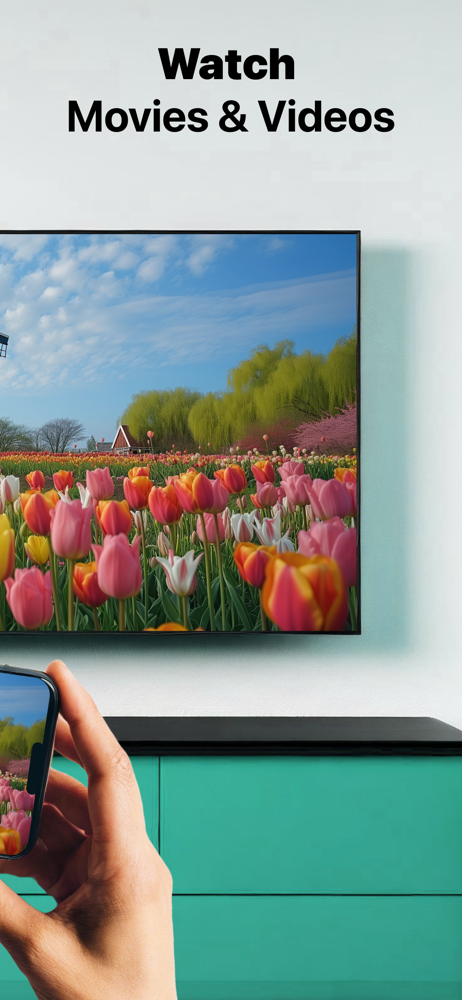
Application to mirror the screen of your iPhone or iPad to any LG Smart TV. No wires and no additional hardware needed! You can mirror any app on your...
| Name | Price | Type |
|---|---|---|
| Weekly: All Features | $5.99 | Weekly |
| Monthly Plan: All LG Features | $9.99 | Monthly |
| Pay Only Once: Special Offer! | $14.99 | One-time |
| Special Promo Annual Plan | $14.99 | Yearly |
| Pay Only Once: Special Offer! | $23.99 | One-time |
| Annual Plan: All Features | $29.99 | Yearly |
| Yearly Subscription | $29.99 | Yearly |
| Pay Only Once: All Features | $59.99 | One-time |