Check the acquisition promise
Read the store headline, screenshots and description. What problem is the app promising to solve?
Study the storefront ↗
AirBeamTV BV · iOS
Explore the ad evidence, study the storefront, and build your next acquisition hypothesis.
01 / Creative research
Read the store headline, screenshots and description. What problem is the app promising to solve?
Study the storefront ↗Explore apps with direct store-link matches. Compare their hooks and formats without assuming the same approach works here.
Browse observed advertisers ↗Store rankings and revenue estimates describe market context. They do not establish ad spend, conversions or ROAS.
Review the market context ↗02 / Storefront & product
Study the product story and store experience behind the acquisition funnel.


03 / Market context
Keep revenue, downloads and store rankings separate from advertising performance.
App did not work for me at first. Found out I needed to turn off, router, iPhone and unplug TV for 10 seconds. App worked just fine after that. App support responded within 5 minutes. I recommend just getting the lifetime subscription if you plan on using the app for more than one year. There’s about a 5 sec delay & picture does leave a dark border/frame around picture, does fill up to the edges of TV. But your iPhone lets you fill some of it. Reasonable price, pay for what you get.
I purchased this app around a year ago. I have only used this to sync to my Sony tv for home work outs through iOS devices. Never used it for movies or sports. But it has always worked for my purposes with NO problems. I would definitely recommend to others. Recently they changed it from a purchase app to subscription model. I had a problem getting it to work based on this subscription change. I contacted customer service through text messages and they had it working for me again within an hour. Great customer service in my opinion. Other online services can take days for a response. Very happy w the purchase thus far.
I was skeptical after reading a lot of reviews and was worried I was going to waste my money, but I did not! It took a little bit of time playing around with it, ensuring my TV was connected, shutting it on and off and refreshing the app, but after only a few minutes I was up and running. I even connected with the Facebook messenger support and they got back to me very quickly. However, I didn’t even need their assistance since it connected easily on its own. Just make sure your phone and TV are on the same WiFi and it should connect and your TV will pop up right on the app. Again, don’t be discouraged if it takes a few minutes and refreshes. After you get it, it is exactly what you’re looking for! Saved me $50 and a trip to the store/ waiting for days for an HDMI cord to ship. It does have a 3 second delay, but if you lower your phone sound, you can still turn up the TV volume, and you can’t even tell! It probably would work for FaceTime for something for this reason, but works perfectly for streaming everything else. Definitely worth the $5!
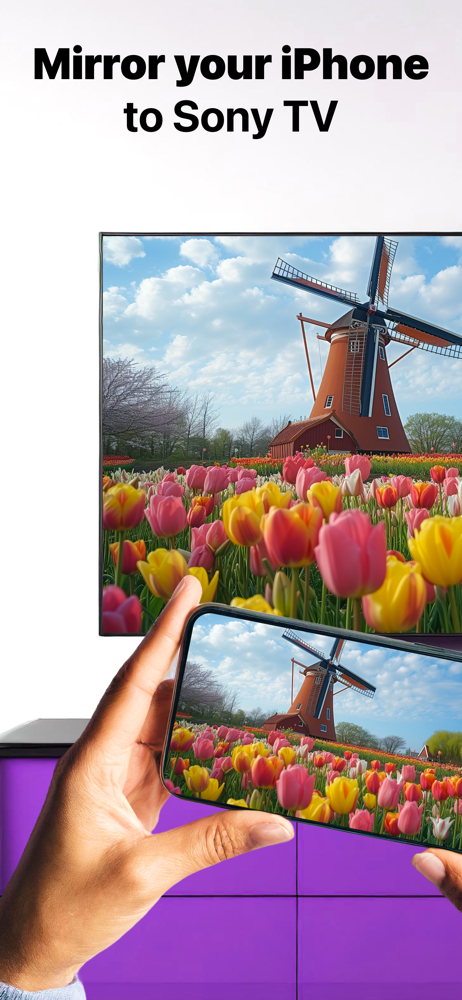
Enjoy anything on the big screen without any hassle. Just wirelessly connect your phone or tablet to your Sony TV. Finally, you can get rid of those a...
| Name | Price | Type |
|---|---|---|
| Weekly: All Features | $5.99 | Weekly |
| Weekly: All Features | $5.99 | Weekly |
| Monthly Plan: All Features | $9.99 | Monthly |
| Yearly Subscription | $14.99 | Yearly |
| Pay Only Once: Special Offer! | $14.99 | One-time |
| Special Promo Annual Plan | $17.99 | Yearly |
| Pay Only Once: Special Offer! | $23.99 | One-time |
| Annual Plan: All Sony Features | $29.99 | Yearly |
| Pay Only Once: All Features | $59.99 | One-time |