App Profile: Drafts
Android / Games / Puzzles
Drafts
Installs:
Rating:
4.79
Total Reviews:
10.26k
Top Countries:
US, CN, JP
$6k
/mo
< 5k
/mo
Reviews: What People Think About Drafts
cybersoulja4123
Rating: 5/5
With its affordable annual price and free tier, it’s quite easy for those outside of the community to consider Drafts an also ran Notes app with bare bones text. Nothing could be further from the truth, as a longtime user who started on the free tier, became a paid user and then became a loyalist who is now planning to become an affiliate, I have experienced the funnel at all stages. I can honestly recommend this app from either. From the surprisingly in depth settings, to the annual price that welcomes even the tightest of wallets (Me; I’m talking about me) to the extensible actions that are community driven and since my first time loading it up, the dedicated updates to the app have made it even more powerful. The downside is there is so much this app can do that learning is never quite done. Just when I feel I have mastered the app, an update completely changes the game for me (configured values currently) forcing my inner nerd to respond to the challenge. As I write this, I plan on becoming more active in developing for the app and sharing with the community, but first I had to help fight crimw and write this review.
Sincerely- Kevo aka Cybersoulja
P.S. Check me out on Twitter to verify my existence. Real person. Real review. Trill Texan. 😎
budexxon
Rating: 4/5
I’ve been using drafts since version 4 came out. It changed the way I work, and I love using it to enter and manipulate text. I’ve been playing around with Drafts 5 and the app is amazing. There’s so much power in the free app, and the pro subscriptions adds some great options for power users. Thing is, I’m not a power user, but I’m more than willing to pay for the features I use. My biggest issue is that I dislike and avoid app subscriptions. I like that when I pay for an app, even if the company disappears tomorrow, I can continue to use the app for years to come. I’m also not thrilled that dark mode is behind the subscription wall, I’d pay a few dollars to have a dark mode, I find it much easier on my eyes, but can’t justify the subscription just for dark mode, since it’s the only tool I would use from the subscription. Fortunately, I can continue using drafts 4 with its dark mode. Sure, I’ll miss out on all the new features in the free app, but that’s how much I dislike day mode. Just writing this review is burning my eyes. But my issues say nothing about the app itself which is wonderful. Definitely give the free mode a spin, and if you like scripting and having full control and aren’t opposed to renting apps, the sub is a great value. But for me it’s less than ideal as it’s currently set up. Hopefully down the line, the developer will consider making dark mode an optional in app purchase for those that don’t or can’t subscribe.
manuelalonso54
Rating: 5/5
Drafts can be as simple as a blank page for superfast text entry or you can be a sophisticated system to manage notes hyperlinks, and all of it neatly organized within the system of works space and tags and super flexible filters. Because it is text everything you enter here can go anywhere. And you can transform the text using actions. There are hundreds of available actions submitted by users or by the developer Greg Pierce or you can make your own, and now with the help of Claude or any other AI agent you can write amazing scripts to do all kinds of things with text. I always have Drafts opening a window in my computer. I use it dozens of times every day. I have tried all of their text applications in the Mac. I’m always tempted to use the native Notes app because one thing that Drafts doesn’t do. You to have pictures or graphics in a note. However, with a click, I can l load an action to move a draft to Notes. He doesn’t matter if you’re a beginner or a coder, Drafts will be amazingly useful for you. Finally developer adding new features and it’s all refreshing to see the app is being 19 with passion and quality.
About Drafts
Drafts is where text starts. Quickly capture text and send it almost anywhere!
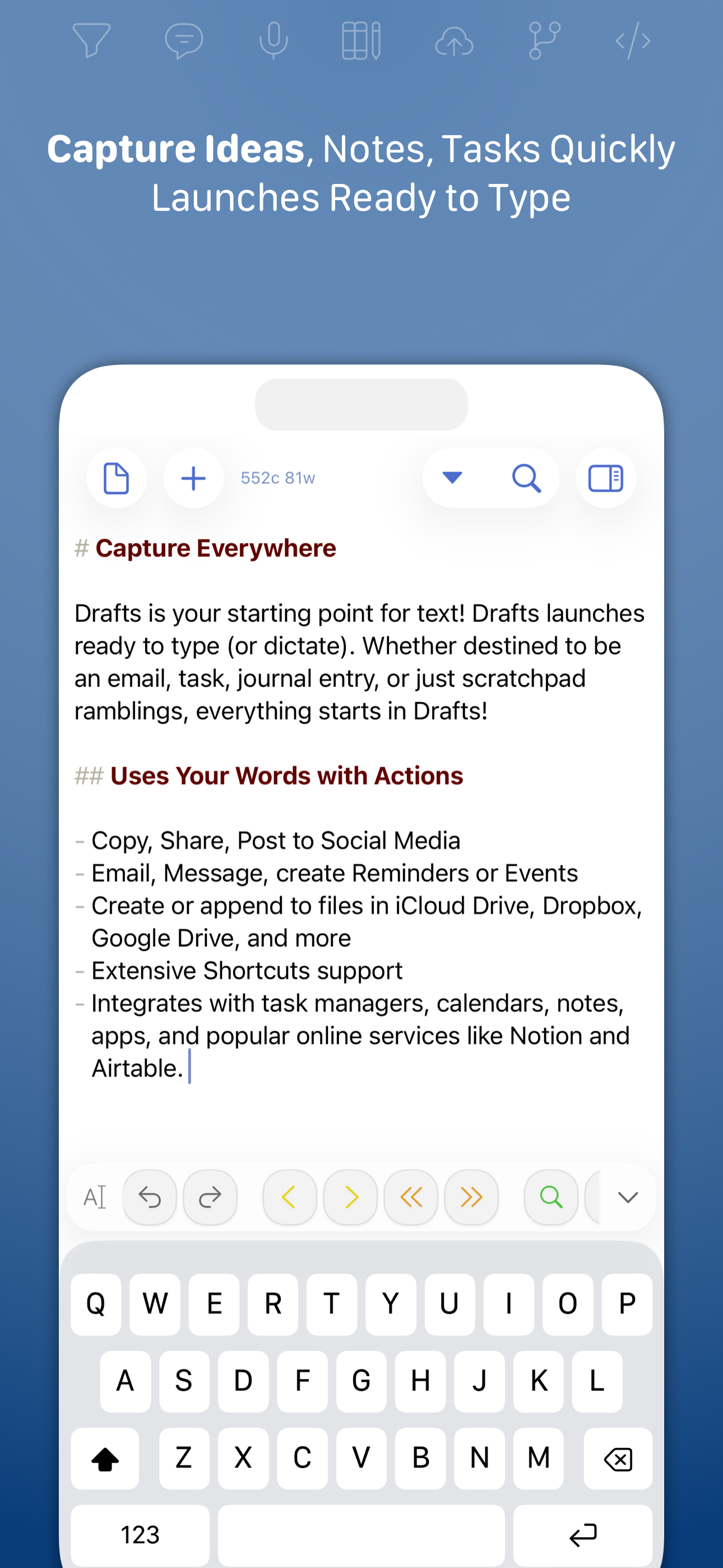
Drafts turns text into action with almost limitless possibilities – it’s a quick notebook, handy editor, and writing automation tool, all in one. Capture all of your text in Drafts and send it to other apps without the extra taps. Just open it and start typing!
**Drafts is a multi-award winner!**
- App of the Day, TIME Magazine’s Best Apps
- MacStories “Lifetime Acheivement” and “Reader’s Choice” Awards
## WHY YOU’LL LOVE DRAFTS ##
CAPTURE EVERYWHERE:
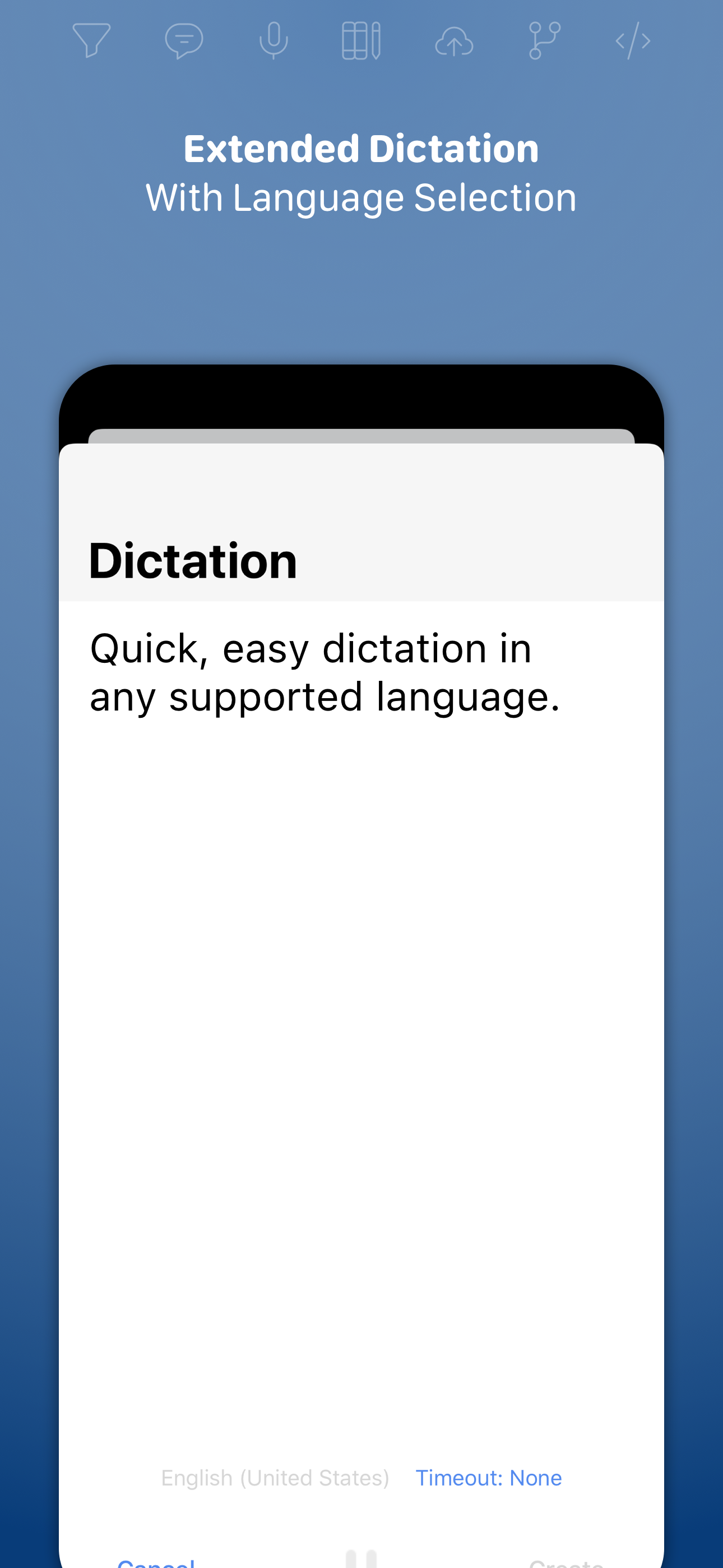
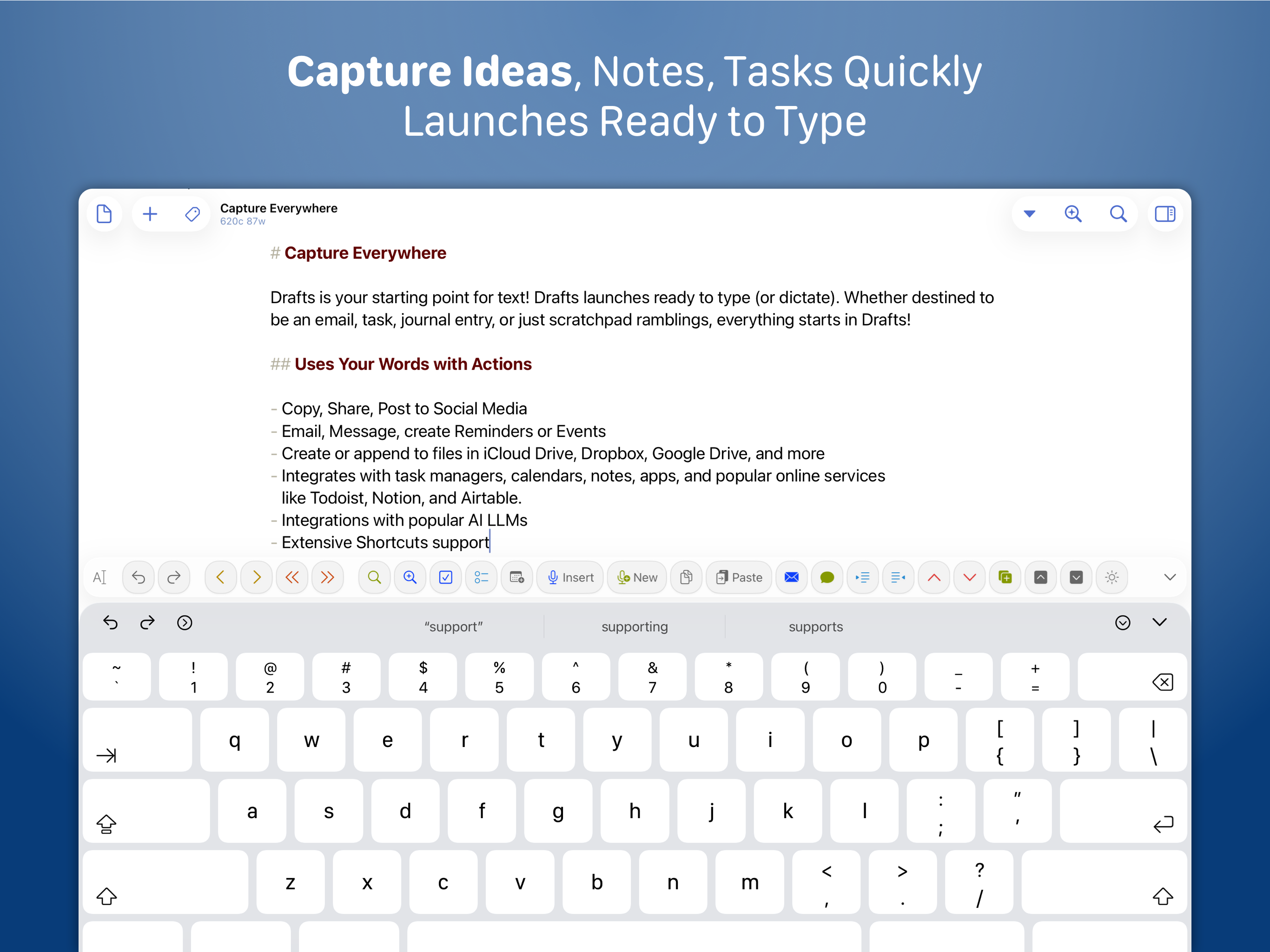
Drafts opens to a new page with the keyboard ready — just waiting for your words. Alternatively, go hands-free with dictation.
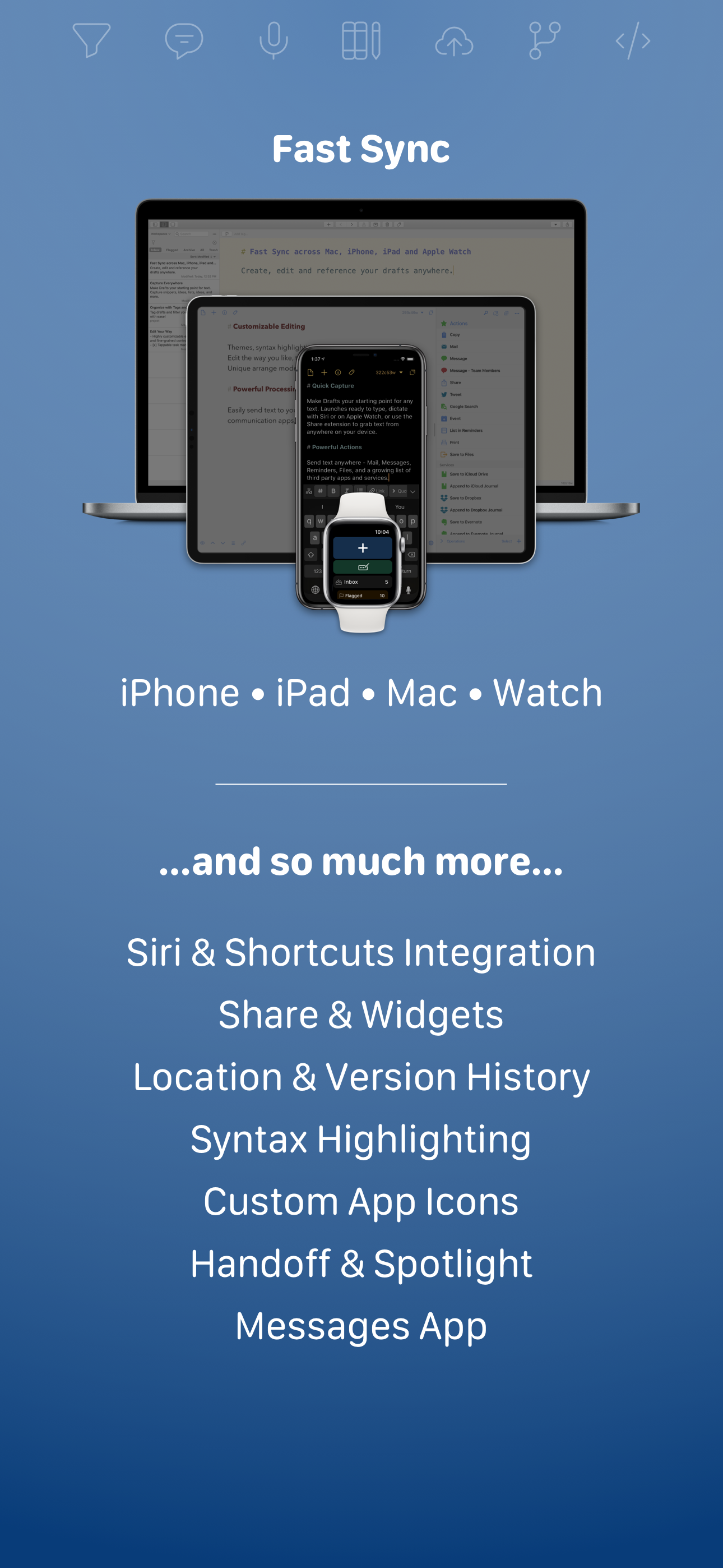
Drafts helps you write ideas down before you can forget them so and they’ll always be there, ready and waiting. Capture on iPhone, iPad, Mac, and Apple Watch, and Drafts’ fast sync will make your text available everywhere.
USE YOUR WORDS:
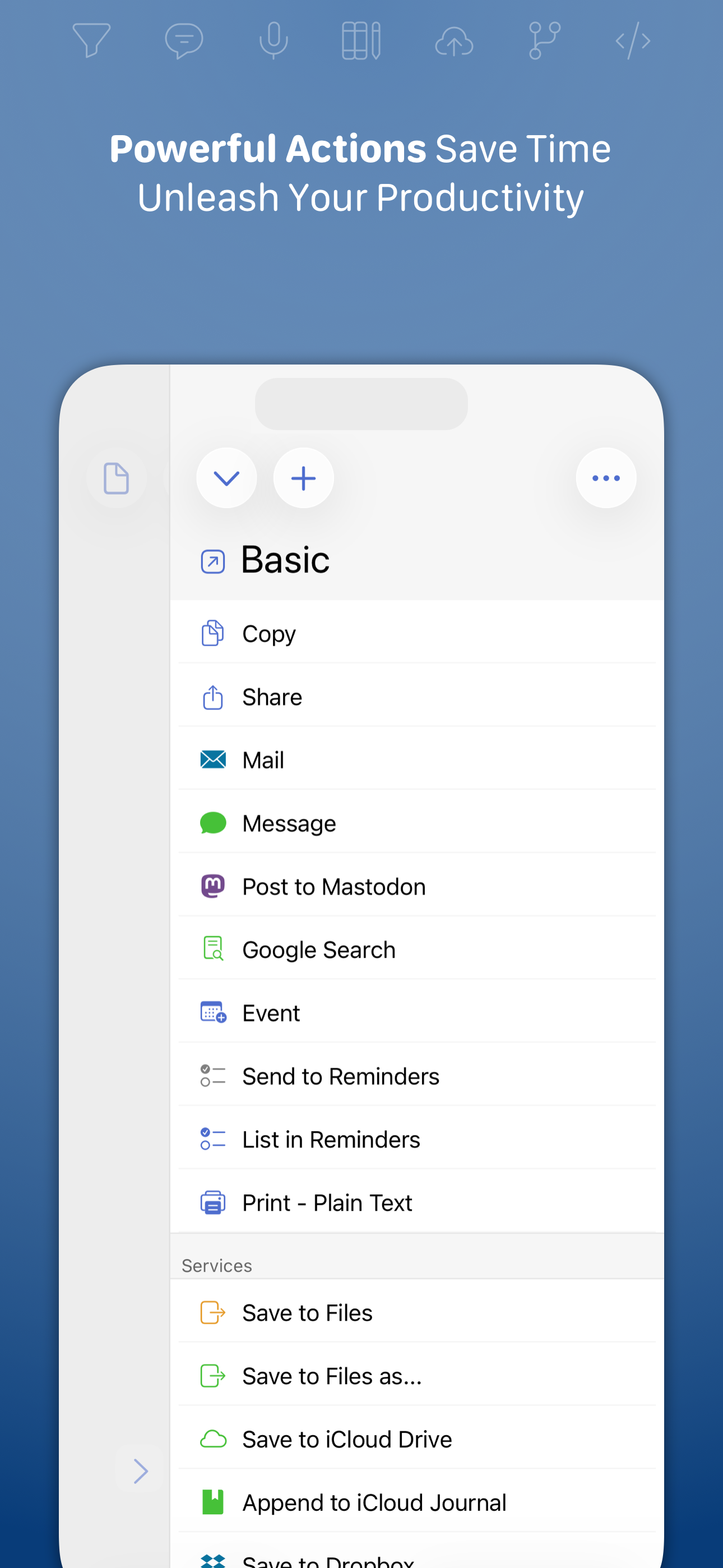
Drafts is a jumping-off point for text — use actions to copy it, share it, or deep-link into other apps and services. Compose a tweet, draft a message, create a file in Dropbox, send a task off to Reminders – Drafts works with tons of your favorite apps and services. Hone your text through integrations with popular AI LLMs.
REMEMBER IT NOW – OR LATER:
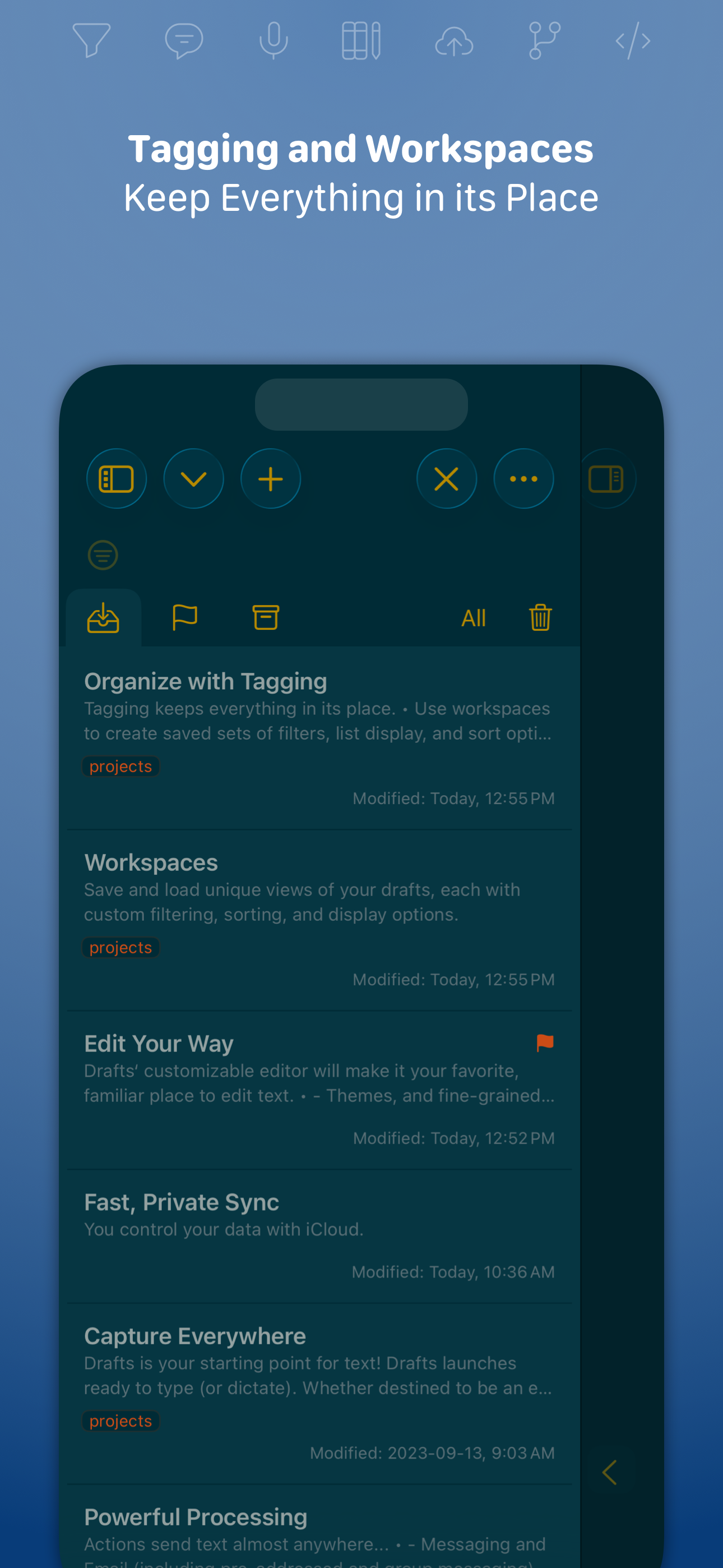
New entries go into the Inbox. Once there, you can Tag them for organization, Flag them for importance, or Archive them for long-term storage.
TAKE TEXT TO A NEW LEVEL:
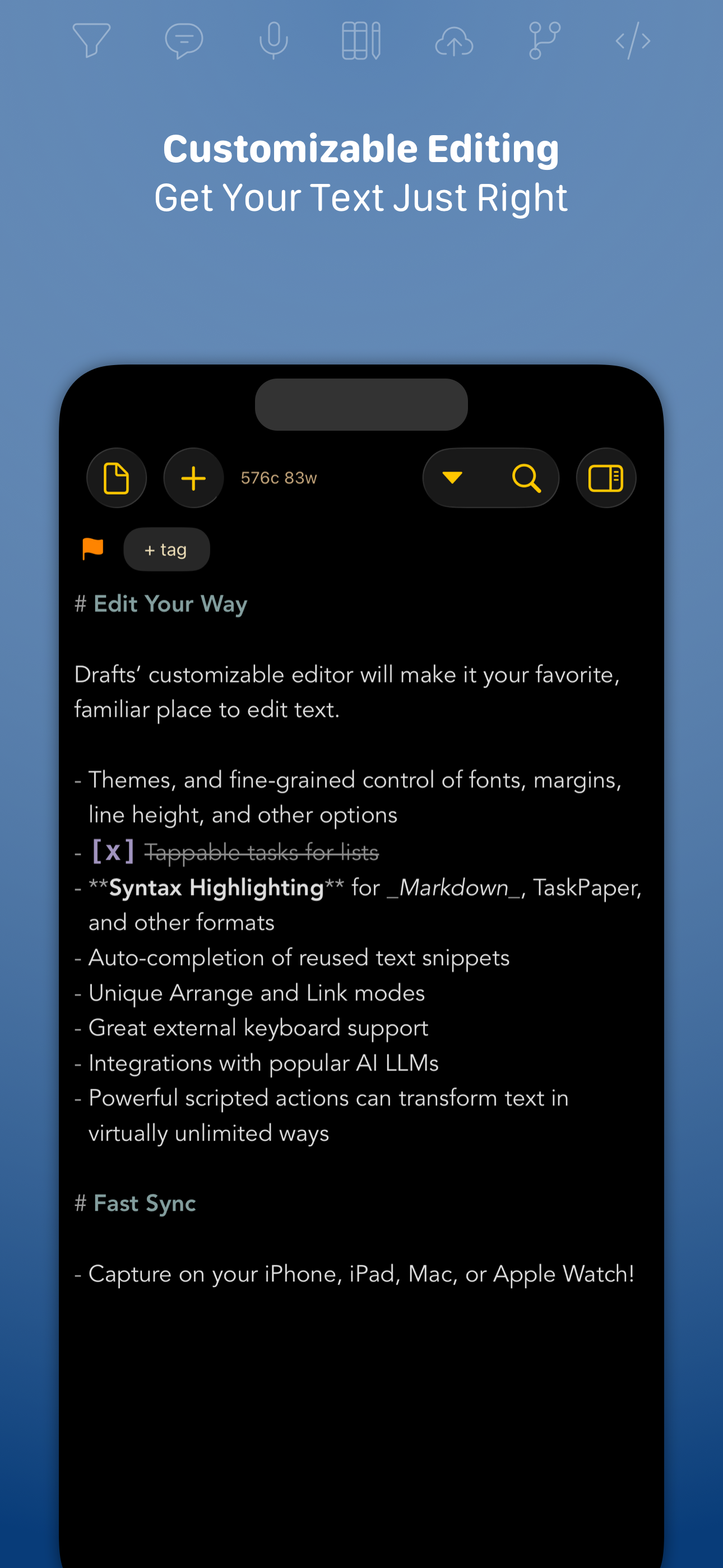
Customize Drafts to look and work the way you want with tons of interface adjustments — custom fonts and control over spacing, line height, and margins.
Use the customizable buttons above the keyboard to convert, manipulate, and transform your writing quickly.
Using Drafts as a global inbox for all of your text? Process everything quickly using unique features like Link Mode, Arrange Mode, and text manipulation actions.
LEVERAGE THE POWER OF YOUR WRIST COMPUTER:
Use your Apple Watch to quickly capture text using nothing more than your voice — and your ideas will be waiting on your iPhone, iPad, and Mac ready to be fleshed out.
GETTING WORDS DOWN HAS NEVER BEEN EASIER:
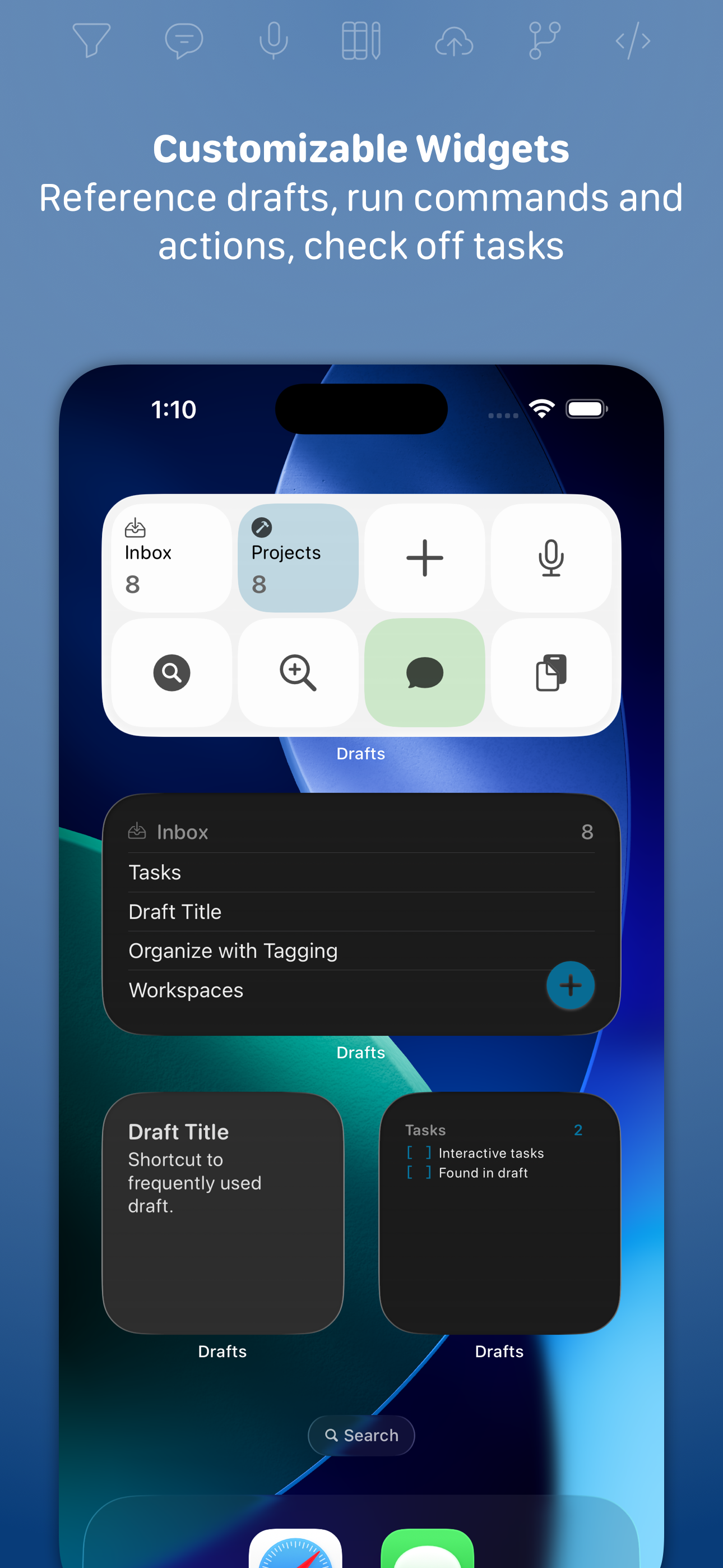
Drafts opens lightning fast and with support for capture via Siri, the widget, share extension, file import, and dictation - Drafts is like post-its updated for the smartphone era.
## JOIN THE COMMUNITY ##
Check out our Directory (actions.getdrafts.com) for ready-to-use actions and themes. Join the Drafts Community (forums.getdrafts.com) to get help, integration guides, and a regular flow of tips & tricks.
## DRAFTS PRO ##
Drafts is always free to use, but you can get more out of Drafts with a Drafts Pro subscription:
• Create and Edit Actions
• Themes and Icons - suit the experience to your tastes with themes, custom app icons, and more
• Workspaces - Apply preferred tag, query, and sort settings for your drafts list with Workspaces
• Extra widgets and better share extension options
• Enhanced Automation
We are always working hard to expand the capabilities of Drafts and keep it up-to-date with the latest technologies. Your support helps keep the app growing – thank you to Drafts Pro subscribers!
## SUBSCRIPTION DETAILS ##
• Monthly and annual subscriptions are available
• Payment will be charged to your iTunes account at confirmation of purchase
• Your subscription will automatically renew unless auto-renew is disabled at least 24 hours before the end of the current subscription period
• Automatic renewals will be charged at the same price you were originally charged for the subscription
• Subscriptions can be managed or canceled by going to Account Settings on the App Store after purchase
Have questions? Contact us on Twitter at @draftsapp or email [email protected].
Terms: https://getdrafts.com/support/terms
Privacy Policy: https://getdrafts.com/support/privacy
Drafts turns text into action with almost limitless possibilities – it’s a quick notebook, handy editor, and writing automation tool, all in one. Capture all of your text in Drafts and send it to other apps without the extra taps. Just open it and start typing!
**Drafts is a multi-award winner!**
- App of the Day, TIME Magazine’s Best Apps
- MacStories “Lifetime Acheivement” and “Reader’s Choice” Awards
## WHY YOU’LL LOVE DRAFTS ##
CAPTURE EVERYWHERE:
Drafts opens to a new page with the keyboard ready — just waiting for your words. Alternatively, go hands-free with dictation.
Drafts helps you write ideas down before you can forget them so and they’ll always be there, ready and waiting. Capture on iPhone, iPad, Mac, and Apple Watch, and Drafts’ fast sync will make your text available everywhere.
USE YOUR WORDS:
Drafts is a jumping-off point for text — use actions to copy it, share it, or deep-link into other apps and services. Compose a tweet, draft a message, create a file in Dropbox, send a task off to Reminders – Drafts works with tons of your favorite apps and services. Hone your text through integrations with popular AI LLMs.
REMEMBER IT NOW – OR LATER:
New entries go into the Inbox. Once there, you can Tag them for organization, Flag them for importance, or Archive them for long-term storage.
TAKE TEXT TO A NEW LEVEL:
Customize Drafts to look and work the way you want with tons of interface adjustments — custom fonts and control over spacing, line height, and margins.
Use the customizable buttons above the keyboard to convert, manipulate, and transform your writing quickly.
Using Drafts as a global inbox for all of your text? Process everything quickly using unique features like Link Mode, Arrange Mode, and text manipulation actions.
LEVERAGE THE POWER OF YOUR WRIST COMPUTER:
Use your Apple Watch to quickly capture text using nothing more than your voice — and your ideas will be waiting on your iPhone, iPad, and Mac ready to be fleshed out.
GETTING WORDS DOWN HAS NEVER BEEN EASIER:
Drafts opens lightning fast and with support for capture via Siri, the widget, share extension, file import, and dictation - Drafts is like post-its updated for the smartphone era.
## JOIN THE COMMUNITY ##
Check out our Directory (actions.getdrafts.com) for ready-to-use actions and themes. Join the Drafts Community (forums.getdrafts.com) to get help, integration guides, and a regular flow of tips & tricks.
## DRAFTS PRO ##
Drafts is always free to use, but you can get more out of Drafts with a Drafts Pro subscription:
• Create and Edit Actions
• Themes and Icons - suit the experience to your tastes with themes, custom app icons, and more
• Workspaces - Apply preferred tag, query, and sort settings for your drafts list with Workspaces
• Extra widgets and better share extension options
• Enhanced Automation
We are always working hard to expand the capabilities of Drafts and keep it up-to-date with the latest technologies. Your support helps keep the app growing – thank you to Drafts Pro subscribers!
## SUBSCRIPTION DETAILS ##
• Monthly and annual subscriptions are available
• Payment will be charged to your iTunes account at confirmation of purchase
• Your subscription will automatically renew unless auto-renew is disabled at least 24 hours before the end of the current subscription period
• Automatic renewals will be charged at the same price you were originally charged for the subscription
• Subscriptions can be managed or canceled by going to Account Settings on the App Store after purchase
Have questions? Contact us on Twitter at @draftsapp or email [email protected].
Terms: https://getdrafts.com/support/terms
Privacy Policy: https://getdrafts.com/support/privacy
File size: 73261056
Launched countries: USCACNDEGBPL
Minimum OS version: 15.6
Release Date: 1524368435000
Published by Agile Tortoise
Website url: https://getdrafts.com/
Publisher country: US