Check the acquisition promise
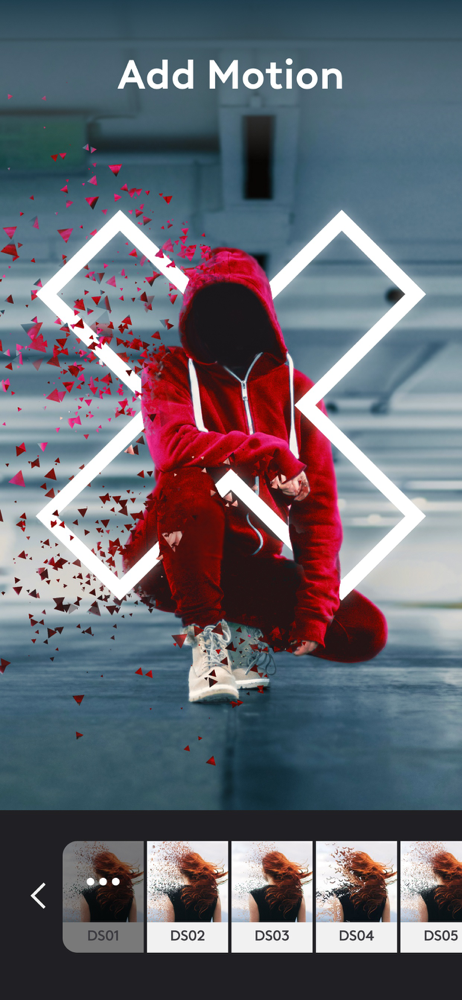
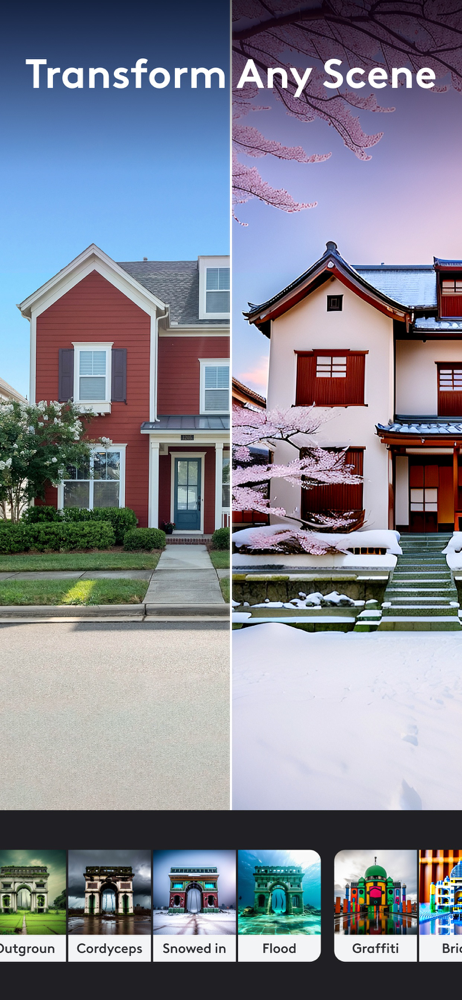
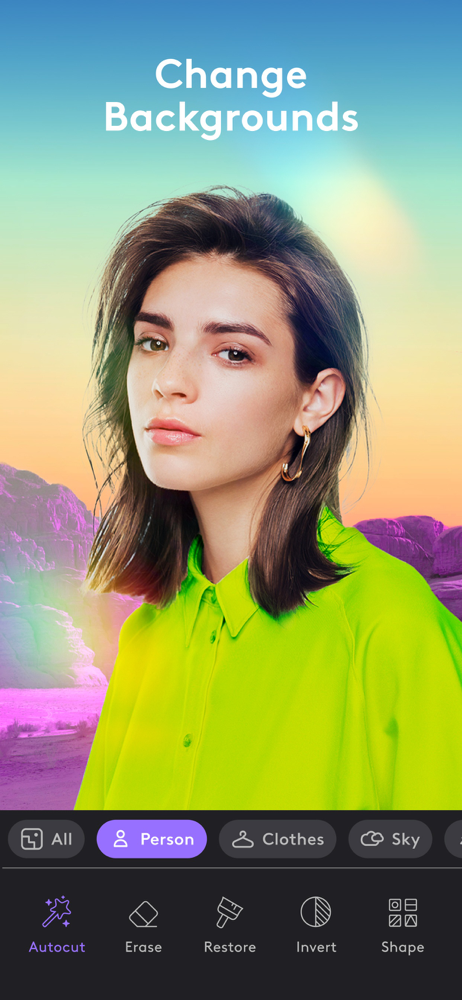
Read the store headline, screenshots and description. What problem is the app promising to solve?
Study the storefront ↗
Lightricks Ltd. · iOS
Explore the ad evidence, study the storefront, and build your next acquisition hypothesis.
01 / Creative research
Read the store headline, screenshots and description. What problem is the app promising to solve?
Study the storefront ↗Explore apps with direct store-link matches. Compare their hooks and formats without assuming the same approach works here.
Browse observed advertisers ↗Store rankings and revenue estimates describe market context. They do not establish ad spend, conversions or ROAS.
Review the market context ↗02 / Storefront & product
Study the product story and store experience behind the acquisition funnel.




03 / Market context
Keep revenue, downloads and store rankings separate from advertising performance.
This app never ceases to amaze me with the incredible quality, powerful tools it has available to bring your imagination into something tangible! I’m literally in this app all day, and all night often.. because I’m a very creative person and this app better than any I have used previously allows my imagination to run wild! If you can think of it? You can do it in this app! If there was one con… one complaint… I’m not sure what’s the easiest way to make text follow a curved line.. as in a text line that is following the curvature of a circle. I have been able to figure out everything else except how to do that so far… I’m having fun making short films, music videos, commercials between PhotoLeap & VideoLeap and BeatLeap. Looking forward to being able to add avatar voice over lip synced animation soon hopefully in VideoLeap…or a dedicated app to this already incredible arsenal that allows you to add voice over to your stills and videos. Doing all of this from an iPhone???? A literal dream come true!!! I absolutely love what Lightricks are doing with these apps! It’s truly amazing and thank you!!!
Photoleap used to be a very well-balanced app. There were paid and free features, which makes perfect sense. If you want the full functionality of the app, get the paid version. If you want a very usable but limited version, keep it free. For years I have loved Photoleap, as they were a very waste to use, powerful, and functional program. Since then, however, the app has made one small change that completely ruins the free version. In the paid version you get twelve layers to work with, which is a lot. In the free version, you had three. Three is limiting but still powerful. You can get stuff done and do it well. Recently though, Photoleap reduced the free layers to two, which seems like a small change, but wreaks havoc on the way you use the app. Want an image with a bit of text on the top and bottom? You used to be able to put your image down, write your top text (second layer) and copy the layer to create matched bottom text. (Third layer) taking away the third layer completely removes the ability to copy effects. If you want a bunch of stars all over your image, you were able to copy them and bake them onto the photo layer. Now you have to individually recreate any edits to your stars because you can’t copy a second star. PLEASE give us back our third layer Photoleap. The free version is no longer useful which reflects the app poorly.
Hello. You recently made an update where you moved the Vignette feature from "effects" to "adjust" but for some inexplicable reason you specifically removed the blur feature, which I'm pretty sure a lot of people including me really needed, and it can't be found ANYWHERE else, not even behind your paywall. What happened? And can you bring it back please? Ok.... your most recent update is completely broken. I make an edit to a photo, but as soon as I click the checkmark, I can't edit the image anymore. If I select it, it selects a blank rectangle in front of it, and the image is somehow stuck to the background now. If I save the project to my photo album, it saves a blank picture with nothing on it. If I discard the project and start a new one, that same image is fused intot he background and when I add any more images, they just appear as more blank rectangles. I used to love this app but it only took 2 updates for yall to completely break it. I hope everybody else has this issue so that you actually think about fixing it. If you can't figure out what the issue is then literally just revert back to the last update. This update added nothing useful - just utter destruction
Transform your images with Photoleap, the most powerful photo editing app on the market! Whether you’re an artist, or you just simply love to edit & c...
| Name | Price | Type |
|---|---|---|
| Unlimited Access (Monthly) | $6.99 | Monthly |
| Photoleap Subscription (Monthly) | $6.99 | Monthly |
| Unlimited access (Monthly) | $6.99 | Monthly |
| Unlimited access (Monthly) | $7.99 | Monthly |
| Photoleap Subscription (Weekly) | $7.99 | Weekly |
| Photoleap unlimited access (Monthly) | $8.99 | Monthly |
| Unlimited access (Annual) | $35.99 | Yearly |
| Photoleap unlimited access (Annual) | $37.99 | Yearly |
| Unlimited Access (Annual) | $39.99 | Yearly |
| Photoleap Subscription (Annual) | $59.99 | Yearly |