Check the acquisition promise
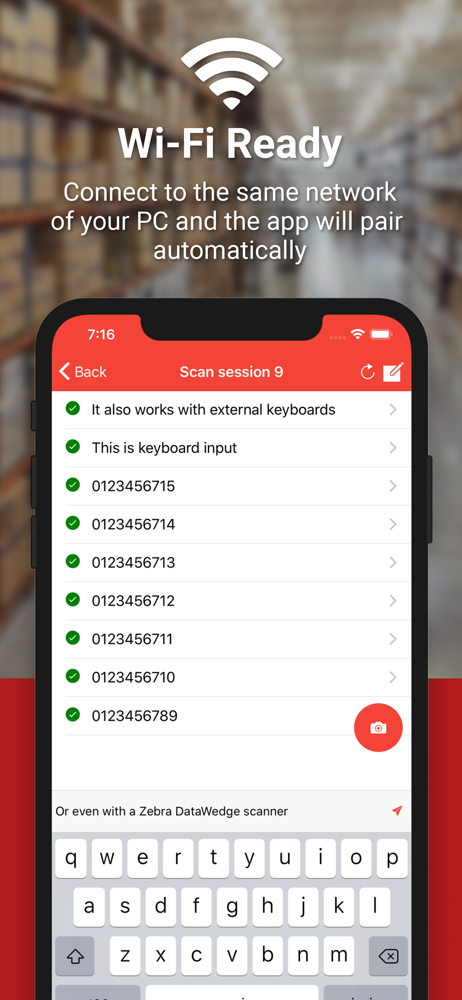
Read the store headline, screenshots and description. What problem is the app promising to solve?
Study the storefront ↗
Filippo Tortomasi · iOS
Explore the ad evidence, study the storefront, and build your next acquisition hypothesis.
01 / Creative research
Read the store headline, screenshots and description. What problem is the app promising to solve?
Study the storefront ↗Explore apps with direct store-link matches. Compare their hooks and formats without assuming the same approach works here.
Browse observed advertisers ↗Store rankings and revenue estimates describe market context. They do not establish ad spend, conversions or ROAS.
Review the market context ↗02 / Storefront & product
Study the product story and store experience behind the acquisition funnel.


03 / Market context
Keep revenue, downloads and store rankings separate from advertising performance.
It’s simple and it just works. It’s very fast and reliable. However, one thing that would make the user interface much better is an option to turn off automatic scanning when the camera lens is open. This would give us an opportunity to focus in on the correct barcode. Some boxes have multiple barcodes close to each other and it is very easy to scan the wrong one, causing waste of time later deleting unwanted information. This can increase scanning speed and make it more accurate. Even better, adding an on-screen button to trigger the scan whenever the we align the center of the red square with the barcode we wish to scan. That way the app knows which barcode we want to scan. Another idea, if we point the camera to a label with multiple barcodes and then we tap on the barcode we want to scan to trigger the reading for only that barcode. This would make things much easier.
No really if I could give this app more than the 5 star rating I would. If you need a barcode scanner for your computer, this app will absolutely meet your needs. I did a full store inventory with it and I am absolutely happy with my purchase(I bought the unlimited use license). A+++. Also worth noting, the creator of this software is very responsive, so if you have any questions be sure to shoot them an email and they will definitely take care of your concerns.
The app works great but two issue had me looking for alternatives. I couldn’t find any, so hopefully the developer will read this. I use this with Windows 10. This app loses connection with the pc every time the iPhone screen goes black. Which is often for my use case. I scan a barcode and then have to enter other values on the pc. When I have to scan another barcode, the screen has since gone black and the connection is lost. I have to wait for it to reconnect. It is annoying, wasting time and ruining my flow. The second issue is that the scanning could be a lot faster. I have another app for work that also scans barcodes. That thing is straight up magic. I don’t have to wait for the camera to focus nor align the barcode to some line. On this app I have to dance the object front and back. So the scanning speed needs improvement.
DOWNLOAD SERVER: https://barcodetopc.com/ Barcode to PC turns your smartphone into a real barcode scanner • Supported platforms: Windows, macOS, Lin...