Check the acquisition promise
Read the store headline, screenshots and description. What problem is the app promising to solve?
Study the storefront ↗
Mobileware Inc. · iOS
Explore the ad evidence, study the storefront, and build your next acquisition hypothesis.
01 / Creative research
Read the store headline, screenshots and description. What problem is the app promising to solve?
Study the storefront ↗Explore apps with direct store-link matches. Compare their hooks and formats without assuming the same approach works here.
Browse observed advertisers ↗Store rankings and revenue estimates describe market context. They do not establish ad spend, conversions or ROAS.
Review the market context ↗02 / Storefront & product
Study the product story and store experience behind the acquisition funnel.



03 / Market context
Keep revenue, downloads and store rankings separate from advertising performance.
The latest update which adds carpooling, totally breaks the functionality I’ve enjoyed for years. First of all, I was forced to switch from the MNR dedicated version to this generic version because the verification email links only point at this version’s App Store page, not the version I’d actually been using. Secondly the verification emails don’t open the app. Therefore the app never gets the notification that the email address is verified. Instead, the verification emails always open the link to the App Store. When pressing the open button in the App Store takes me to the app but doesn’t cause the email verification to complete. I’ve tried it a dozen times, with it feeling 100% of the time. This new version also refuses to hold my default route. I have to bring up one of my favorite routes in order for it to open anything. Previously when I would open the onTime app, it would show my default schedule. Now I have to explicitly select it every single day. If you have not yet upgraded, for the love of all that’s good, please do not do so. Developer, please fix this rubbish.
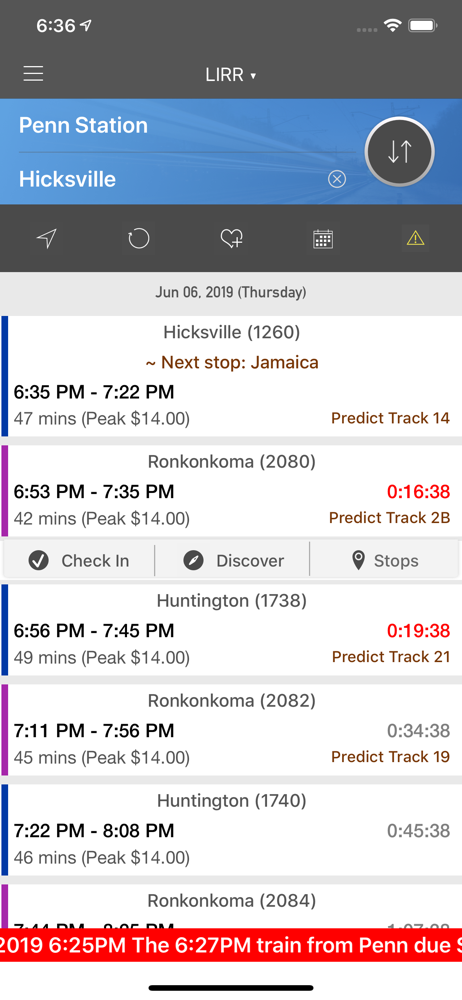
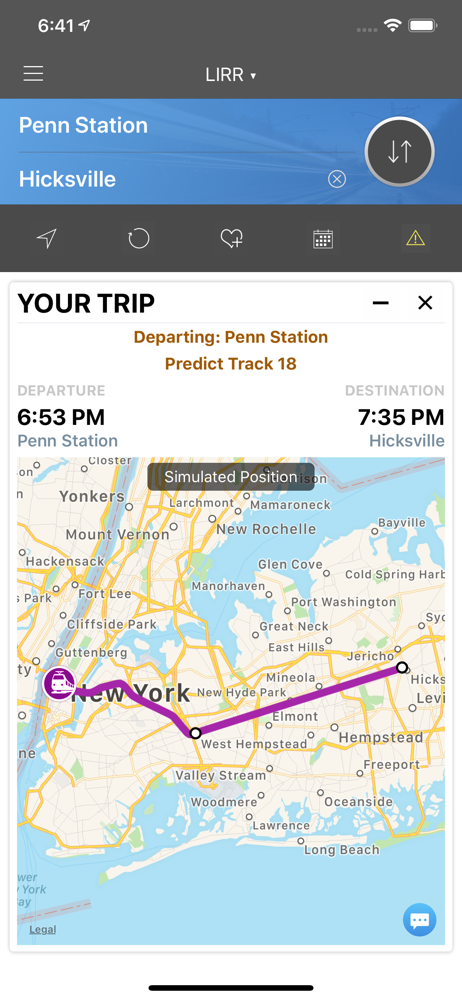
So far I’m really liking this app. I got frustrated with NJT app not working and new there must be something better. This app is it when it comes to schedules. It automatically detects what station I’m closest to and shows me the schedule for the train line I’m interested in (you set settings for train line you want). Supposedly it will push me notifications on significant delays but thankfully I haven’t run into any yet. It also “predicts” what track your train is arriving on which is great for commuters at NY Penn Station where it’s a mad dash for the train once they show the track on the screen in the station.
Developer listens, promises, and deliveres. Bugs were fixed. I’m so happy to have my go to app back and running. I am the last stop on the train and I love that, when I’m on the train, I can just open the app, simply scroll up, and I can see what time my train was scheduled and if/and by how minutes the train is delayed. Pay for the app, support the developer, and get rid of the annoying ads.
onTime™ is fast and easy to use. It is designed with commuters in mind. With onTime you can look up schedules anytime anywhere without having to car...
| Name | Price | Type |
|---|---|---|
| Premium (Annual) | $4.99 | Yearly |