Check the acquisition promise
Read the store headline, screenshots and description. What problem is the app promising to solve?
Study the storefront ↗
Anh Duong · iOS
Explore the ad evidence, study the storefront, and build your next acquisition hypothesis.
01 / Creative research
Read the store headline, screenshots and description. What problem is the app promising to solve?
Study the storefront ↗Explore apps with direct store-link matches. Compare their hooks and formats without assuming the same approach works here.
Browse observed advertisers ↗Store rankings and revenue estimates describe market context. They do not establish ad spend, conversions or ROAS.
Review the market context ↗02 / Storefront & product
Study the product story and store experience behind the acquisition funnel.



03 / Market context
Keep revenue, downloads and store rankings separate from advertising performance.
I downloaded the app to convert camera roll photos to pdf. When I tried to do this, it sorted my photos by oldest first and had to scroll down and wait for the relevant pictures to load. After waiting a few minutes, I selected the pictures but they were all out of order and there was no way to rearrange them. USERS DO THIS INSTEAD: Open the photos app and add your desired pics to a new album. Inside the album click “select” and hold down on a picture to move it into order. Once they’re ordered select all of them. (You can swipe horizontally then vertically to easily select multiple) Press the share button (square looking thing with an arrow pointing up) and then “print”*. From here you should see what it will look like. 3D Touch** on one of the pages but don’t let go. 3D Touch** harder and it should have another view of the entire document. Press the share button again and this time “save to files”*. The name of the document will read photos but it will save as a pdf. * - if you don’t see these options, scroll down to Edit Actions and make sure you enable them ** - 3D Touch is only available on iPhone 6s, 7, 7s, 8 (& their plus sizes), X, and Xs. If you don’t have one of those try holding instead but I’m not sure if that will work as you have to 3D Touch twice without removing your finger.
Guys is defiantly the best PDF Convertor ever, but I really would like to see a choice that allows to import Pictures by exploring “Albums” it really would be a great thing to add in upcoming updates, because the current method to import pictures only shows a window that view every picture on my iPhone and starting from top of old date pictures and that is really annoying since it takes so much time rendering to show pictures and specially when you have hundreds & thousands of pictures !
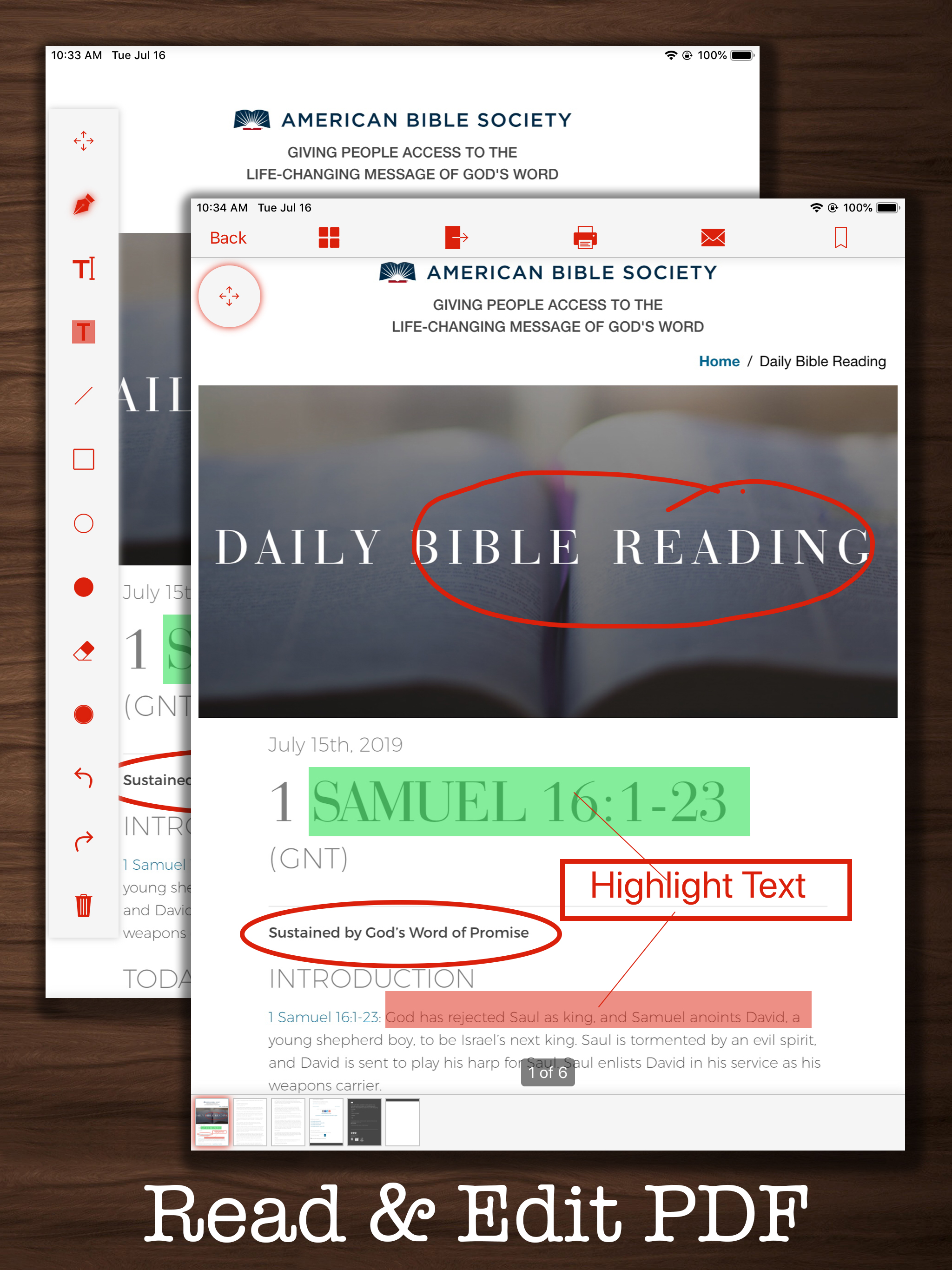
This app is really helpful to create a PDF from a website. I have try the other apps but the pdf create from them will be different with the website. It's also support search provider which really help me to find a free pdf file from the internet and download them to my device. The speed of pdf downloader is really fast and easy to come with. The app have a PDF editor which will allow me to read bookmark and edit my PDF with annotation tools, text then easy to share or copy to other device. I would say the editor is not really good but because it missed some features as I expected.
PDF Converter let you find, create, convert and edit PDF document. Main Features: - PDF Finder : search PDF file with google. - PDF Converter: creat...
| Name | Price | Type |
|---|---|---|
| Pro Version | $2.99 | One-time |
| PDF Converter - Pro Lifetime | $3.99 | One-time |