App Profile: Interval Timer □ HIIT Timer
Android / Games / Puzzles
Interval Timer □ HIIT Timer
Installs:
Rating:
4.85
Total Reviews:
80.53k
Top Countries:
US, DE, GB
$50k
/mo
40k
/mo
Reviews: What People Think About Interval Timer □ HIIT Timer
TheRestIsConfetti
Rating: 5/5
Exactly what I needed. I’ve never had a good internal clock and I frequently get lost in reps and rounds and go too hard to make up for rounds I think I’ve miscounted. Using a normal timer didnt help because I would have to reset it every time and that brought me out of it. This free app is insane. There is a halfway notification for each workout. Learning to lift with shoulder injuries I’m doing 10s on and 10 off and I thought it would be difficult to find a timer to accommodate such a small amount of time but nope. This still gives halfway markers for even that small amount of time. You can name workouts to keep you on track if you get lost like me. I wish I could give a thousand stars. I’ve used it once and I’m in love already. I already know this is going to attribute to muscle gain and weight loss. THANKS DEVS!!
Edit: Free version only lets you do one workout a day which is not a huge deal to me but probably would be to some. 3 bucks a month or 20 bucks one time for life could be a good deal depending on your finances and how often you work out. I do not have the finances for that so I’ll just make one longer workout and try to count if I decide to do a second workout in a day.
happy_0089
Rating: 5/5
I’ve been looking around at apps that have a timer like this and this is the only one that truly fits 94% of my needs (which is leagues better than others!).
With this app you can set how many exercises you want, NAME THEM (!), set your rest time in between your working time, set your round reset, and decide if you want a voice or beeps to tell you your progress! I like how you can see a history of your working out too.
It really only lacks two things (that are very small). When naming your exercises, you can’t add one in the middle of the list so you would have to edit the one in the middle and shift all the other down (which is only a problem because I cultivate my own workouts and it only takes a minute max. to fix it). The other is that I can’t mark a rest day so I would lose my workout streak.
Otherwise this app is literally perfect! I love the aesthetic of the user interface too!
Alexander Warrington
Rating: 3/5
This app is simple and user friendly but it’s missing 2 features to really be 5 stars:
1) being able to save and name the timers. History is cool and why not but it’s not as useful as saving and naming timers, especially if you need several timers saved but you do not use them daily. Like Full Body workout would be easier to find in “saved timers” that looking at the details of all the history to find the correct workout and then repeat it. Way better to go to saved, look for the one with the correct name in an ordered list that allows shorting by most recently used, alphabetical, used most times, longest, etc and include a find function
2) Being able to name the different “work” and “rest” portions, not only useful for workouts that have similar exercises but also for job routines: instead of work, rest, work, rest; it could be crunches, rest, run, cool down or instead of work, rest, work, rest; it could be filing, coffe break, sending reports, stretching. It just takes that out of you mind and let’s you concentrate on the task rather than trying to remember what “work” you have done and which one you should be doing next.
About Interval Timer □ HIIT Timer
A simple and beautiful interval timer.
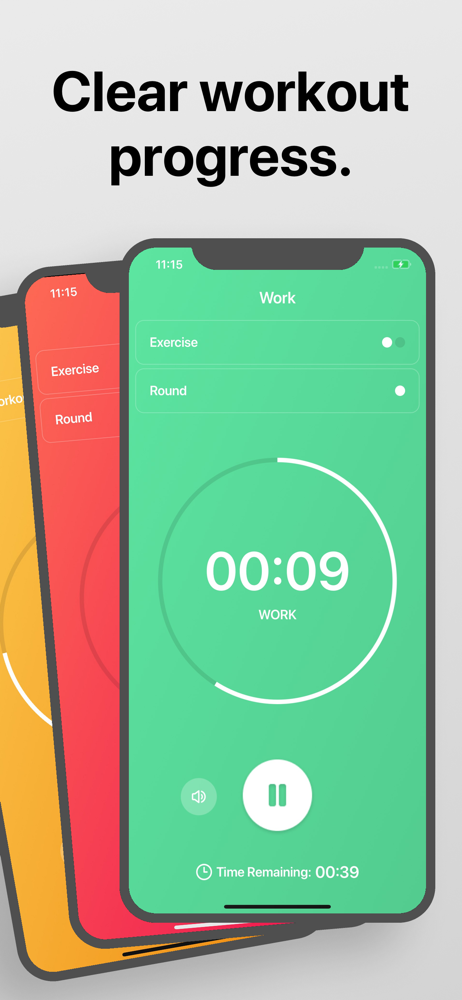
1. Drag to set your custom intervals for workout, rest, rounds, etc
2. Tap to start.
Interval Timer doesn't interfere with your music or other apps:
∙ Listen to your music apps while you workout.
∙ Voice or beep guides for every workout.
∙ You can leave the app and still listen to the audio guides, in order to follow a workout you found online.
And no need to manually record your workouts:
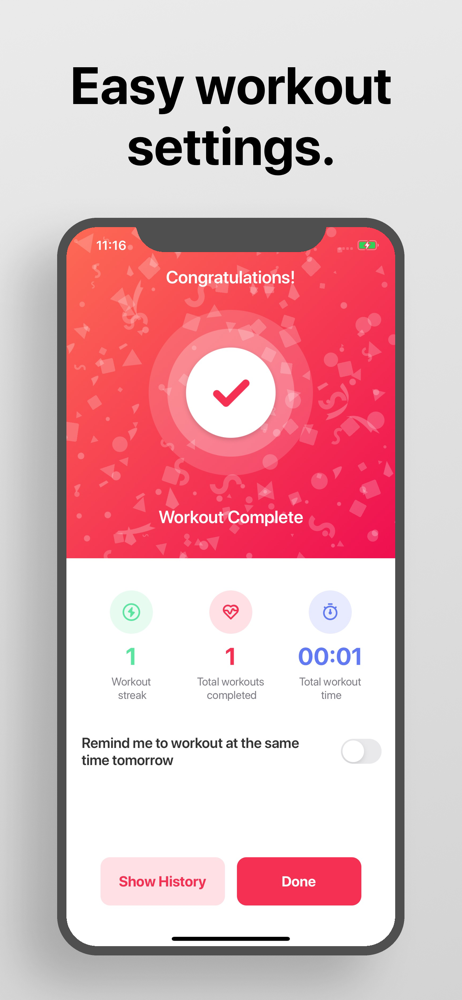
∙ Detailed history and statistics pages to track your progress.
∙ Repeat a previous workout from your history, so you don't need to set it again.
If you have any ideas for how to improve the app, just tap "Contact Support' inside the app and let us know! We are always trying to improve Interval Timer
This app includes an optional auto-renewable subscription (Premium Pass): Premium Pass beings with a free trial period, then an auto-renewable monthly subscription when trial ends. Payment will be charged to your Apple account at confirmation of purchase and will automatically renew (at the duration/price selected) unless auto-renew is turned off at least 24 hrs before the end of the current period. Account will be charged for renewal within 24-hours prior to the end of the current period. Current subscription may not be cancelled during the active subscription period; however, you can manage your subscription and/or turn off auto-renewal by visiting your Apple Account Settings after purchase. Any unused portion of the free initial period will be forfeited when you purchase a subscription.
Privacy Policy: https://float.support/interval-timer/privacy
Terms of Use: https://float.support/interval-timer/terms
1. Drag to set your custom intervals for workout, rest, rounds, etc
2. Tap to start.
Interval Timer doesn't interfere with your music or other apps:
∙ Listen to your music apps while you workout.
∙ Voice or beep guides for every workout.
∙ You can leave the app and still listen to the audio guides, in order to follow a workout you found online.
And no need to manually record your workouts:
∙ Detailed history and statistics pages to track your progress.
∙ Repeat a previous workout from your history, so you don't need to set it again.
If you have any ideas for how to improve the app, just tap "Contact Support' inside the app and let us know! We are always trying to improve Interval Timer
This app includes an optional auto-renewable subscription (Premium Pass): Premium Pass beings with a free trial period, then an auto-renewable monthly subscription when trial ends. Payment will be charged to your Apple account at confirmation of purchase and will automatically renew (at the duration/price selected) unless auto-renew is turned off at least 24 hrs before the end of the current period. Account will be charged for renewal within 24-hours prior to the end of the current period. Current subscription may not be cancelled during the active subscription period; however, you can manage your subscription and/or turn off auto-renewal by visiting your Apple Account Settings after purchase. Any unused portion of the free initial period will be forfeited when you purchase a subscription.
Privacy Policy: https://float.support/interval-timer/privacy
Terms of Use: https://float.support/interval-timer/terms
File size: 33404928
Launched countries: ESUSAUCACNFRDEGBITJPKRRUDZAOARATAZBBBYBEBMBRBGCLCOCRHRCZDKDOECEGSVFIGHGRGTHKHUINIDIEILKZKEKWLBLTLUMOMGMYMXNLNZNGNOOMPKPAPEPHPLPTQAROSASGSKSIZALKSECHTWTHTNTRUAAEUYUZVEVNBOEELVNIPYKHMZYEBHCYMTBJBFCGJOLAMLSNTZUGZW
Minimum OS version: 15.6
Release Date: 1466519222000
Published by Float Tech, LLC
Website url:
Publisher country: US