Check the acquisition promise
Read the store headline, screenshots and description. What problem is the app promising to solve?
Study the storefront ↗
Kyle Modesitt · iOS
Explore the ad evidence, study the storefront, and build your next acquisition hypothesis.
01 / Creative research
Read the store headline, screenshots and description. What problem is the app promising to solve?
Study the storefront ↗Explore apps with direct store-link matches. Compare their hooks and formats without assuming the same approach works here.
Browse observed advertisers ↗Store rankings and revenue estimates describe market context. They do not establish ad spend, conversions or ROAS.
Review the market context ↗02 / Storefront & product
Study the product story and store experience behind the acquisition funnel.



03 / Market context
Keep revenue, downloads and store rankings separate from advertising performance.
This app can do far more than I have yet discovered & it’s ability to share information with other travel planning apps is terrific. However, many functions, like changing the order of waypoints or adding waypoints in the middle of the route or several other functions are not intuitive or all that easy to use. Buy the tool - it does a lot. But be prepared to stumble & get frustrated along the way. The developer says they follow common iOS procedures, but that assumes the average user knows those procedures. The developer has responded to me telling me about several support tools & tutorials that can be accessed by users. While I appreciate the fact that there is help available, I just wish it’s were not so difficult to find. I oversee software development projects, so I am not a novice. Yet I hate having to play with something I pay for & hope I can figure it out or stumble over help functions. Hence the 4-star rating.
I wanted a route planner for my car club. I wanted to create nice driving roads and put them in order of the best route. After finding RTP I built a nice route and opened the POI up in Google maps and was able to get guided directions. Great job. The fact that I can get estimated times of each route makes deciding so much better. I can decide if I want the 2 hour tour or the 3 hour tour. One drawback is that GoogleMaps will only allow me to make routes with 25 or less POIs. But after thinking about it I think that’s ok, meaning that all I need to do is create another route where the other left off at 25. This way I can divide routes up or start on a different route anytime. I know there’s a ton more that this app can do, I’ve only scratched the surface. Adding pictures or saving as a GPX file to open in a standalone GPS unit. (Not sure why unless my phone loses signal or whatever). But there looks like a lot more that this can do. I’ll eventually experiment and see. Someone mentioned the lack of ease when exporting from the iOS app to Mac app. Maybe the developer can add an option that when you save to iCloud that it auto saves it for all apps. But I really don’t want that.i want to know what version I’m loading or saving, I’ll just rename different versions. That’s all I got now
An old friend and I started a Holiday road trip tradition this past year that honestly changed our lives. A major factor in its success we realized was the seamless nature in which we were able to use technology to help guide us toward the things we wanted to see, yet leave the ability jump around based on how we felt at any given moment. This app was a key factor in allowing us to check off the must sees, move around the stuff we realized we didn’t have time for, and keep moving forward without any feeling of being stuck or wondering what to do next. This app will be the third wheel in all of our road trips (for which we have 3 files already in the works) to come! A very special thanks to the creators for making such a relevant platform for people who like to wing it with at least some idea of what to see along the way. This app still gives you the feeling of rolling out that paper map and pointing at spots of interest, then just does all of the hard annoying work of discovering the route. My only suggestion would be to include a real time Navi section at which point we’d never have to switch between this and waze, and if possible nudge us to check the gas tank after that feeling of relief to finally see the light of dawn after pulling out of an 8 hour overnight winter rainstorm through the hills of West Virginia, thank god for AAA. Oh, and make it compatible with the new IPad keyboard.
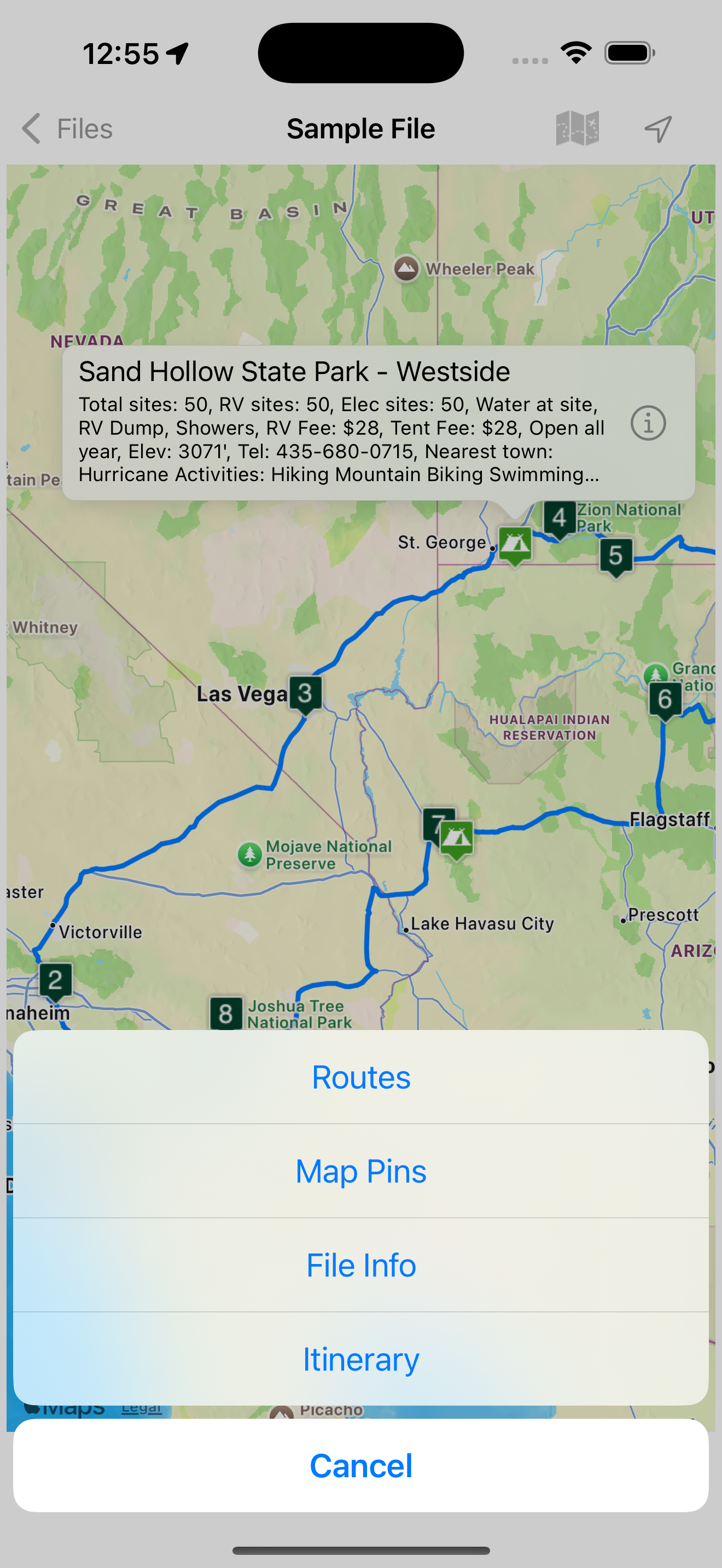
Place pins on a worldwide map for each location you want to visit, then see your route. Enter trip details for each location and create a complete tri...