Check the acquisition promise
Read the store headline, screenshots and description. What problem is the app promising to solve?
Study the storefront ↗
Jose Bello · iOS
Explore the ad evidence, study the storefront, and build your next acquisition hypothesis.
01 / Creative research
Read the store headline, screenshots and description. What problem is the app promising to solve?
Study the storefront ↗Explore apps with direct store-link matches. Compare their hooks and formats without assuming the same approach works here.
Browse observed advertisers ↗Store rankings and revenue estimates describe market context. They do not establish ad spend, conversions or ROAS.
Review the market context ↗02 / Storefront & product
Study the product story and store experience behind the acquisition funnel.



03 / Market context
Keep revenue, downloads and store rankings separate from advertising performance.
I’m 70 and went shopping in an unfamiliar city. The heat was blazing. I did not have the app last week, and when I finished shopping, I couldn’t remember where I parked. Thanks to a Good Samaritan familiar with a few location items I remembered, she took me directly to my car. This week, I had this app. I was able to find my car quickly. The peace of mind I experienced about my safety in the heat and knowing where my car was parked using this app was incredible.
I’m a new user and have found this app to be very useful in locating my car. My work parking lot is the size of 2 football fields and it’s so easy to forget where you’ve parked.. I found it useful to keep the app running ONLY when I’m using it and not continuously. This helps to reserve your phone’s battery life. It services my needs. I am still learning all the pros and cons... (no cons at this time) but will update as I’m only a few days in.. Definitely give it a try!
This app used to be a dream come true: with a different parking space in New York City every day, it was sometimes hard to remember where the car was! Not anymore. But with the recent updates it's become much harder to work with. For example it is always on and using your location, draining the battery, whenever you have saved a space: this happens even if you've chosen "Use location services only when the app is running" for it in Settings! So you are stuck with a blue banner on the top of your phone all the time! (yes you could disable this in Notifications, but then your phone's battery would still be being steadily drained, and you might not be aware of it...) The only workaround is to force quit the app. This adds time to what used to be a lightning quick operation. Plus, now it automatically takes a picture probably from Google Earth, of where you are parked, using precious phone space (Memory, RAM) but not with the camera, so who needs it? Both of these features are impossible to disable. Hopefully with the very next update, the very capable and responsive app developer will make these features optional and not mandatory, and it will go back to being my favorite parking app!
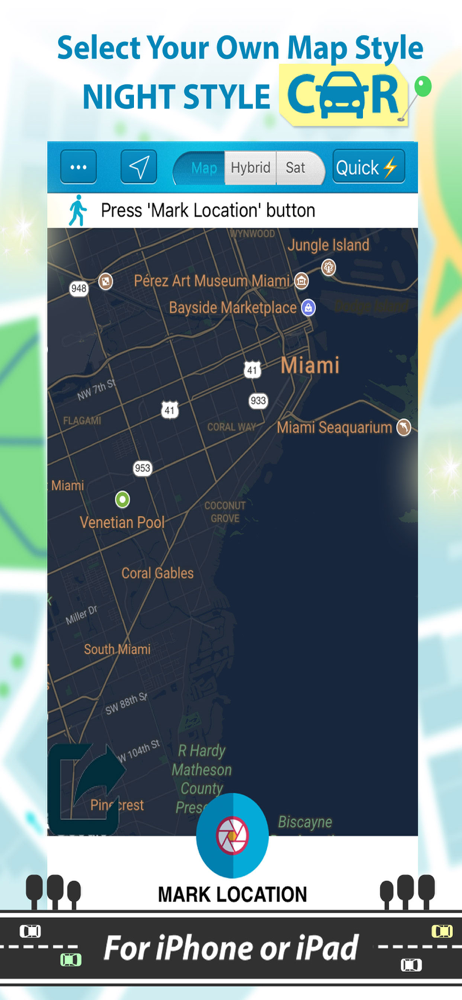
Find My Car is an useful application that uses GPS location services to help you find your car or a parking nearby. You will never forget where you ha...
| Name | Price | Type |
|---|---|---|
| Unlimited time in AR view | $0.99 | One-time |
| Quick Save button unlimited | $0.99 | One-time |
| Remove ads and banners | $0.99 | One-time |
| Unlimited locations and views | $0.99 | One-time |
| Unlimited Features Find My Car | $1.99 | One-time |