
Check the acquisition promise
Read the store headline, screenshots and description. What problem is the app promising to solve?
Study the storefront ↗
Cherub Technology Co. Ltd · iOS
Explore the ad evidence, study the storefront, and build your next acquisition hypothesis.
01 / Creative research
Read the store headline, screenshots and description. What problem is the app promising to solve?
Study the storefront ↗Explore apps with direct store-link matches. Compare their hooks and formats without assuming the same approach works here.
Browse observed advertisers ↗Store rankings and revenue estimates describe market context. They do not establish ad spend, conversions or ROAS.
Review the market context ↗02 / Storefront & product
Study the product story and store experience behind the acquisition funnel.




03 / Market context
Keep revenue, downloads and store rankings separate from advertising performance.
The update doesn’t work 0n the Wah or pitch. They both sound like a chorus pedal. What up? Well after a month from the support staff I learned on my own if you use windows 10/11 in Microsoft it’s mandatory to delete the S Mode because Microsoft won’t except a 3rd party app. The instructions are vague. NUX had no idea about the S Mode, so I told them to put in their instructions. Now back to the updates, I like the all of them except for the Mono Octave. It sounds like a ring modulator on steroids, it’s so bad it makes me nauseous. The only note that sounded almost bearable is F on the 6th string. The Auto Wah is glitchy and that gets annoying. You just have to find the sweet spot, it’s not that good but if it is buried in with back ground music you don’t notice it. NUX says they can’t do anything with the Mono Octave or Wah. I wish I knew that Positive Grid was in the works of the spark 2. I wouldn’t have bought the Mighty Space. Now I’m screwed.
1. It would be nice to not to change the temp to 119bpm when switching drum style. I want to set temp first and then search for the best drum style. 2. Metronome could have some modes like 4/4 or 3/4 with a bit different click sound
I have the Nux Mighty Lite BT portable amp and I love it. There is one major issue which is a drawback to its astounding qualities. The bluetooth doesn't connect, I’ve downloaded and redownloaded the patch/update/bug fix because generally user error is causation of the issue. I’ve uploaded it(the data files) to the device following instructions carefully to a T the bluetooth button blinks I go into the app and it scans and scans and scans and my amp blinks and blinks and blinks. I realize sometimes hardware is faulty and I’m not sure what to do. What I would like is to use it and have it work. If theres any chance I could return it in exchange for one that works, I would be very appeased. All I want is to utilize this practice tool to its maximum potential. Unfortunately, it seems a bit stunted in it’s capabilities which, altho understandable, is unfair. I will gladly change my rating to 5-stars if this is dealt with in a fair and timely manner. The device is otherwise flawless and I enjoy it thoroughly, except for the countless hours lost trying to understand and reassess what isn’t working, my time with the mighty lite is pretty reasonably enjoyable. Please can somebody help me?
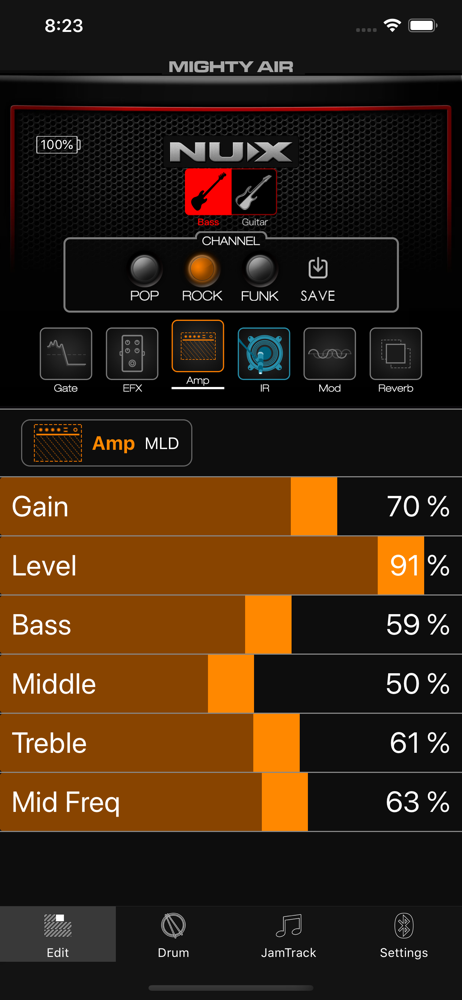
About this app Mighty Amp is a remote control and device management APP for NUX's amplifier. *********Note that this application requires Bluetooth an...


