Check the acquisition promise
Read the store headline, screenshots and description. What problem is the app promising to solve?
Study the storefront ↗
The Rest Of The Owl · iOS
Explore the ad evidence, study the storefront, and build your next acquisition hypothesis.
01 / Creative research
Read the store headline, screenshots and description. What problem is the app promising to solve?
Study the storefront ↗Explore apps with direct store-link matches. Compare their hooks and formats without assuming the same approach works here.
Browse observed advertisers ↗Store rankings and revenue estimates describe market context. They do not establish ad spend, conversions or ROAS.
Review the market context ↗02 / Storefront & product
Study the product story and store experience behind the acquisition funnel.


03 / Market context
Keep revenue, downloads and store rankings separate from advertising performance.
I am not an artist; I have always envied those who could, seemingly effortlessly, express themselves and their thoughts in such a profound way. Art, in some sense, breaks language and cultural barriers - it evokes feelings and memories and yearnings in us no matter our age, nationality, gender… it is such a wondrous gift. A gift, sadly, that I felt I might never experience, even in a limited manner. After many frustrating and demoralized attempts on my own over the years, it occurred to me that maybe I could attempt some sort of lessons- something that would enable me to decide if wanted just to relax and color, learn basic drawing skills in guided lessons, experiment on my own, or even see what other fledgling artists are doing and exchange support and receive advice from them. I found all of this and more on this app. I use it daily, even if it’s only to spend 5-10 minutes on an ongoing project. It’s wonderful to have that flexibility. I also need to mention the support from the designer, Trevor. Usually, if you try to get help on other apps, you never hear back, or they give you the run around, or they take weeks to respond. With Trevor, I got a response in 10 minutes!!! He has been very supportive, offered advice, even asked if there were things that they could add to the app that would appeal to me. I am amazed by this app, its developers and artists as well as the others who have also joined this community of learners. I can’t recommend this enough. Try the free version, there’s a lot to experience and explore and it gives you a good sense of what it has to offer. If you’re like me, it took less that 3 days for me to go all in on the full version. (Did I mention this is a good way to decompress from a hard day at work and relieve stress?:). )
Incredible interactive drawing lessons. There is nothing else like it. The soothing music options are the cherry on top. This app has progressed so far in the past year. You now have the option to turn off painting with finger ( no more palm marks) and the lag has been greatly improved. The developer is very responsive on Discord and will almost always respond immediately and is continually making improvements. The drawing interface is no Procreate, BUT more simplified at this point. It does help with learning the fundamentals. Although upgrades are being made there as well, like more brush options and hopefully more layers. Hint hint! If you have a suggestion, a question, experience a bug.. head to Discord. This app has been sort of a community effort and is getting better every day. I highly recommend… come join us!
Hi! It’s a very fun and relaxing drawing/social media app for artists. I love the concept and the community. It has a promising future, I believe, and it gets me inspired to draw. A couple things I like about it are that it offers user submitted photos that give you a different kind of inspiration than you would get on just google or pinterest images. They’re more authentic and personal a lot of the time. It also has a simple but effective digital art program inside the app itself that focuses on the basics of art without too many specialized tools. [edit: now there are also challenges, coloring pages, and unlockable extras, and the small team responsible are regularly improving and innovating it]. I like that you can stamp the canvas with a photo of your choice too, in case you decide to draw in your own art programs (or traditionally) and post that on inkwell. I have a couple simple ease of use suggestions: 1. Double tap apple pencil to swap between eraser and current brush. This is a standard shortcut for ipads and if it can be implemented, it would be great. 2. [edit: This suggestion has been implemented (finger rejection)! Thanks to the devs for all their constant work!] Turn off capacitive touch as tool. For those of us who only draw with the apple pencil, the finger/palm sometimes registers by accident and makes an unintended mark on the canvas since capacitive touch is also set as a tool. I would like to disable this. Maybe the finger touch could be customized to work another tool of choice like to pan the screen with one finger swipe. Or just a toggle to disable/enable finger touch registering for different artist preferences would be fine. I gave a 5 star regardless because I believe in the app and the team behind it and wanted to give a review in support.
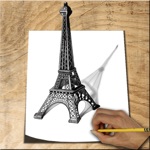
LEARNING TO DRAW SHOULD MEAN DRAWING Not watching another tutorial and wondering what to do next. Inkwell puts the lesson and canvas together. Choos...
| Name | Price | Type |
|---|---|---|
| Welcome Offer: Monthly | $4.99 | Monthly |
| Seasonal Artist Kit | $4.99 | One-time |
| One month full subscription | $9.99 | Monthly |
| The DEEP: Monthly | $9.99 | Monthly |
| The DEEP: Monthly Subscription | $9.99 | Monthly |
| Large chest of coins | $19.99 | One-time |
| Drawing lessons deal - 6 mos. (6 Month) | $19.99 | Semi-Annual |
| Welcome Offer: Annual | $29.99 | Yearly |
| The Deep: 6 Month Subscription | $29.99 | Semi-Annual |
| The DEEP: Annual | $49.99 | Yearly |