Check the acquisition promise
Read the store headline, screenshots and description. What problem is the app promising to solve?
Study the storefront ↗
Krueger Systems, Inc. · iOS
Explore the ad evidence, study the storefront, and build your next acquisition hypothesis.
01 / Creative research
Read the store headline, screenshots and description. What problem is the app promising to solve?
Study the storefront ↗Explore apps with direct store-link matches. Compare their hooks and formats without assuming the same approach works here.
Browse observed advertisers ↗Store rankings and revenue estimates describe market context. They do not establish ad spend, conversions or ROAS.
Review the market context ↗02 / Storefront & product
Study the product story and store experience behind the acquisition funnel.


03 / Market context
Keep revenue, downloads and store rankings separate from advertising performance.
This app has issues with the smallest and simplest things like laying wires and connections. Super buggy. Want to edit an unused connection by adding a wire? Simple right? Nope. Click the connection point and drag like it asks? Not a chance. “Don’t worry though”, you can add a random line in the middle of nowhere and build off that instead. It’s honestly laughable. Want to Rotate? We’ll make it extremely hard for you so you have to tap, wait, tap again for the menu, then scroll through the 10 options until you get to the end where the most useful feature is. Make a button!!!!! Honestly it’s crazy how badly this app is managed from a mobile stance. Don’t even get me started on the “Undo” feature. Did you spend a few minutes making a solid effort to complete your design and make a small mistake? No problem, the Undo feature will erase all of that in one button press. :) didn’t want to do all that? Dang that’s crazy, we didn’t make an option for you to Redo to get your work back. At this point I uninstalled and won’t be back again. Having a Pro option is wild before finalizing the Standard version. Good luck :)
I really wanted to play around with a simulation, but it fights you every step of the way. The settings are barebones, the interface, drawing and deleting fight you EVERY step of the way, you can’t rotate stuff and scaling things is only in one direction, for a barebones list of components they just direct you to the wiki instead of detailing the twenty or so in-app for QoL. This would be a fun $2-5 toy to play around making basic starter boards, but I’d be laughed out of an office if I handed the spaghetti mess that comes out of this to a professional. Eh, at least it was an entertaining thirty minutes for an extreme premium. Oh yeah, and hats off to the inept technical genius who made it so pressing “undo” keeps undoing thirty minutes of stuff. This UI is a technical dumpster fire. I’m going to RTFM and give it one last shot later, but that won’t fix the lack of intuitive and intelligent design.
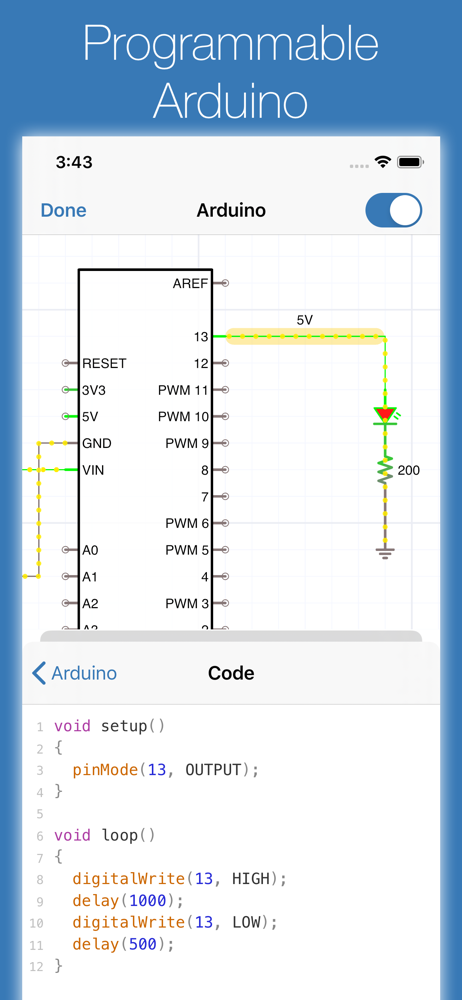
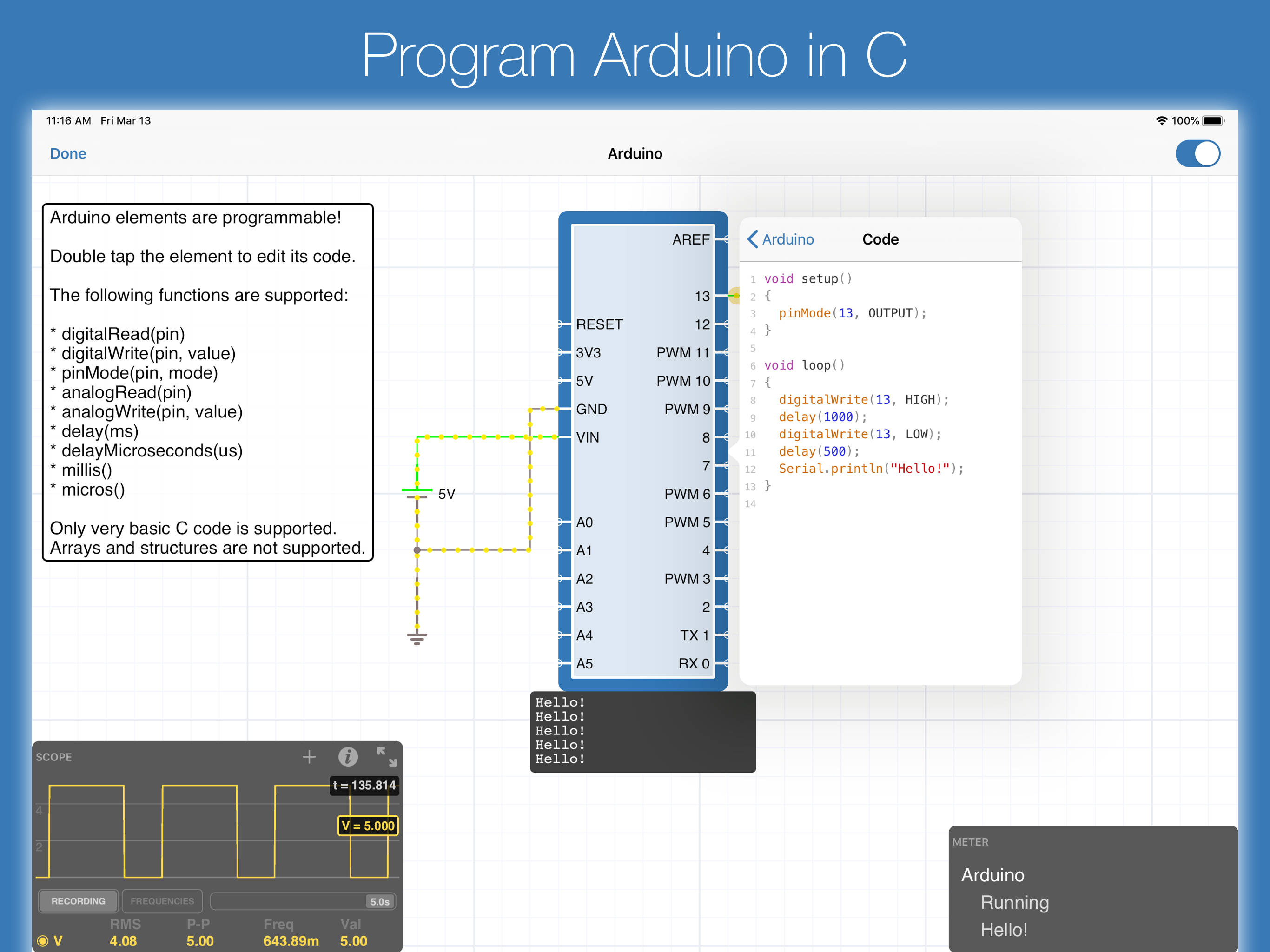
First off, fantastic app. The features work well, and overall i think the UI is handled very well. The app has all the basic parts that are needed to do most of what I would want to do. I recommend this app overall. That being said, there’s some limitations i’ve noticed from playing with the app (hopefully eventually to be addressed). One: no built in non-ideal op-amps. At the very least having control/modeling some basic things like slew rate adjustments and output capabilities without using a subcircuit model would be great. Another thing missing is vacuum tubes, along with triacs and diacs. People have requested it but the author has said looking into it since 2014, without much update, at the very least copying the models from the source of Falstad’s site would work if that’s the holdup. TVS devices (both single and bidirectional) and MOVs would be nice too. Along with spark gaps. SCRs do exist already though, and fairly powerful dependent sources and subcircuit support means it’s likely possible to manually implement common models of these components somewhat, but it’s not an ideal path. A huge feature would be supporting some sort of bode plot setup, even just something basic like a series of transient analysis passes across a frequency range would go a long way if i could observe phase and gain plots. DC analysis at different varying operating conditions would be another super useful feature and probably easy to add. Finally noise analysis. The most practical and I suspect the least easy to jump on but it would have a lot of value for making the app cover all the bases of basic circuit analysis needs. The settings dialog and using the file browser interface as the home screen was a little confusing but was really not too hard to figure out and the documentation is very straightforward. The Arduino integration is very neat and makes this app one of the more useful circuit simulation references I’ve been able to design with.
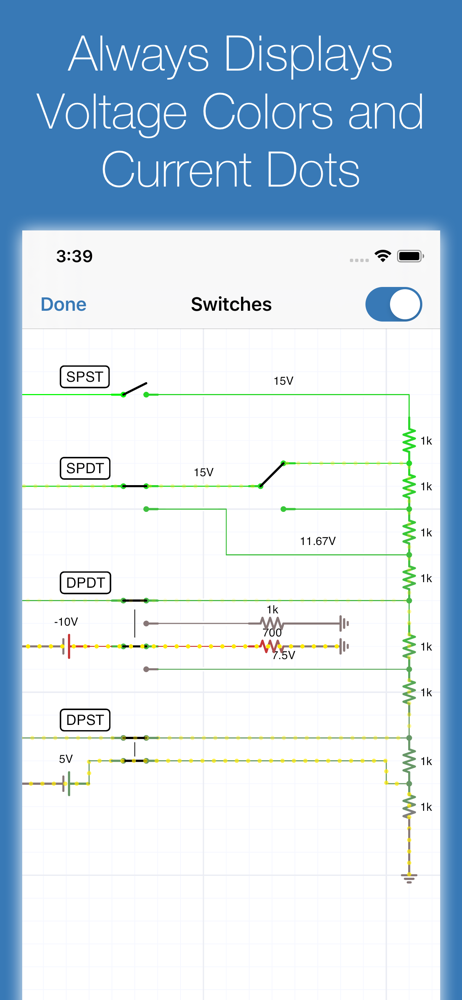
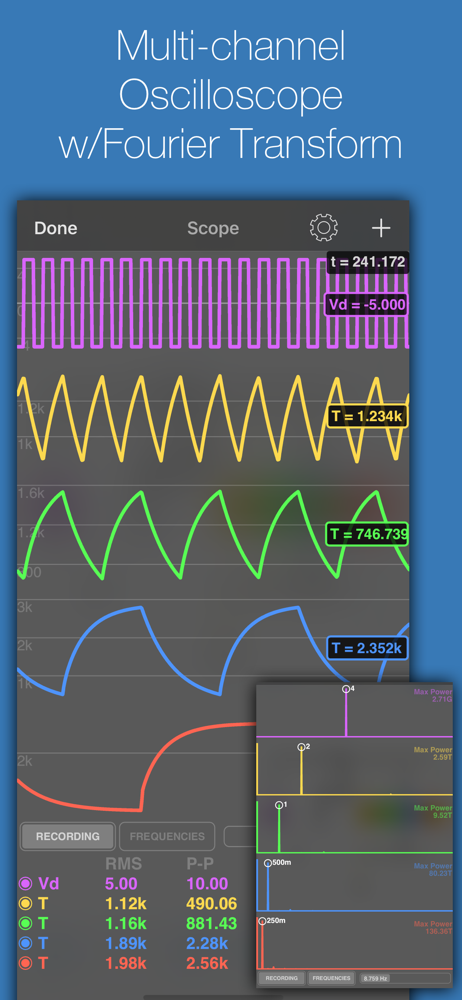
iCircuit is the premier iPhone and iPad app for designing, simulating, and learning analog and digital electronics. Its advanced simulation engine pro...
| Name | Price | Type |
|---|---|---|
| iCircuit Pro (Monthly) | $1.99 | Monthly |
| iCircuit Pro (Yearly) | $14.99 | Yearly |