
Check the acquisition promise
Read the store headline, screenshots and description. What problem is the app promising to solve?
Study the storefront ↗
ShenZhen 0101 technology Co.,Ltd · iOS
Explore the ad evidence, study the storefront, and build your next acquisition hypothesis.
01 / Creative research
Read the store headline, screenshots and description. What problem is the app promising to solve?
Study the storefront ↗Explore apps with direct store-link matches. Compare their hooks and formats without assuming the same approach works here.
Browse observed advertisers ↗Store rankings and revenue estimates describe market context. They do not establish ad spend, conversions or ROAS.
Review the market context ↗02 / Storefront & product
Study the product story and store experience behind the acquisition funnel.


03 / Market context
Keep revenue, downloads and store rankings separate from advertising performance.
I bought two of these. When the first was plugged in to my iphone, I tried transferring my library of pictures and videos to the drive. It looked like it was working for a few minutes, then froze during a video transfer. I eventually gave up, as nothing happened for a half hour and had to pull out the flash drive. Now when I plug it back in, nothing happens and when I first open the app and plug it in, it always shows the device is offline. It still recognizes the second flash drive when I plug it in, but I am afraid to try to transfer anything until the issue with the first flash drive is resolved. I will update my rating if I can get a positive response from the developer that explains how to fix this.
When I got the “device” it didn’t really seem to fit into to phone. It looks just like the tab on the power cord from all angles. Power cord fits snugly into the phone with a palpable click. The device, no click - in fact, it mmost of the time. I thought maybe I could get some answers after downloading the app. I tried to be optimistic. Waste of time. App would my be visible for less than five seconds, then disappear. Should have taken that “Evelyn Woods” speed reading class years ago, because I just couldn’t glean a thing in those 5 seconds. So it’s now a few months later and I’m u, “Maybe they fixed the app, give it another try!” And fix it they did. And that’s where I read that it my iPhone 7+ is not compatible - it only goes up to 6! I checked before ordering for compatibility issues and found no exclusions. And because it’s sent from China, with a return address in Chinese only, my local post office couldn’t take it (a company from a country that utilises a non-latin/roman alphabet probably has a good return policy if it has the address in the languages of both countries involved - the post office may require it. Needless to say, I’m more than a little peeved about this little adventure, and out somewheres in the neighbourhood of $40. So, I-FlashDeviceHD developers, I’m open to apologies, refunds and replacements!
So, I got this app and the flash drive, and like everyone said, it stopped working after a week. The flash drive’s contents disappeared. HOWEVER, I found out how to get them back. So for all of you that say “it stopped working” there’s an easy fix. Your files will disappear after a little bit but all you have to do is plug the flash drive into a computer or laptop. Weird right? Plug it in, you will find everything you saved on the computer. Then take the flash drive and plug it into your phone again. All the files will reappear. It’s inconvenient but that is the only complain I have about this thing. Everything else works perfectly well. You can save all of your things accordingly. Just plug the thing into a laptop when things disappear after a few days and everything will come back. Until the company solves this problem, I’m giving it 4 stars. This weird glitch has caused a lot of people to think there stuff is gone and throw the flash drive away or return it. Hope this helps and that the company fixes the minor disappearances.
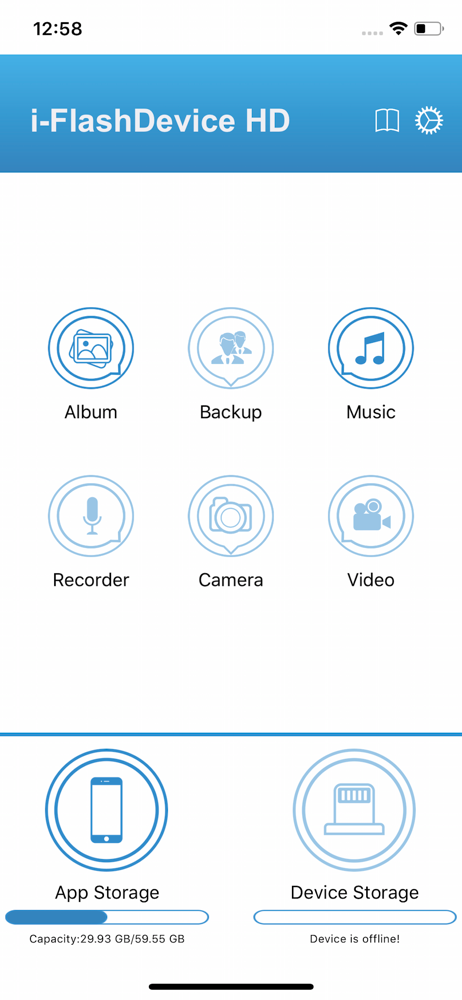
This APP can connect to a USB drive via a wired connection and manage the files on it. You can back up photo album files to the USB drive and restore...


