Check the acquisition promise
Read the store headline, screenshots and description. What problem is the app promising to solve?
Study the storefront ↗
unitedchargers · iOS
Explore the ad evidence, study the storefront, and build your next acquisition hypothesis.
01 / Creative research
Read the store headline, screenshots and description. What problem is the app promising to solve?
Study the storefront ↗Explore apps with direct store-link matches. Compare their hooks and formats without assuming the same approach works here.
Browse observed advertisers ↗Store rankings and revenue estimates describe market context. They do not establish ad spend, conversions or ROAS.
Review the market context ↗02 / Storefront & product
Study the product story and store experience behind the acquisition funnel.


03 / Market context
Keep revenue, downloads and store rankings separate from advertising performance.
Like others have commented, it does not reliably follow the schedule you set in the app. In the app it will say charging stopped but when I go to my car or check my house power consumption (emporia vue meter), it shows the car kept charging several hours after it should have stopped. This resulted me in charging on peak rates. After this happened several times, rebooting the charger, unplugging it and waiting, and confirming all the schedule settings are right, it still happens. So without a reliable schedule function I just started using it as dumb charger set to charge now, and then set an alarm on my phone to remind me when to go back into the app and change charging to disabled. But even that doesn’t work reliably! Tonight I switched to disabled now, it confirms in the app, and later I just happened to pass my garage and see the green light on the charger which shows it IS in fact charging and my car dashboard confirms it has been charging hours on peak rates. App is unreliable! Also a safety hazard because I set a max current limit in the settings and all schedules for 10 amps but it has on occasion charged at 30 amp!
I have two Grizzl-E chargers. One is a Grizzl-E Smart (40A), and the other is a Grizzl-E Ultimate (48A). The app works great with the Ultimate, but not so much with the Smart. I honestly think that the Smart is defective after 18 months. I’ve emailed back & forth with help desk at least a dozen times. The thing is defective and they just keep telling me to make additional changes to my home network that are absurd. My eero 6Pro network is solid and the chargers are connected to the 2.4 GHz channel, just like the Ultimate and a bunch of other devices. I have an extender out in the garage, centrally located on the ceiling and the Smart just won’t stay attached to the app, while the eero network shows it’s connected and active. It just needs service. I just wish they’d authorize a repair and send me a fedex label to ship it back already. Enough.
The app seemed to work OK at first. Now it shows the charger as connected and online, though it doesn't show any data or control over the charger. So we've been unknowingly charging while at on peak rates. I have restarted the charger and app, with no luck. Also, it would be nice to have more than one scheduled charge time per day, since our utility has two off peak periods every 24 hours.
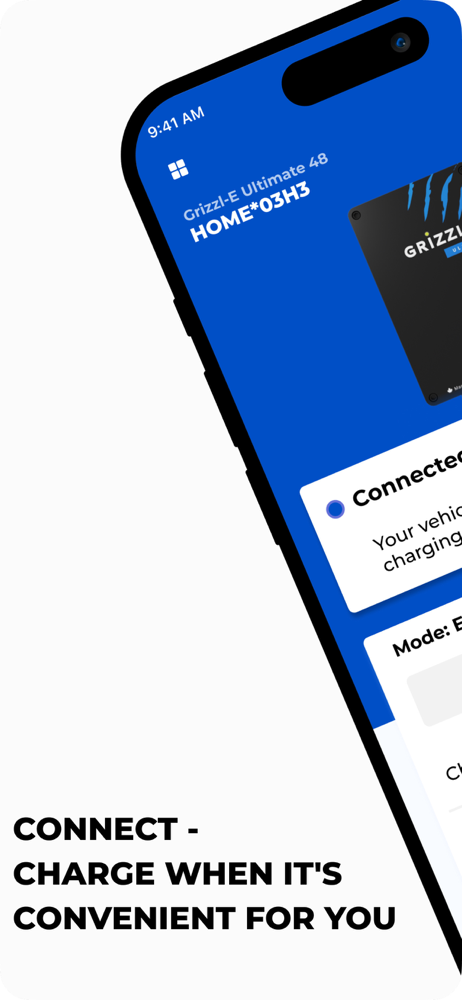
Elevate your EV charging experience with the Grizzl-E Connect App. Seamlessly manage your Grizzl-E Smart Charger from anywhere, anytime. Whether you'r...