Check the acquisition promise
Read the store headline, screenshots and description. What problem is the app promising to solve?
Study the storefront ↗
Promethean Ltd. · iOS
Explore the ad evidence, study the storefront, and build your next acquisition hypothesis.
01 / Creative research
Read the store headline, screenshots and description. What problem is the app promising to solve?
Study the storefront ↗Explore apps with direct store-link matches. Compare their hooks and formats without assuming the same approach works here.
Browse observed advertisers ↗Store rankings and revenue estimates describe market context. They do not establish ad spend, conversions or ROAS.
Review the market context ↗02 / Storefront & product
Study the product story and store experience behind the acquisition funnel.





03 / Market context
Keep revenue, downloads and store rankings separate from advertising performance.
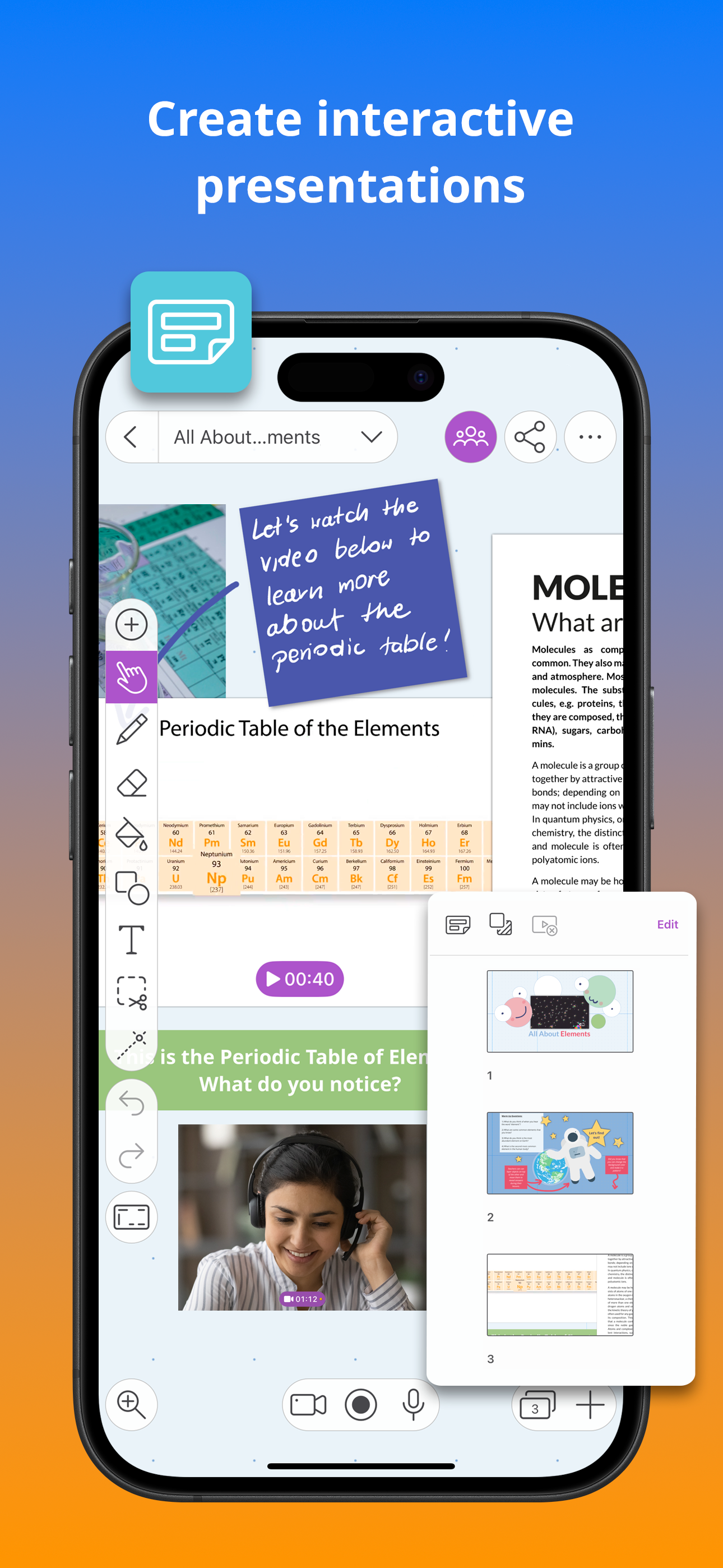
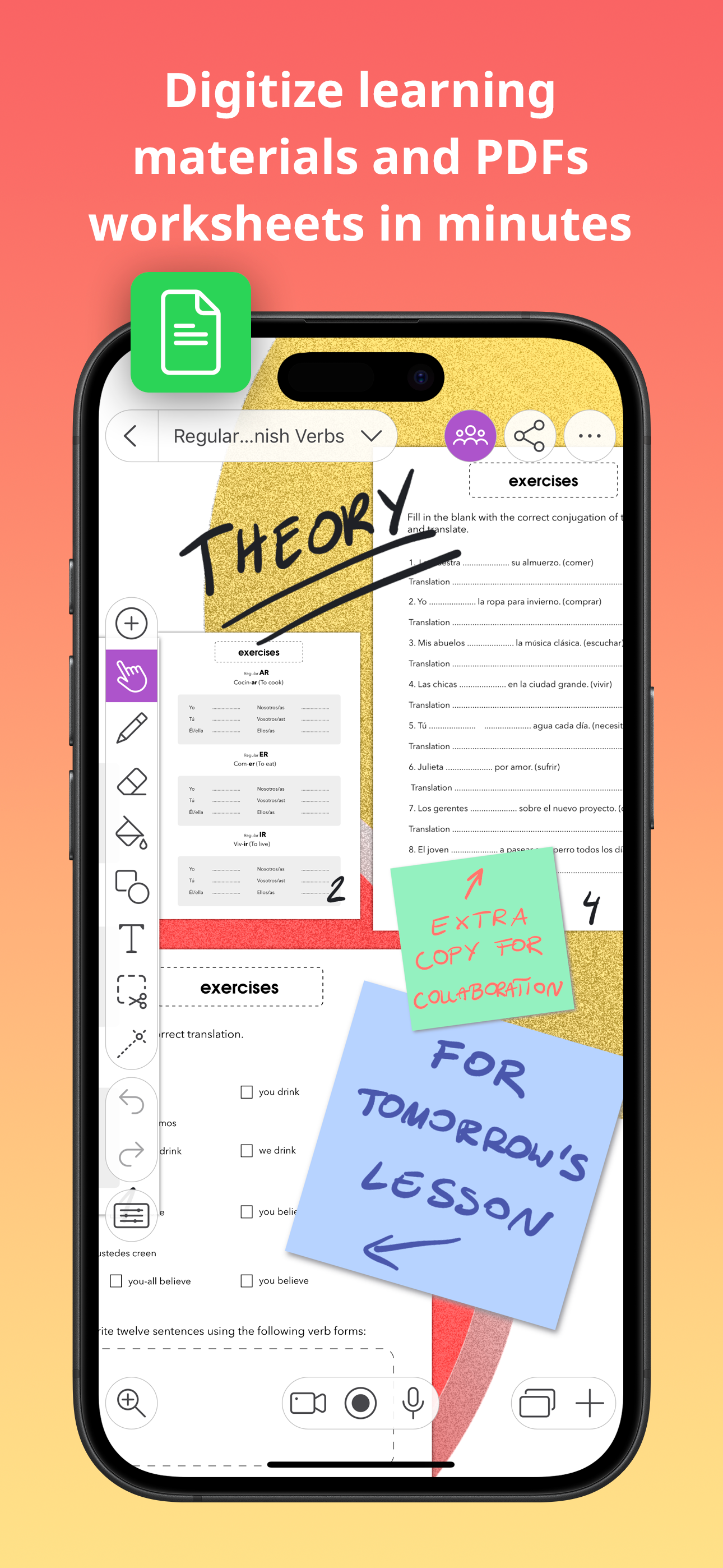
I love this app very much. It is my number one drawing/creating app. If you are wondering what this app does then it is similar to canva but to much better. This app has so many more features than many other apps and really does explain everything! If you are needing to make something for work٫ or to make a presentation for school or are simply just wanting to create or draw something and have fun then this is the perfect app to do that. In this app, you can add anything you want to a simple white document or an already started document and if you don’t know how to use the app, you can click a button and it will explain everything for you. I know this review is starting to get lengthy but I have much more to talk about this wonderful app. Even if you do not want to make any presentation or any document, then you can draw on this app. You can find a picture or a drawing/clipart to trace over it, delete the picture and you’ll have a really good picture or a really good drawing, or you can simply just free draw. This app is so much fun. I am seriously exited because there’s so many things to do on this app. If you read this whole review thank you because I know this is really long to wrap this up, this app is amazing. I am so excited to use it.
***09-20 update moved to 3 stars They now gave a toggle option to disable “consistent line width option” THANK YOU Now please fix the eraser and put the “x” and “i” tools back on the editing tool dock and you’ll get 5 stars from me. 😊😊 I have been a happy subscriber of Explain Everything for the past two years. However this morning when I came into my classroom and opened up my lesson to teach I noticed some updates to my software. Should be 5⭐️ but it’s not because of this update 1) the "consistent" line width feature This has been the biggest problem. It is not consistent at all. I would zoom and my pen width would become super fat and chunky or super little and skinny. PLEASE DISABLE THIS FEATURE. It is awful. Or at least give users the option to disable this feature. It has truly been a nightmare. In all honesty--this makes me want to switch platforms away from Explain Everything onto something else that gives me full control over my stylus while working. I can not express enough how terrible this feature is. 2) Edit and arrange with context menu This feature has taken away the "x" that was once docked in the menu bar on my screen, as well as the "i" (info) button that was once there. Since my eraser is not working anymore, I relied on the "x" button to delete writing when necessary. I used the "i" button every day as well when uploaded pdf's into the slides for my lesson. please put these features back on my dock so i have access to them. I understand software needs to be updated and "upgraded" but in my humble opinion this was NOT an upgrade. This has taken away control from the user of the platform and has taken away important editing tools from us as well.
I’ve used Explain Everything for almost 5 years without any of the technical difficulties mentioned by other reviewers; not a single glitch, freeze, or lost project. As far as performance & features, I can’t complain; I teach high school advanced math, and I’ve constantly supplemented my teaching with lecture notes captured on my iPad along with what I call “pencasts” (think Kahn Academy videos). The interface operates flawlessly; I usually import images and screencasts from other math apps with no problem whatsoever. Now, in the world of full distance learning, EE has become even MORE valuable; the subscription version allows a simultaneous web board and the app shares easily with Google Meets and Zoom. No matter how your students need to see your screen (if you’re using EE as a live whiteboard), this app’s got you covered! As far as cost, I’m a firm believer that you get what you pay for, and EE delivers more than I imagined. One of the most precious features is its direct upload to Google Drive, DropBox, and others (I use GD & DB only). So thank you, and here’s looking to at least another 5 years!
The iPad App Store Trend of the Year 2020 award-winning interactive whiteboard and note taking app for iPad. With over 25 million downloads across the...
| Name | Price | Type |
|---|---|---|
| Individual Monthly Plan | $9.99 | Monthly |
| [LEGACY] Individual Monthly | $12.99 | Monthly |
| [LEGACY] Individual Monthly | $12.99 | Monthly |
| [LEGACY] EDU Group, Monthly | $12.99 | Monthly |
| [LEGACY] Solo Teacher Plan (Annual) | $34.99 | Yearly |
| Advanced Plan (Annual) | $69.00 | Yearly |
| Individual Annual Plan | $89.99 | Yearly |
| [LEGACY] Individual Annual | $129.99 | Yearly |
| [LEGACY] EDU Group, Annual | $129.99 | Yearly |
| [LEGACY] Individual Annual | $129.99 | Yearly |