Check the acquisition promise
Read the store headline, screenshots and description. What problem is the app promising to solve?
Study the storefront ↗
Creaceed SRL · iOS
Explore the ad evidence, study the storefront, and build your next acquisition hypothesis.
01 / Creative research
Read the store headline, screenshots and description. What problem is the app promising to solve?
Study the storefront ↗Explore apps with direct store-link matches. Compare their hooks and formats without assuming the same approach works here.
Browse observed advertisers ↗Store rankings and revenue estimates describe market context. They do not establish ad spend, conversions or ROAS.
Review the market context ↗02 / Storefront & product
Study the product story and store experience behind the acquisition funnel.



03 / Market context
Keep revenue, downloads and store rankings separate from advertising performance.
I am a birder and take a lot of very wobbly videos through my binoculars. This app helps a lot to stabilize the image. It can only do so much- the image will still be shaky, but much less than many other apps I have tried. The pro version is very affordable which I really appreciate. PowerDirector has better stabilization with a lot more editing features directly in the app but is also much more expensive. My absolute only constructive feedback on the UX side of things is with the export process. I really wish there was some feedback provided after you save a video- like a checkmark or “video saved” pop up because you don’t know if it actually saved until you go to your camera roll. This is very nit-picky after having studied UX design but truly the app overall is great and I love how customizable the features are. I also agree with another reviewer that a hand-grab tool would be great - it zooms in to stabilize, I wish you could adjust where it zooms in to prevent the image cutting off in the wrong spot. Also if you aren’t a video nerd I highly recommend going to settings on the main screen, then online help, then scroll down- it has a really great breakdown of what each feature is
I wanted to use this app to stabilize my concert videos. From playing around with it, I can tell under different circumstances this app would be amazing, but I think it struggles to find a steady reference point due to the flashing stage lights in the videos I want to stabilize. This is frustrating for a couple reasons: 1. When the lighting is consistent, to tool works beautifully; HOWEVER, there is no point in using it at all if even a 0.5 second chunk of the video gets thrashed around due to flashing lights. You can’t turn the stabilizer on/off at certain timestamps, and there’s no functionality to splice together videos, so it’s really an all-or-nothing issue, and I haven’t found a single video that actually needs stabilizing where it hasn’t had even a moment of that jittery thrashing. 2. There is no manual functionality. I thought the compass button may allow tweaks to individual frames in the case of these jittery moments, but from what I can see it just tells you what the automated stabilizing changed about the frame. I recognize that manually stabilizing would be much more time-consuming and difficult, but having the option—especially for videos where only a couple seconds of tweaking would be necessary—would greatly improve the usability of this app. I think this app is great and definitely has its uses, but for myself, these issues make it nearly useless.
Most of what I film is wakesurfing or paddleboarding. The constant movement of the rider, board, and wave makes it impossible for the app to find a horizon I think. I don't think I can really blame the app for that though. The software can only do so much when it doesn't have a fixed reference point. The wakesurf clip I tried on the app had a jittery vibration to it after applying any level of stabilization. I decided to try it out with a video while walking where it can pick out a non moving point like a selfie or the horizon. It worked much. Street in this situation. The controls on this app are very intuitive, and it has many really good options for basic editing on a mobile device. I will keep using it to see if I can find a way to get it to start liking my surf films. At a minimum it helped on other videos, so I'd recommend at least trying it. It's free to try. As others have stated it will watermark the video unless you buy the in app "pro" version for less than a Starbucks drink.
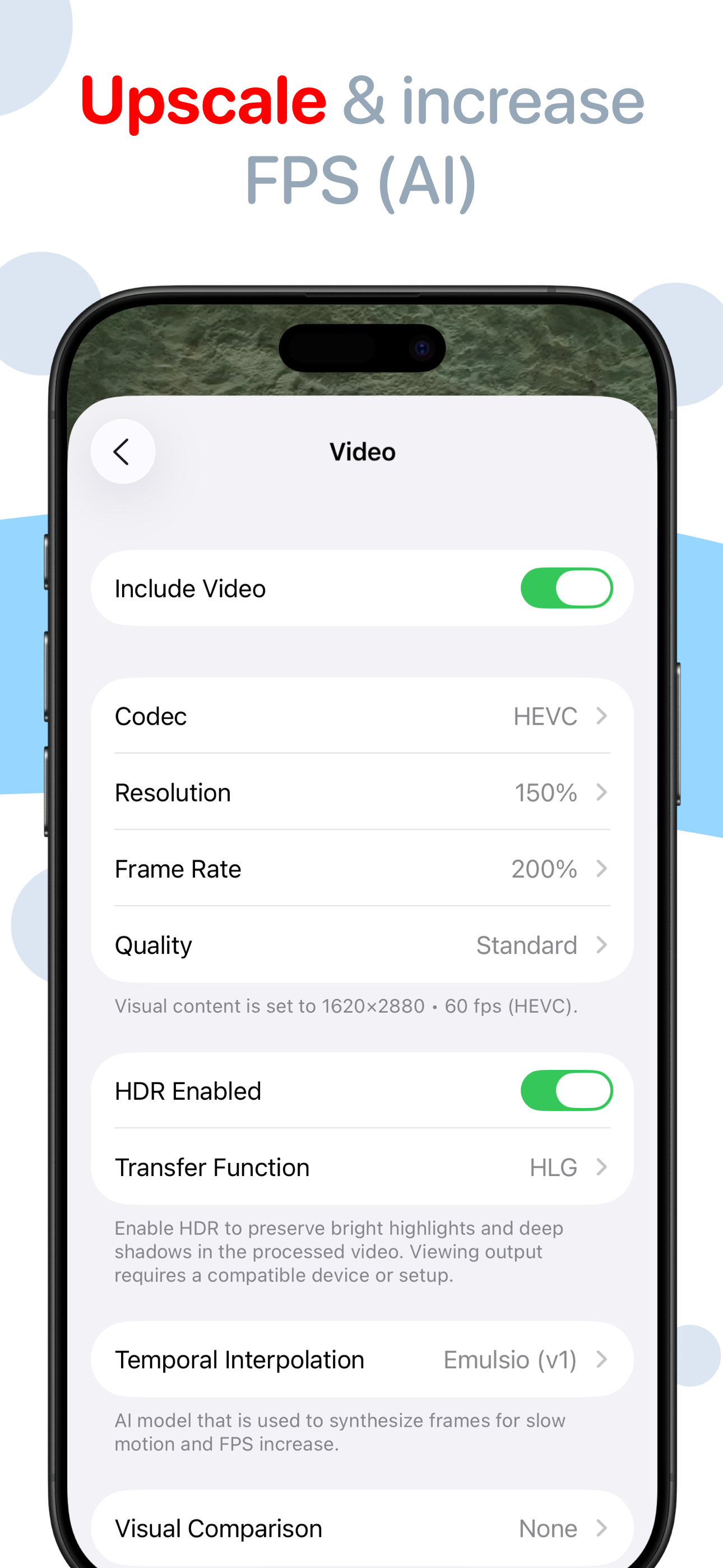
** Macworld Conference ‘Best of Show’ winner (San Francisco) ** Bring cinematic power to every frame. Emulsio is a powerful video editing app that he...
| Name | Price | Type |
|---|---|---|
| Pro Plan (Monthly) | $3.99 | Monthly |
| Pro Pack 4 (Upgrade) | $7.99 | One-time |
| Pro Pack 3.0 (Migration) | $7.99 | One-time |
| Pro Plan (Yearly) | $9.99 | Yearly |
| Pro Pack 4 | $15.99 | One-time |
| Pro Pack 3 | $15.99 | One-time |
| Pro Pack 5 (Upgrade) | $15.99 | One-time |
| Pro Pack 5 | $23.99 | One-time |