
Check the acquisition promise
Read the store headline, screenshots and description. What problem is the app promising to solve?
Study the storefront ↗
Patcharapon Phasukdee · iOS
Explore the ad evidence, study the storefront, and build your next acquisition hypothesis.
01 / Creative research
Read the store headline, screenshots and description. What problem is the app promising to solve?
Study the storefront ↗Explore apps with direct store-link matches. Compare their hooks and formats without assuming the same approach works here.
Browse observed advertisers ↗Store rankings and revenue estimates describe market context. They do not establish ad spend, conversions or ROAS.
Review the market context ↗02 / Storefront & product
Study the product story and store experience behind the acquisition funnel.


03 / Market context
Keep revenue, downloads and store rankings separate from advertising performance.
This is a really good app for people who have perfect pitch to practice developing it. Also, it is good for people who want to develop very good relative pitch. HOWEVER: There is no way to turn off the note names under the piano keys, which I find HUGELY ANNOYING. It’s cheating to have them there. For those of us with perfect pitch, we do not need those note names there. It isn’t necessary. So, PLEASE PLEASE PLEASE find a way for us to turn them off if we don’t want them there. I know it is possible to do that! And, it would be helpful also to those with relative pitch to have the option of turning them off to challenge themselves and test themselves. In a college or music conservatory ear training class, we are NEVER given any note names in melodic dictation. All the class gets is a key signature(which is not necessary for people with perfect pitch). Then, the teacher plays the melody while the students write down what they hear. There is advanced dictation called harmonic dictation and that starts out with just the melody and bass parts played and students write that down. By the end of of the year, students are taking 4 part harmonic dictation in both major and minor keys, and writing the chord progressions in proper Roman numeral, etc form. Also, please create an option to change to Roman numerals and proper inversion symbols and other advanced chord symbols such as the N6(Neapolitan 6th) chord that classical musicians use for the chord dictation. Music theory majors in classical studies use those. Jazzers and other non-classical musicians use the other type that you have used. Thank you for taking the time to consider my requests! I hope to see them added! Great start to this app! It has a lot of potential! I will give it 5 stars if the things I mentioned are added. Thank you!
Edit: A week after I first posted this, developers have a new update that addressed the complaints from my review. Maybe convenient timing, but you can’t ask for better support than that. It’s simple, intuitive, and I’m only partway through the lessons and noticing improvement. I appreciate the ability to randomize octaves, and now you can see stats without having to log into facebook. If you’re interested in ear training I’d say it’s worth the price. My biggest complaint is the lack of options in the training section. You can only train with one note at a time, when I want to be able to customize which notes it cycles through so I can try to identify multiple notes simultaneously. Making your own lessons would also be a nice feature.
I using this app for a while and it’s help me a lot, I can’t stop using it and it’s fun with lessons and training mode! I think it’s great for musicians to develop their pitch with simple notes and octaves with piano, guitar and bass sounds. I hope you updates new feature soon.
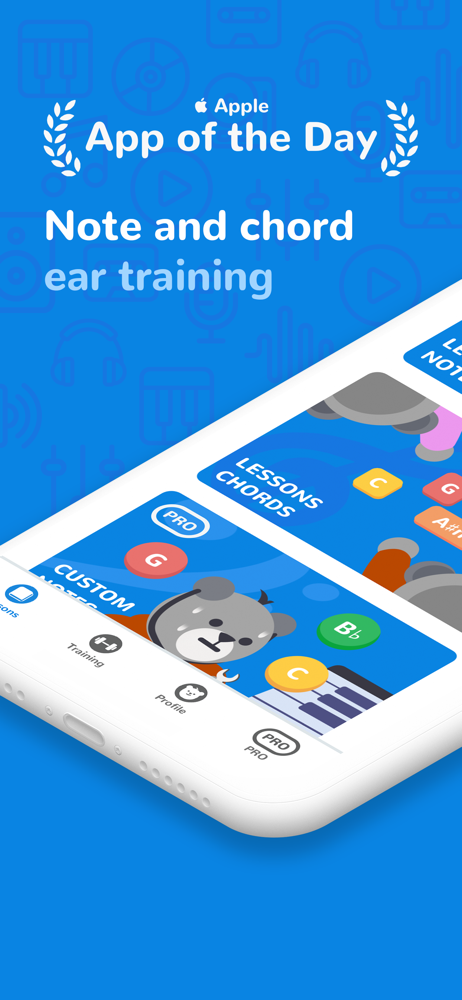
— Featured in App of the Day and one of Apple's "Apps We Love", "Our latest Favourites" and "Turn Learning Into a Game" more than 100 countries includ...
| Name | Price | Type |
|---|---|---|
| Monthly Subscription | $3.99 | Monthly |
| Yearly Subscription | $19.99 | Yearly |


