Check the acquisition promise
Read the store headline, screenshots and description. What problem is the app promising to solve?
Study the storefront ↗
CHUNG-HO LEE · iOS
Explore the ad evidence, study the storefront, and build your next acquisition hypothesis.
01 / Creative research
Read the store headline, screenshots and description. What problem is the app promising to solve?
Study the storefront ↗Explore apps with direct store-link matches. Compare their hooks and formats without assuming the same approach works here.
Browse observed advertisers ↗Store rankings and revenue estimates describe market context. They do not establish ad spend, conversions or ROAS.
Review the market context ↗02 / Storefront & product
Study the product story and store experience behind the acquisition funnel.


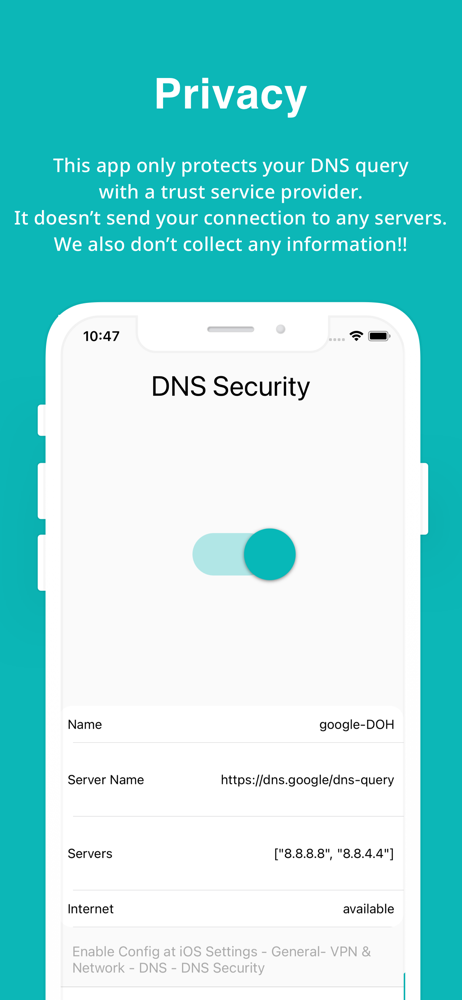
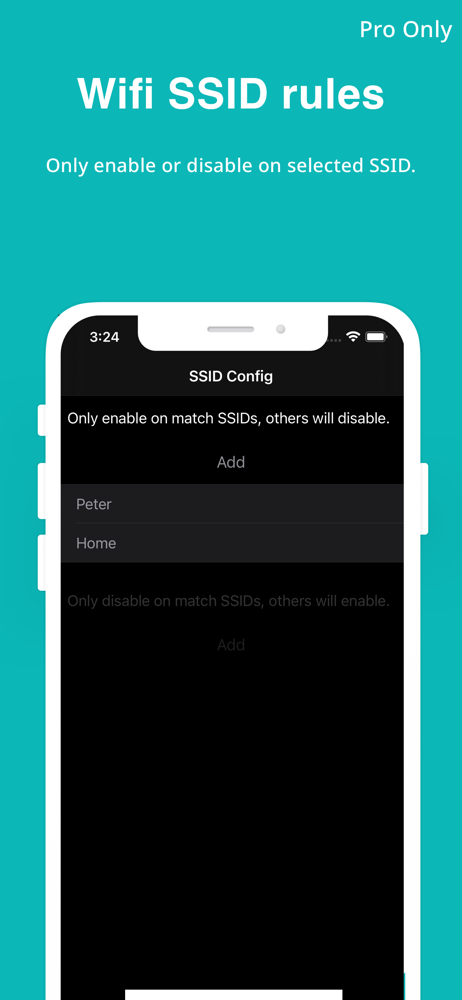


03 / Market context
Keep revenue, downloads and store rankings separate from advertising performance.
I am on the latest version of iPadOS, and the instructions the developer gives do not make any sense. First of all, there is no setting under General called "VPN and Network." Following the exact instructions does not allow me to enable this app. I tried several times. All of the other VPN or DNS apps I have tried pretty much allow you to automatically add a configuration. This one does not.
This is the best option in the App Store for setting a custom DNS. It doesn’t install a VPN profile, but a DNS profile which seems like the right way to do it. It also supports DOH and DOT. The ability to quickly toggle the connection is also a big plus compared to installing a profile directly. My one piece of feedback would be to add a way to disable the connection for a given amount of time. There are times when something doesn’t work quite right so I want to toggle my DNS connection off to see if that’s the issue, but then I forget to activate it again. So, it would be good to be able to set a timer to reactivate or at least get a reminder notification.
This app finally let me use DoH with my NextDNS configuration, where other apps as well as the iOS settings could not. Great work!
DNS over HTTPS (DoH) and DNS over TLS (DoT) are protocols that enhance the security and privacy of your internet connection by encrypting your DNS que...
| Name | Price | Type |
|---|---|---|
| Unlock Pro features | $1.99 | One-time |