
Check the acquisition promise
Read the store headline, screenshots and description. What problem is the app promising to solve?
Study the storefront ↗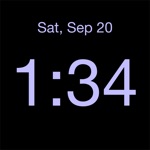
Midnight Oil Enterprises LLC · iOS
Explore the ad evidence, study the storefront, and build your next acquisition hypothesis.
01 / Creative research
Read the store headline, screenshots and description. What problem is the app promising to solve?
Study the storefront ↗Explore apps with direct store-link matches. Compare their hooks and formats without assuming the same approach works here.
Browse observed advertisers ↗Store rankings and revenue estimates describe market context. They do not establish ad spend, conversions or ROAS.
Review the market context ↗02 / Storefront & product
Study the product story and store experience behind the acquisition funnel.


03 / Market context
Keep revenue, downloads and store rankings separate from advertising performance.
This is the best Clock app that I have ever tried for my iPhone(s)! Over the years I have tried dozens of clock and clock/alarm apps. Most of them have alarms, which is good for some people and a lot of fluff. I just wanted a simple Clock app that worked. When I found this Disappearing Beside Clock, it was exactly what I was looking for. This is a simple uncomplicated app that worked perfectly all the time. I have been using this Clock app for a lot of years and will keep using it. Also, the customer service is top-notch and they are always there to help. I hope you keep updating this app because in my opinion, there’s nothing out there that even comes close. The iPhone has their standby mode with all the features, but I can only use it if I am charging it all the time. I do not have to do it with this app. Please keep the updates coming cause I wanna keep using this. Thanks for creating a great product!
In portrait mode you are supposed to be able to hold your hand for one second in front if the proximity sensor in order to turn off the backlight. The backlight does go off but only stays off as long as your hand is in front of the proximity sensor. Iphone 8. Tried with vibration sensor turned off, same thing. Otherwise the app is as described. Will update the review if it gets fixed or if I find out that I am using it wrong. I won’t use the all with the backlight on. Edit: I saw and appreciate the developer’s response. The light always comes back on. I have now tried it on an iphone 6 as well. EDIT: Bumped up to 5 stars. I figured out that the proximity sensor is affected by the iphone’s “assistive touch” feature under accessibility settings. When I turn it off, I can completely dim the screen! Edit2: Since IOS 13, the trick to turb off the backlight no longer works
I really love this app because I don’t even need a separate unreliable alarm clock anymore! I’m charging my phone on my nightstand anyway, so this is a perfect idea! I love that you can have the display off completely and just tap or wave if you want to see the time ! A plus when I’m suffering from migraines and need total darkness, but still need to know what time it is. I also love that I can choose my own display color! I am a “pink” person, and it made me smile to be able to finally have a pink display on my alarm clock instead of just green or blue all the time! Boring !! I chose the bold font so I can see it better with my crummy eyesight too, lol. It’s honestly like custom designing your own personal alarm clock, and it’s awesome! I have no desire no buy a beside clock again as long as this app stays in business !!
A bedside clock that keeps you in the dark—except when you want to know the time. The clock display disappears after an adjustable time interval, let...


