Check the acquisition promise
Read the store headline, screenshots and description. What problem is the app promising to solve?
Study the storefront ↗
Phillip Schuster · iOS
Explore the ad evidence, study the storefront, and build your next acquisition hypothesis.
01 / Creative research
Read the store headline, screenshots and description. What problem is the app promising to solve?
Study the storefront ↗Explore apps with direct store-link matches. Compare their hooks and formats without assuming the same approach works here.
Browse observed advertisers ↗Store rankings and revenue estimates describe market context. They do not establish ad spend, conversions or ROAS.
Review the market context ↗02 / Storefront & product
Study the product story and store experience behind the acquisition funnel.




03 / Market context
Keep revenue, downloads and store rankings separate from advertising performance.
Hi,this is useful app but it’s needed to update to be better but don’t happen,I don’t know why!!…? But good and only this one work to open eagle files It will be great that happens for altiume “.pcbdoc” and “gerber” files but i don’t find any app in app store😔😑
This app is very useful, I’ve enjoyed reviewing my projects on the fly anywhere away from my computer, but after a week of having this app installed my screen on phone phone started to glitch, when using the app I’d tap several times on something and no response, then suddenly all my taps quickly happened and was unstable. Outside of the app my screen would do the same thing, the touch screen would stop working in sections, I would force quit the app and the problems went away until I opened the app again. After upgrading my phone I installed the app again thinking it was just the last phone. After a week on the new phone with the app installed same issues came up. I deleted the app completely and now my phone is acting normal. Not sure what’s happened but it’s sad to not be able to keep the app. It’s great.
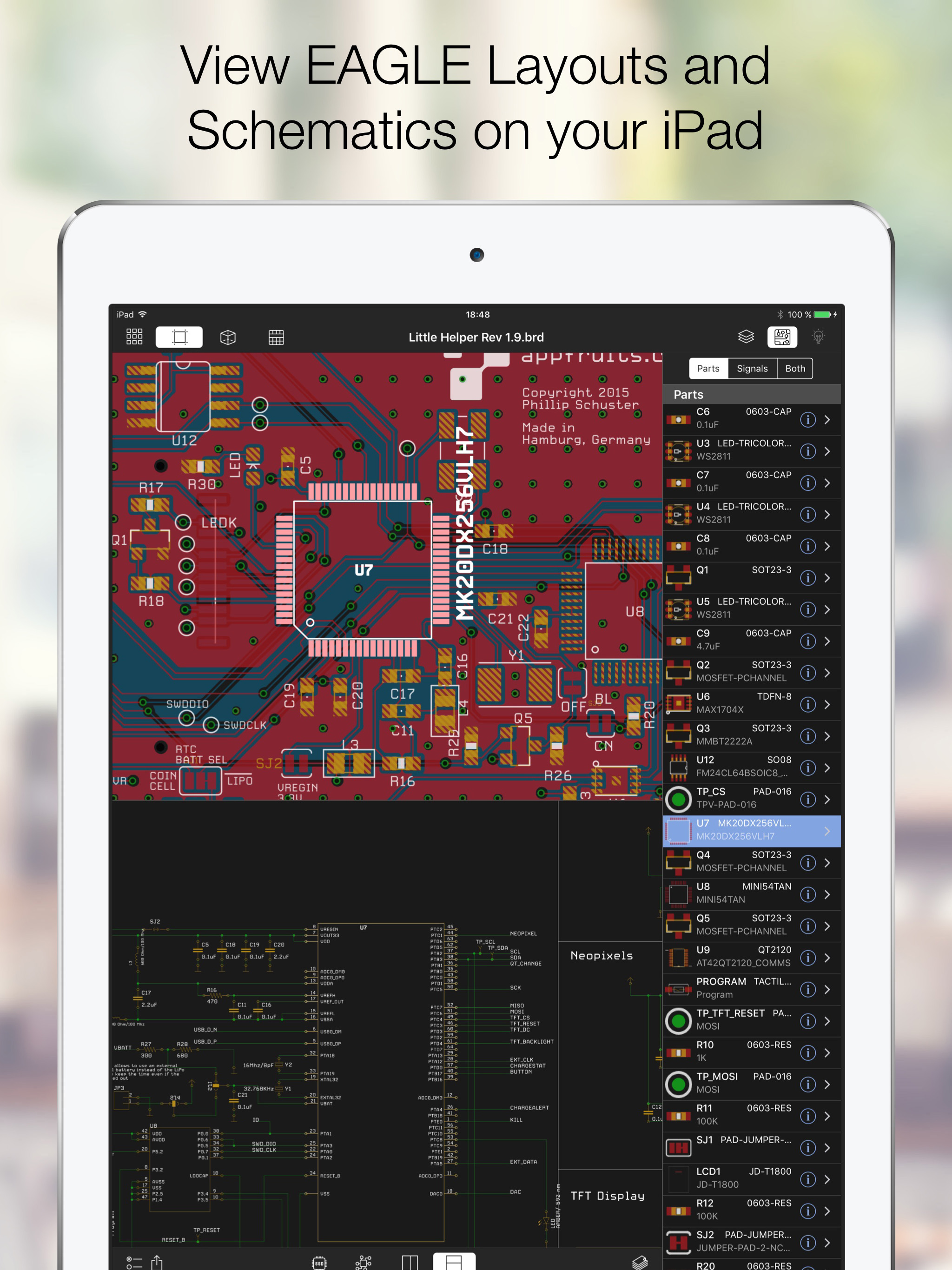
If you use Eagle PCB software, you need this app. It lets you see both your schematic and board on your iPhone. It also shows a BOM file which makes parts ordering a breeze. If you delete a board it only removes it from your iphone, your original file is untouched. You can view either side of a two sided board as well as an x-ray view looking through the board. And also a 3-D view of your board. Like the eyeball in Eagle you can highlight a trace or part in the schematic and it will highlight on the board. I highly recommend this app. If you have an iPad it's even better.
Open any EAGLE CAD file (from version 6 and above) directly on your iPhone and investigate the PCB layout and schematics with your finger. Select part...