Check the acquisition promise
Read the store headline, screenshots and description. What problem is the app promising to solve?
Study the storefront ↗
CLZ · iOS
Explore the ad evidence, study the storefront, and build your next acquisition hypothesis.
01 / Creative research
Read the store headline, screenshots and description. What problem is the app promising to solve?
Study the storefront ↗Explore apps with direct store-link matches. Compare their hooks and formats without assuming the same approach works here.
Browse observed advertisers ↗Store rankings and revenue estimates describe market context. They do not establish ad spend, conversions or ROAS.
Review the market context ↗02 / Storefront & product
Study the product story and store experience behind the acquisition funnel.



03 / Market context
Keep revenue, downloads and store rankings separate from advertising performance.
I am most pleased to post a review for the CLZ Book App. I truly love this app. I searched for a cataloguing library app for years to catalog my book library. For years, I kept a paper copy of my books, but found this to be ineffective due to the fact that my collection over the past twenty-five years had grown by the thousands. But luckily, I kept searching and found the CLZ Book App. A couple of years ago, I read all of the reviews and convinced myself to purchase the app. Over the past couple of years, I have spent so much money on apps that promise, but do not deliver. But after purchasing this app, I can honestly say that my faith was restored. This is the BEST app for developing and maintaining a library. It’s easy to input the information about books and the developers are constantly making changes to make this the best book cataloguing app ever. In the couple of years that I have used this app, I have found the developers are very responsive and responded quickly whenever I had an issue. If you are looking for an app to develop your library, the CLZ Book App is the answer. I highly recommend this app and give it a 5. If I could, I would give it a 5+++++.
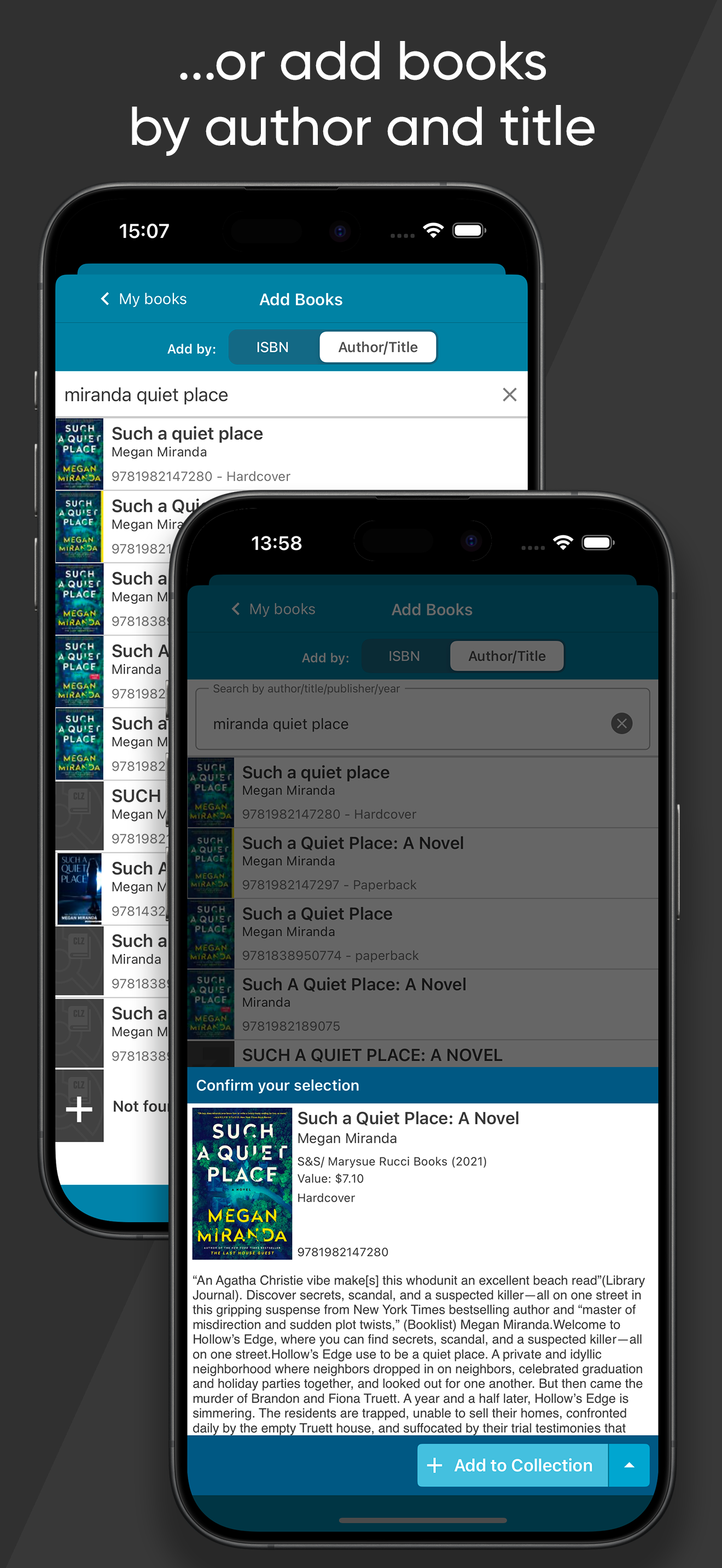
The Japanese term “Tsundoku” is when you acquire reading materials but let them pile up in one’s home without reading them. I’ve been guilty of this for 30+ years. During the pandemic, I kept my sanity during the lockdown by going through my collection/junk and I finally put my app to use. As an owner of several other CLZ Products (Movies, Music, Comics and Games) I was familiar with the clean and easy interface. You just start by adding a book by Author/Title or by ISBN/barcode. If you have a lot of foreign or non-mainstream books, chances are they are not in the database of millions. Not to worry, manually creating an entry is very simple. I’m quite satisfied with all the fields you can fill in for each entry including the ability to add your own photos. My only wish is that when you enter the purchase price you could choose the country currency you bought it in. I have items I bought from Asia and Europe, but I guess I can just do a conversion to USD. Other than that, this app is a must-have for those who want to keep track of their collection and once you start adding your books, it’s really hard to stop. If you also have lots of movies, music, comics or games, I highly recommend getting the other CLZ apps. Quality apps that are always updating for the better based on customer feedback and their support team is always quick and professional. Hopefully they will also make an app for other items such as sports cards, postage stamps, currency, or toys.
I’ve been collecting books my entire life and always wanted a library database like my local library. However, despite my best efforts, cataloging everything in excel and FileMaker Pro took forever and lacked the functionality I craved. I joined the Navy, and while I was in boot camp, my house burned down. My books were in the basement, and were destroyed by the water used to put out the fire. My family looked for a way to easily track my books for insurance purposes, and they found this app. This app answered both their needs and my needs. As I worked to rebuild my library, I kept buying duplicate books since I had a hard time differentiating the books I had lost from the books I had repurchased in my mind. I am now back over 6000 books and counting and I rely heavily on this app as well as the desktop version to keep track of my library. Sure, the core doesn’t have the most accurate or cleaned up data available and many plots are missing, but that allows us the take the data provided and make it our own. It’s a pity they had to change to a subscription service, because whenever I go to book stores or sales, I’m always suggesting CLZ products to my fellow patrons. The barcode scanner saves me tons of time, I just wish there was a mass entry form for isbn numbers instead of opening the entry window, selecting the number keypad, and entering the isbn number. It’d save me a lot of time.
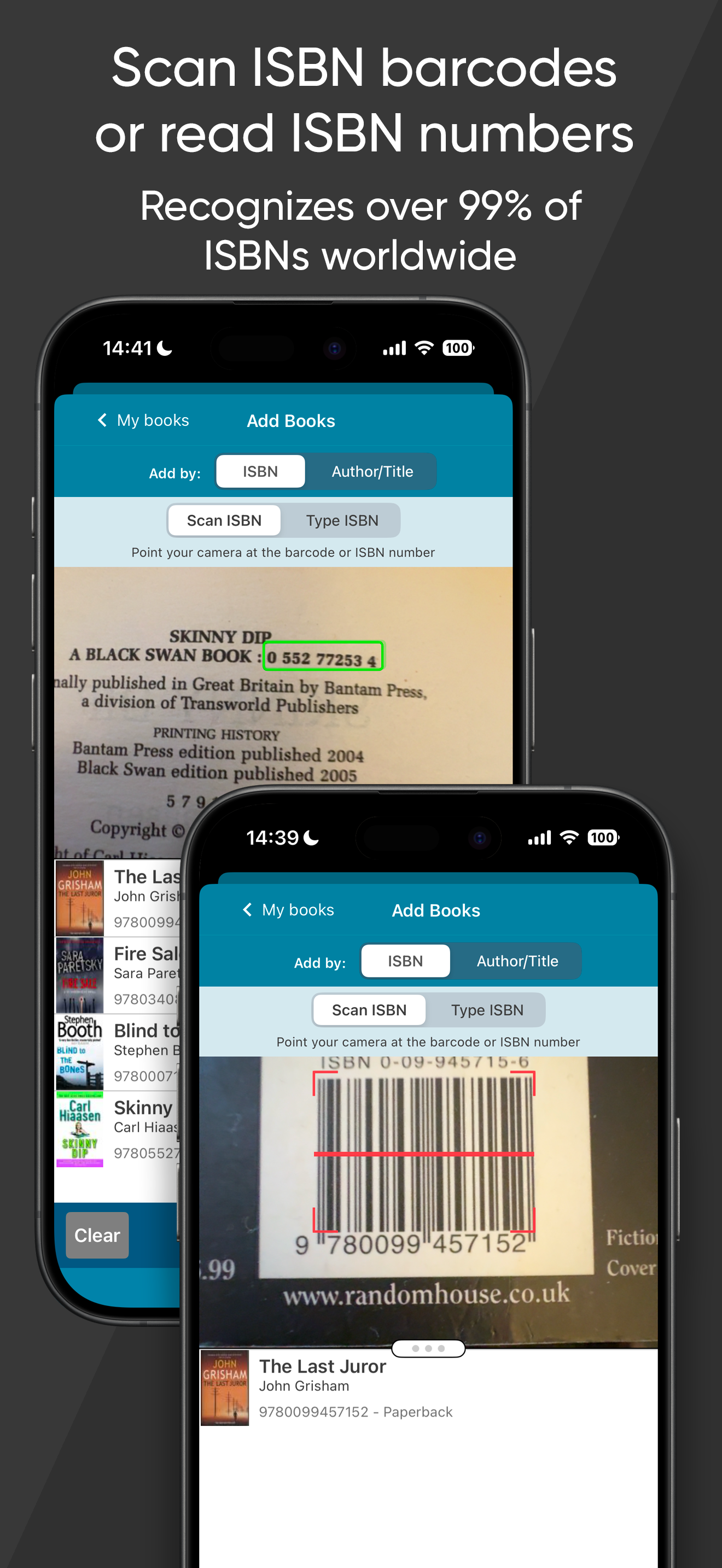
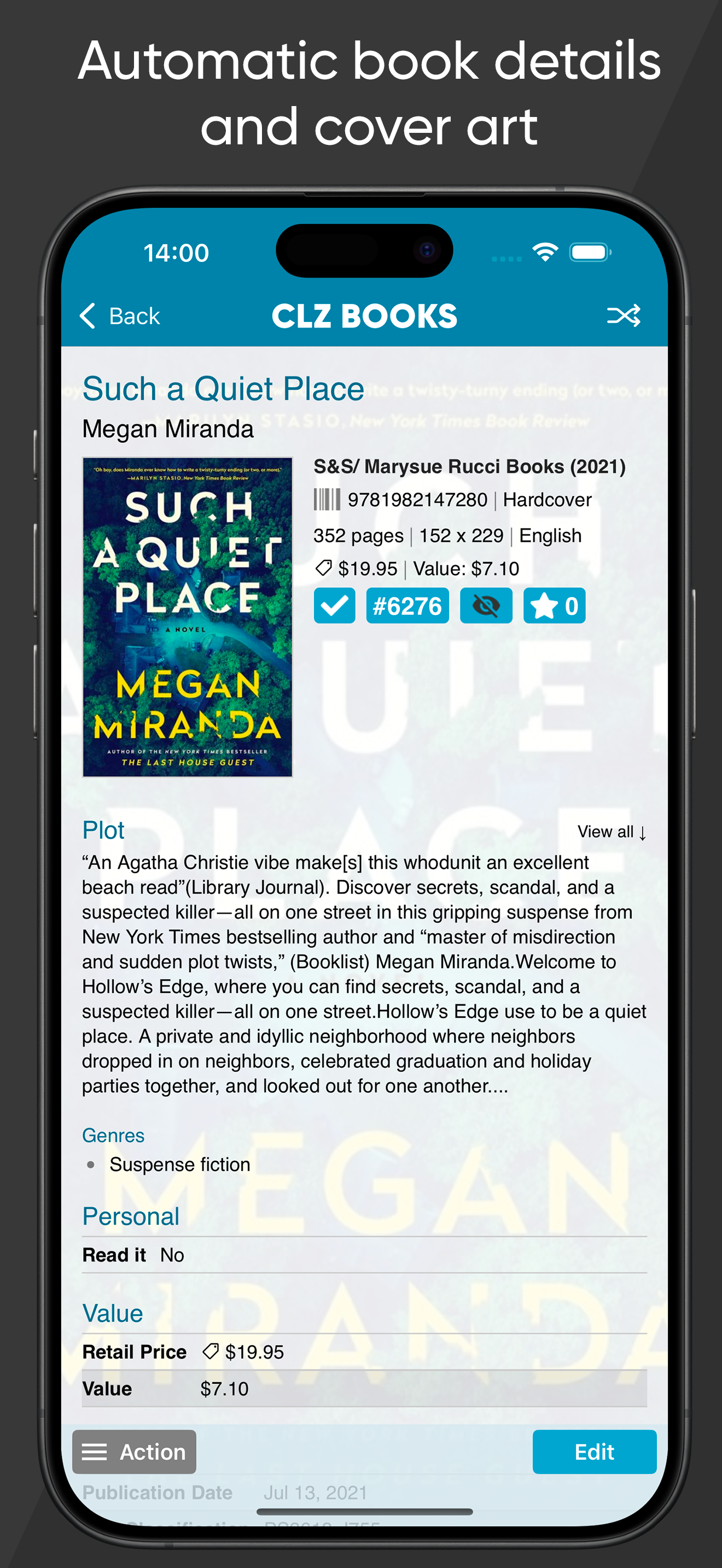
Easily catalog your book collection. Automatic book details, cover art and estimated values. Just scan ISBNs (barcode or text) or search our CLZ Core...
| Name | Price | Type |
|---|---|---|
| CLZ Books (Pay Monthly) | $1.99 | Monthly |
| CLZ Books (Pay Yearly) | $19.99 | Yearly |