
Check the acquisition promise
Read the store headline, screenshots and description. What problem is the app promising to solve?
Study the storefront ↗
Alan Yan · iOS
Explore the ad evidence, study the storefront, and build your next acquisition hypothesis.
01 / Creative research
Read the store headline, screenshots and description. What problem is the app promising to solve?
Study the storefront ↗Explore apps with direct store-link matches. Compare their hooks and formats without assuming the same approach works here.
Browse observed advertisers ↗Store rankings and revenue estimates describe market context. They do not establish ad spend, conversions or ROAS.
Review the market context ↗02 / Storefront & product
Study the product story and store experience behind the acquisition funnel.



03 / Market context
Keep revenue, downloads and store rankings separate from advertising performance.
Seemed like a great idea so I downloaded the app. I was sorely disappointed when I couldn’t get all my devices to show at the same time. For example, my watch shows only the battery level for the watch. My phone shows its battery level and the level for the watch. My iPad Pro shows it’s level and the level for the watch. Unfortunately, no device shows all three levels rendering the app relatively useless. All three devices are on the same Apple ID, the Bluetooth is enabled, and I’ve got plenty of storage space. Plus, there’s no way to contact the developer for help and the FAQs were no help. The last straw was the almost porno ads. I’m uninstalling. Hopefully a developer will release a similar app that actually works. Ok, I can admit when I’m wrong. I finally got this app to work thanks to an article in Mac Life magazine and it’s quickly become one of my favorite apps. I’m now giving the app a 4 star rating. If the app instructions were a bit more intuitive, I’d give it a solid 5 star rating. See - there is a thin line between love 🥰 and hate 😡 Still loving the app, I just wish I could see the battery percentages on the iPhone widget like you can on the iPad
I lost 2 Apple Pencil cos we forgot and left it discharge for few weeks as we don’t use it all the time. Coupled with it being Apple Pencil 1st gen which needs a cable to charge and my daughter using it, you can pretty much throw $99 after $99 buying Apple Pencils. This app saved me cos firstly it allows me to track battery life of her Apple Pencil. This is useful but what’s the most useful is the ability to add to shortcuts. What I ended up doing is a shortcut that detects if the Pencil is less than 30%, and then an action step to iMessage me when it does. So every time this happens, we would know and prevent the Pencil from dying. I then set multiple automation to run it 4 times a day. The end result is something that will ping me if the battery is dying down and I can take action. Nothing else comes close to this app. Thank you so much!!!
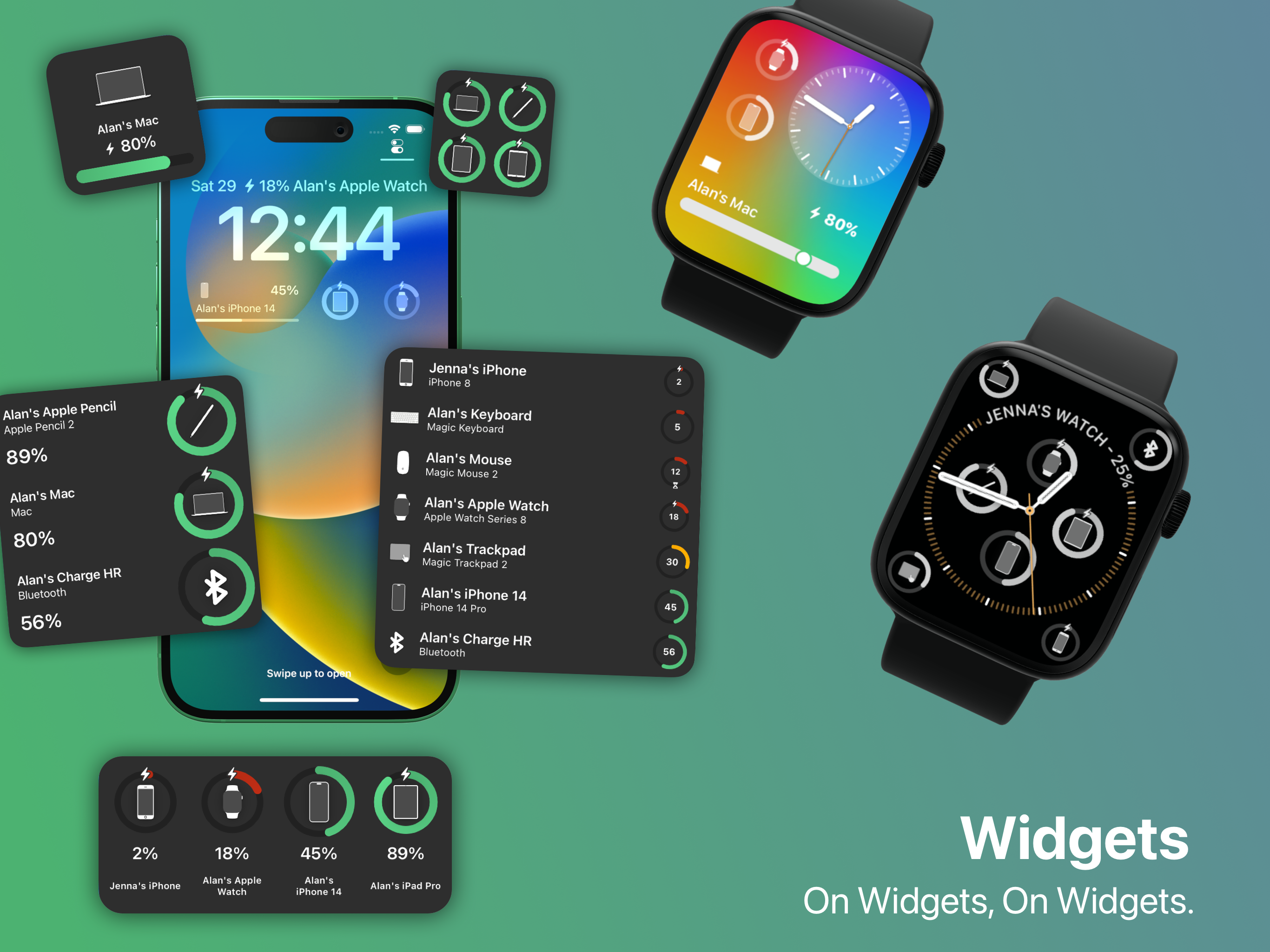
If you have more than one Apple device, you need this app. It allows you to keep track of battery status of all your devices from any device....even monitor your MacBook battery from your watch (for example). Also you can configure notifications per device to alert you when charge reaches a preconfigured level (or charge drops below a percentage level you set). And the Apple Watch complication can be set to show you the charge level of the lowest device...so at a glance you know what device is in need of charge next. iOS 14 widgets give you at a glance info as well. Note that the charge level indication is not to the second (it relies on the device reporting charge level and iCloud sync)..but more than good enough to keep track of all your devices! Get this, you’ll be glad you did!
Cloud Battery keeps your device, accessory, and shared device battery levels in one place. Use Cloud Battery on supported devices: iPhone, iPad, Mac,...
| Name | Price | Type |
|---|---|---|
| Remove Ads & Customization | $4.99 | One-time |


