Check the acquisition promise
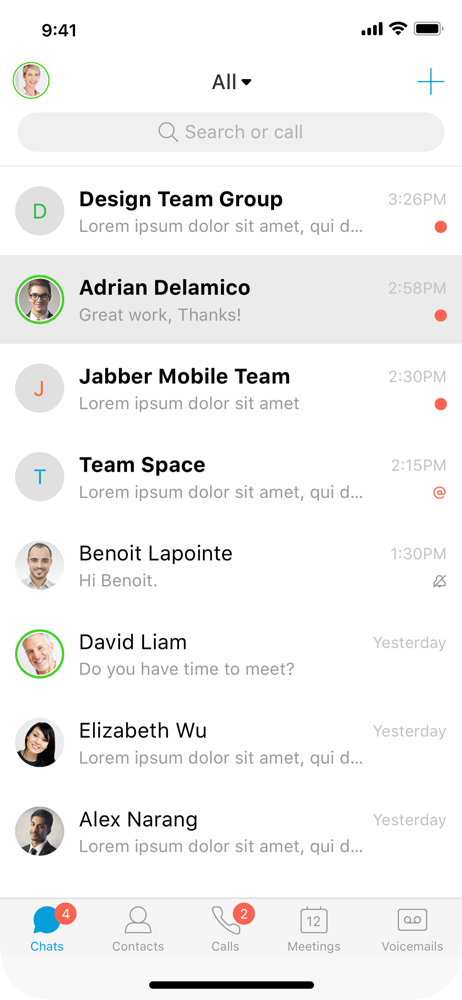
Read the store headline, screenshots and description. What problem is the app promising to solve?
Study the storefront ↗
Cisco · iOS
Explore the ad evidence, study the storefront, and build your next acquisition hypothesis.
01 / Creative research
Read the store headline, screenshots and description. What problem is the app promising to solve?
Study the storefront ↗Explore apps with direct store-link matches. Compare their hooks and formats without assuming the same approach works here.
Browse observed advertisers ↗Store rankings and revenue estimates describe market context. They do not establish ad spend, conversions or ROAS.
Review the market context ↗02 / Storefront & product
Study the product story and store experience behind the acquisition funnel.




03 / Market context
Keep revenue, downloads and store rankings separate from advertising performance.
Where do I begin. Here’s a list of my issues with Jabber. 1. You can’t send images to users who have a status of offline in Jabber. This is incredibly inconvenient when you work a job that depends on screenshots for communication sometimes. It should go to their inbox regardless of status so I can maintain a conversation there instead of now needing to split the conversation between email AND jabber. Horribly annoying. Jabber does not favor long term and asynchronous discussions. 2. You can’t send attachments. You can only send images. Even then, it’s very shoddy with what images it accepts from your clipboard. It essentially makes you use the built in snipping tool of jabber to send pictures. And again, NO ATTACHMENTS. 3. You can’t react to messages. You can send reaction emojies as actual messages, but you are unable to react to specific messages like Teams and Slack do. This is minor, but all other social software applications allow for this and should be a standard now. 4. Group chats are really hard to use. There may be a setting I’m unaware of to make this better, but, if you have multiple people in a chat, it disappears within a day. You also can’t title the chat something meaningful, and this also means you can’t have a consistent group of people to message who all may be on the same project. For a tool that should be improving collaboration and communication, it is filled with annoyances and roadblocks that get in the way of exactly that. If you’re a business interested in an IM/DM application for your employees, look elsewhere. At this point in time, Jabber is unimpressive compared to its competitors.
A chat app that integrates with multiple workstations, allowing you to get work done anywhere - it sounds great if it worked correctly. Frequently, I'll get a notification on my phone that there's a new message- I open up the app, it's nowhere to be found. Where did it go? Sometimes it'll re-sync and within a few hours or a day the message will appear correctly, and sometimes not. Sometimes Jabber notifies you there's a new message (or multiple messages) on the notification screen but then when you open the app - the message never appears. This is a failure of the most basic functionality of any messaging app. Another annoyance is that Jabber will sometimes notify you of app updates in the middle of the night such as "messages may expire soon". I understand my company has set an expiration policy for messages sent through Jabber (something I wish Jabber let you turn off, why would I ever want my messages to expire? but I understand that there are reasons a business may configure Jabber this way) however why does Jabber have to notify me at midnight of this? Then I wake up, think I have an important message from work - but nope, just Jabber deciding midnight is the best time for a random notification. The only way to stop this is to turn off all notification- but I don't want to turn off chat messages, only information messages from Jabber itself. Please fix, I'd love to enjoy using this app.
I love the app and how it allows me to work from anywhere in the building instead of lugging around my workstation. I think it would be nice to have a Haptic Touch option to allow you to change your status from the iOS home screen in the same way a right click on the taskbar allows you to do this in Windows. Integration with the shortcuts apps for status changes would be nice. I could set up an automation whenever I leave the office, change status to “off the clock” or something like that. Cool possibilities.
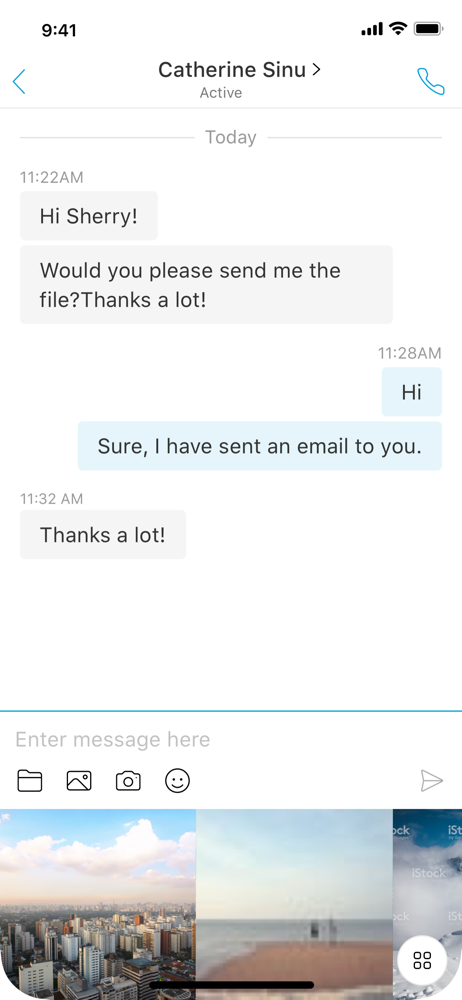
Cisco Jabber™ for iPhone and iPad is a collaboration application that provides presence, instant messaging (IM), voice, voice messaging, and video cal...